

WordPress plugins can transform your site, and a WordPress quiz plugin can boost your engagement significantly. You’ve seen those viral quizzes explode on social media and want that same traffic for your site. But is there a catch?
The perfect quiz can build your email list on autopilot and keep visitors hooked. The wrong one? It’s a frustrating, site-slowing mess that drives people away.
We’ve done the hard work for you. We installed, tested, and pushed the top quiz plugins to their limits. We wanted to find the absolute best. This guide delivers a clear, no-fluff verdict so you can get your first quiz live in minutes.
We tested HD Quiz and loved it because it’s the best free plugin for creating beautiful quizzes. It’s incredibly easy to use, includes great features like timers and image support without any cost, and lets you get a modern, professional-looking quiz live on your site in just minutes.
Setting the Stage
We set up a staging site to install and test each popular quiz plugin in a safe environment. This allowed us to push them to their limits without any risk to our live website. We evaluated each one against the following criteria:
- Ease of Use
- Supported Quiz Types & Logic
- Design & Branding Options
- Scoring, Logic, and Flow
- Analytics & Data Reporting
- User Access & Restrictions
- Security & Anti-Cheating Features
- Monetization & Payment Options
- Certificates & Completion Rewards
- Pricing, Plans, and Value
With that in mind, let’s go over our top quiz plugins
1. HD Quiz

HD Quiz is a completely free WordPress plugin that focuses on creating visually engaging, modern quizzes quickly. It’s famous for being one of the most generous and user-friendly free quiz builders available, making it a top choice for anyone who needs an attractive, interactive quiz without a budget.
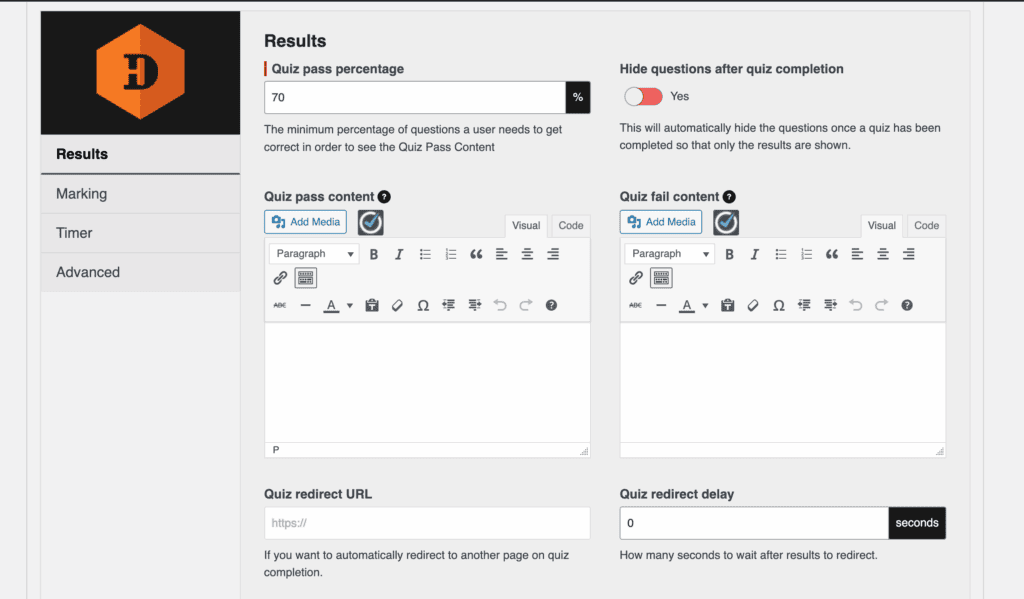
During our review of HD Quiz was by far the easiest to use. The dashboard is clean and intuitive, and we created a complete, polished quiz in just a few minutes with zero frustration. But, it doesn’t have a lot of marketing or logic scoring features that Thrive Quiz Builder has.
Features List:
- Multiple-choice, true/false, and personality quiz formats.
- Image and animated GIF support for questions and answers.
- Timer options for the entire quiz or individual questions.
- Automatically adopts your theme’s fonts and colors for seamless integration.
- Fully mobile-responsive design.
- Pass/fail conditions with custom completion messages.
- Question and answer randomization to deter cheating.
- Lacks built-in analytics; a separate free add-on is needed to save basic results.
- Does not create downloadable certificates or badges.
- No built-in monetization features.
Pricing: HD Quiz is 100% free.
2. Thrive Quiz Builder
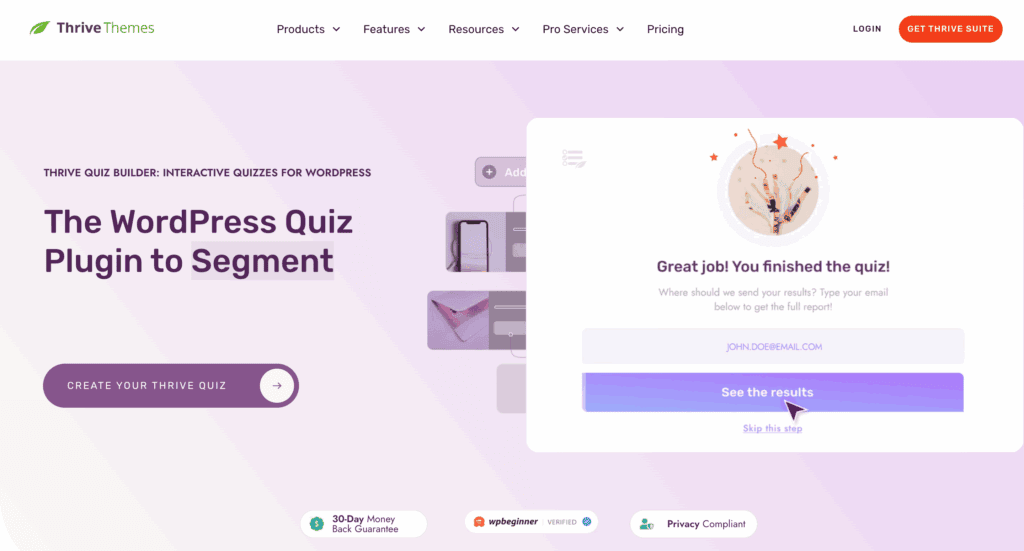
Thrive Quiz Builder is a premium plugin designed specifically for marketing, lead generation, and creating intelligent quiz funnels. It’s famous for its powerful visual branching logic, which allows you to create dynamic, personalized quiz paths based on user answers. It’s built from the ground up to turn quizzes into a core part of your sales and audience-building strategy.
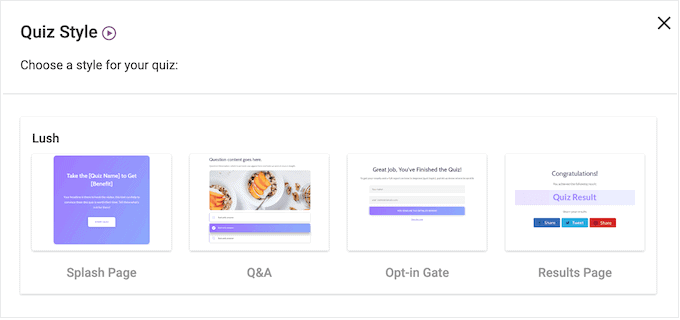
When we tried Thrive Quiz Builder, getting started was straightforward. We appreciated the setup wizard and a drag-and-drop visual builder.
However, we found there’s a steep learning curve when creating complex personality quizzes with branching logic. It requires you to think like a marketer and plan your quiz flow carefully.
Features List:
- Multiple-choice, true/false, and personality/category-based quiz formats.
- Visual, drag-and-drop branching logic for personalized quiz paths.
- Built-in “opt-in gate” to capture emails before showing results.
- Detailed analytics dashboard tracking completion rates, drop-off points, and more.
- Conditional redirects to send users to different URLs based on their results.
- Timer and progress bar features.
- Data export to CSV and social share badges.
- No built-in certificate generation.
Pricing: Thrive Quiz Builder’s pricing starts at $199/year for just the plugin. You can also get it as part of the Thrive Suite for $299/year.
3. Watu Quiz
Watu Quiz is a lightweight WordPress plugin built for creating functional exams, assessments, and surveys. It’s famous for being a reliable, no-frills workhorse with clean code that won’t slow down your site. It’s the go-to choice for users who value function and reliability over flashy design, making it ideal for academic and training websites.
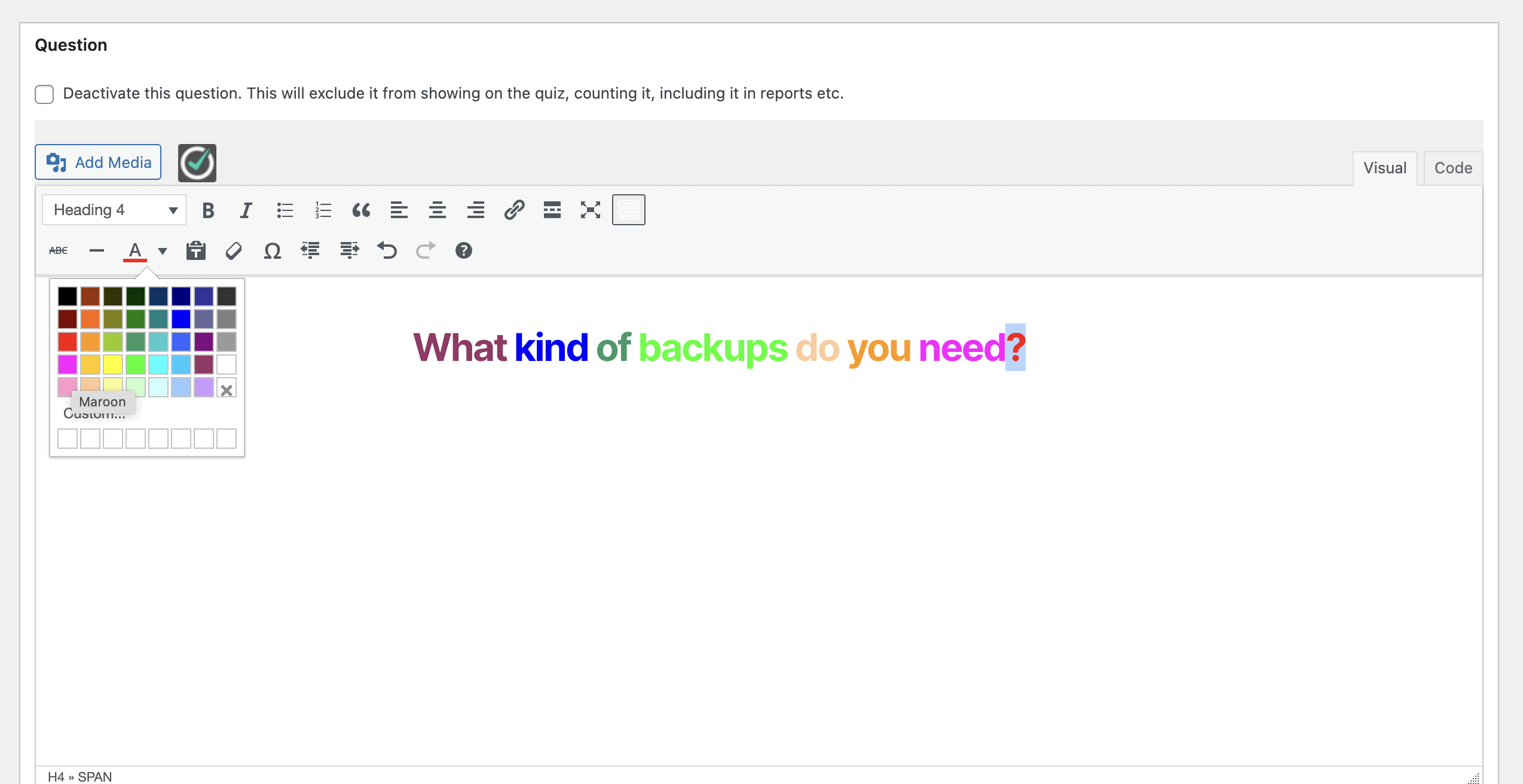
Our hands-on experience of Watu Quiz showed that it is refreshingly simple. While the interface is dated, its no-nonsense, logical layout meant we could build and publish a fully functional quiz in minutes without ever feeling lost. It integrates directly into the WordPress dashboard, and adding questions, assigning points, and publishing with a shortcode was incredibly straightforward.
Features List:
- Multiple-choice and true/false quiz formats (personality quizzes are an add-on).
- Flexible, point-based scoring and grading system.
- Pass/fail conditions and quiz randomization.
- Can restrict quizzes to logged-in users and limit attempts.
- Tracks user attempts and allows result export to CSV.
- Direct PayPal/Stripe integration for selling quizzes (via add-on).
- Downloadable PDF certificates and gamification badges (via add-ons).
Pricing: There’s a free version but Watu Quiz Pro’s pricing tiers start at $67 for the core plugin. Bundles including more advanced modules (like personality quizzes and payment integrations) are available for $97 or $147.
4. Quiz Cat
Quiz Cat is a WordPress plugin specialized in creating simple, viral “BuzzFeed-style” quizzes. It is famous for its exceptional ease of use and quick setup time. It allows anyone to add an engaging piece of content to their site without any technical fuss. It’s designed for speed and simplicity above all else.
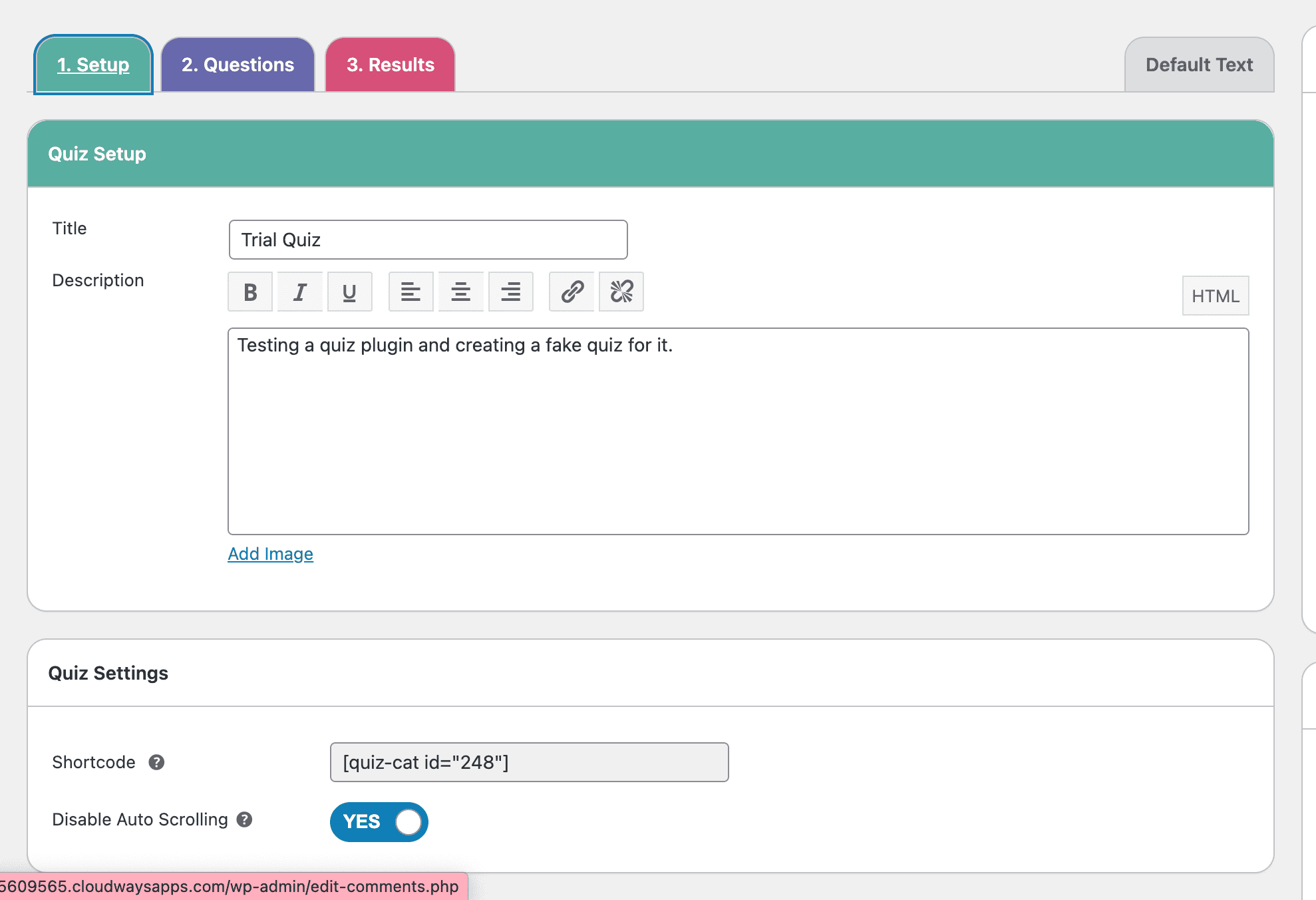
Our Quiz Cat review showed that it is extremely intuitive. We tested the free version and found no confusing setup process. We were able to create a functional three-question multiple-choice quiz in just a few minutes. However, the free version is very limited, and we quickly realized that essential features like adding a timer or building a personality quiz would require a premium upgrade.
Features List:
- Multiple-choice and true/false quizzes.
- Personality quiz and timed quiz formats (premium).
- Image-based questions and answers.
- Simple right/wrong scoring.
- Weighted answers, randomization, timers, and redirects (premium).
- Analytics for tracking scores, attempts, and completion rates (premium).
- Enables customizable results messages based on the final score.
Pricing: The free version is very limited. Quiz Cat’s premium plans are subscription-based, starting at $69/year for the Personal plan (1 site).
5. Quiz and Survey Master (QSM)
Quiz and Survey Master (QSM) is a highly flexible, modular plugin that functions more like a comprehensive toolbox than a simple quiz builder. It’s famous for its immense power and granular control, allowing users to build everything from simple quizzes to complex surveys, exams, and marketing funnels with deep customization.
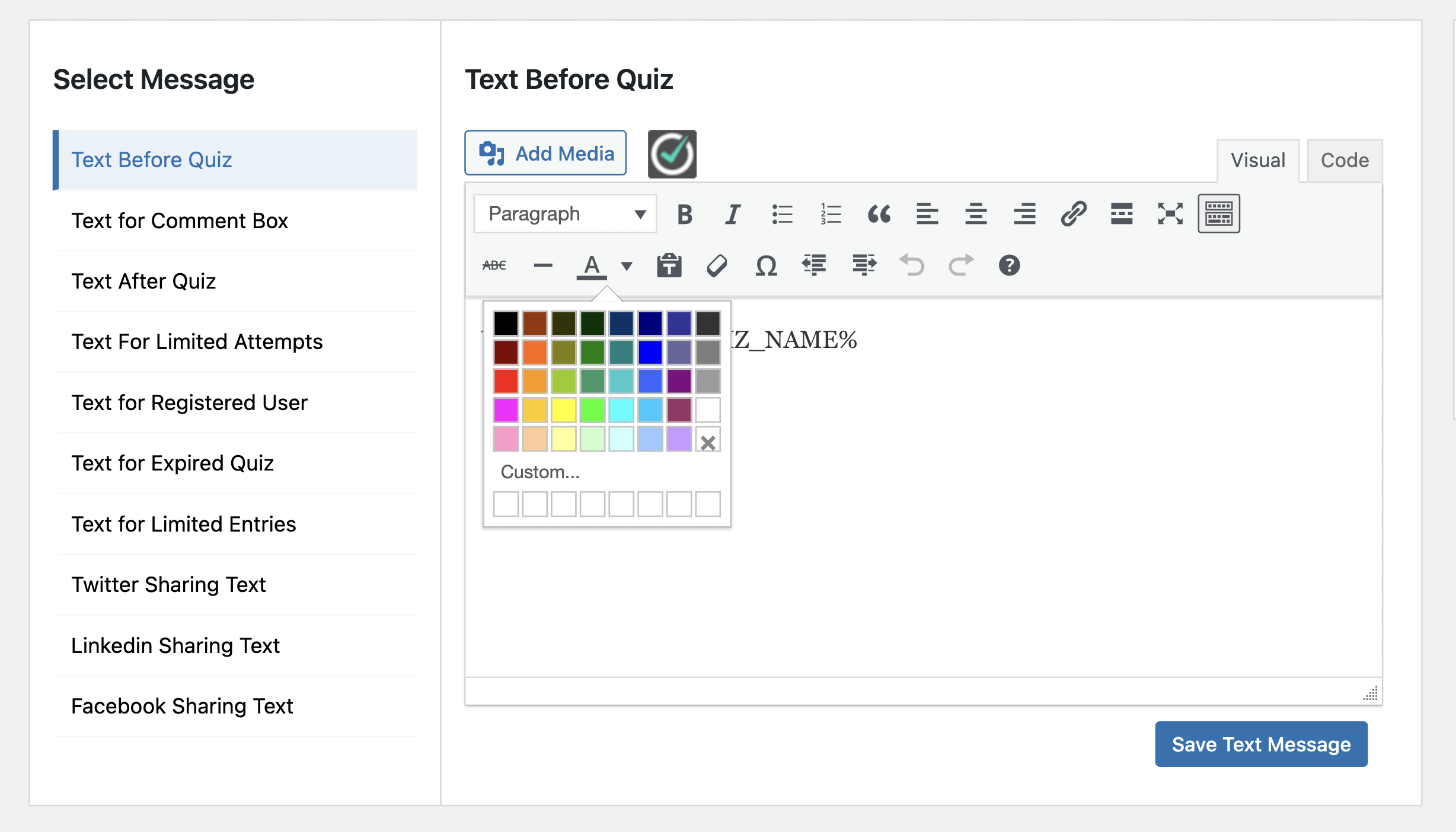
During our QSM testing, we found the interface powerful but not intuitive. The dashboard was clunky, and the workflow for editing questions was frustrating, requiring far too many steps. The most significant issue was when we tried to view our published quiz, the page repeatedly threw a “Page Not Found” error, making it impossible to preview our work.
Features List:
- Multiple-choice, true/false, fill-in-the-blank, and open-ended question types.
- Personality quiz format and conditional logic (branching).
- Highly flexible, points-based scoring system.
- Pass/fail conditions, randomization, progress bars, and countdown timers.
- Dynamic, score-based result pages are included for free.
- Monetization, advanced analytics, and PDF certificates require premium add-ons.
Pricing: It’s a powerful free version. Advanced functionality is available by purchasing individual premium add-ons or through tiered subscription bundles (Basic, Plus, and Pro) that group popular add-ons at a discount.
6. Quiz Maker by Ays Pro
Quiz Maker is a versatile and feature-rich plugin designed for a wide variety of quizzes, from simple trivia to advanced exams and personality tests. It’s famous for offering an impressive number of question types and deep customization options right out of the box, even in its free version, making it a powerful and flexible solution for many different needs.
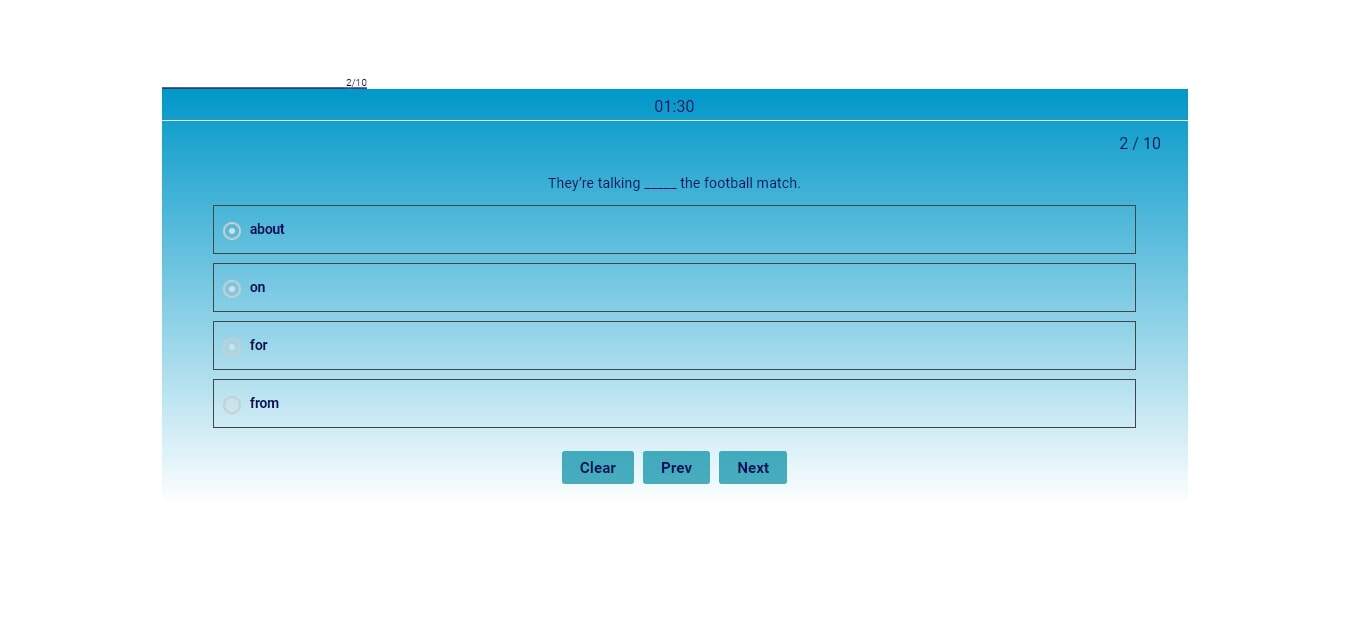
We found the plugin to be user-friendly, with a straightforward workflow. Creating a basic quiz is quick, and the settings are logically organized. The standout feature during our testing was the live style preview in the dashboard, which allowed us to see design changes in real-time without having to constantly save and refresh a separate page.
Features List:
- 11 Question Types, including multiple-choice, fill-in-the-blank, and matching.
- 6 customizable quiz themes with 50+ style options and a live preview.
- Timer functionality, question bank, and randomization.
- Personality quiz creation using score intervals.
- Data collection form and detailed results page options.
- User restrictions (limit to logged-in users or roles).
- PDF certificates, leaderboards, and payment integrations (Pro).
Pricing: Quiz Maker has a generous free version. Pro features are available via one-time payments. The Business plan is $75 (5 sites), the Developer plan is $250 (unlimited sites, advanced features), and the Agency plan is $476 (all features, lifetime).
Best Practices for Your WordPress Site
Choosing the perfect quiz plugin is a great step, but it’s just one piece of the puzzle. To ensure your entire website remains fast, secure, and reliable, every WordPress site owner should follow a few essential best practices.
Here are the non-negotiable best practices we recommend for every WordPress site:
- Install a Backup Plugin: Use a reliable backup plugin like BlogVault that stores your backups off-site, ensuring you can restore your site in minutes, no matter what happens.
- Use a Security Plugin: WordPress is a popular target for hackers. A security plugin is your first line of defense. Install a comprehensive security plugin like MalCare to provide a firewall that blocks bad traffic, scan for malware, and help you clean up any infections quickly.
- Keep Everything Updated: Outdated software is the #1 reason WordPress sites get hacked. Regularly update your WordPress core, as well as all of your plugins and themes. Updates often contain critical security patches, bug fixes, and new features.
- Use a Staging Site for Testing: Never test new plugins, themes, or major changes on your live website. A staging site is a private clone of your site where you can safely experiment without any risk to your visitors. Many backup plugins (like BlogVault) and managed hosts offer easy one-click staging.
- Optimize for Speed: A slow website frustrates users and hurts your Google rankings. To keep your site fast, choose a speed plugin, use a good web host, use a caching plugin, and optimize your images before uploading them.
- Use Strong Passwords and User Roles: Enforce strong, unique passwords for all user accounts, especially for administrators. If you have multiple people working on your site, assign them the appropriate user role (e.g., Editor, Author) to limit their access to only what they need.
Final Thoughts
Choosing a WordPress quiz plugin can feel overwhelming, but for most users, HD Quiz is the clear winner. It perfectly balances powerful features with incredible ease of use, all for free. You get timers, image support, and even personality quizzes—features often locked behind a paywall—in a package that anyone can master in minutes.
No matter which plugin catches your eye, we strongly recommend you create a test site. It gives you a safe playground to experiment without any risk to your visitors.
FAQs
How do I make a quiz on WordPress?
The easiest and most common way is to use a plugin. The process is simple: install and activate a plugin like HD Quiz, use its dashboard to create your questions and answers, configure settings like timers or pass marks, and then copy the provided shortcode to paste it onto any page or post.
What is the best free WordPress quiz plugin?
Based on our tests, HD Quiz is the best free option. It’s incredibly easy to use, looks great right out of the box, and includes powerful features like timers, image support, and personality quizzes at no cost, which are often premium features in other plugins.
Can I use a quiz to get more email subscribers?
Absolutely. This is a powerful marketing strategy. To do this, you’ll need a plugin with a “lead capture” or “opt-in gate” feature, which requires users to enter their email address to see their results. Thrive Quiz Builder is specifically designed for this purpose.
Can I create a personality quiz like the ones on BuzzFeed?
Yes. Many plugins support this popular format. HD Quiz offers it for free, while others like Quiz Cat and Watu Quiz include it as part of their premium versions. These quizzes work by assigning points to answers that correspond to a specific personality type or outcome.
Do I need to know how to code to add a quiz to my site?
No, you do not need any coding skills. Modern WordPress quiz plugins are designed for beginners and use intuitive visual interfaces. You can build, customize, and publish your entire quiz using simple menus, and then add it to your site by copying and pasting a simple shortcode.

Shreya has been a writer for as long as she can remember. Now, she writes articles that help WordPress users manage the sites that they're proud of, with little to no coding


