

Feeling overwhelmed trying to pick the right tool for your online course? This Tutor LMS vs LifterLMS comparison breaks down exactly what you need to know. One is celebrated for its modern design and ease of use, perfect for launching a beautiful site quickly. The other is a powerhouse for building a serious membership business. Making the right choice now saves you headaches later.
The best WP LMS plugin is the one that fits your specific project. We’ll skip the technical jargon and compare them on what truly matters to a beginner: how easy it is to build a course, your selling options, and pricing. By the end, you’ll be confident in your decision.
When we tried Tutor LMS, we loved it for its modern frontend course builder and its powerful quiz engine. In contrast, LifterLMS excels as an all-in-one platform for memberships and coaching with powerful automation.
To give you a head-to-head comparison of both course plugins, we installed them on test sites. We focused on the key features that matter most to course creators, evaluating each plugin on:
- All-in-one course & membership capabilities.
- Drag-and-drop course builder ease of use.
- Advanced quiz and assignment options.
- Direct Stripe & PayPal integration cost.
- Built-in certificates and badges.
- Reliable content dripping.
- Detailed student reporting.
- Plugin impact on site speed at scale.
Student Experience & Focus Mode
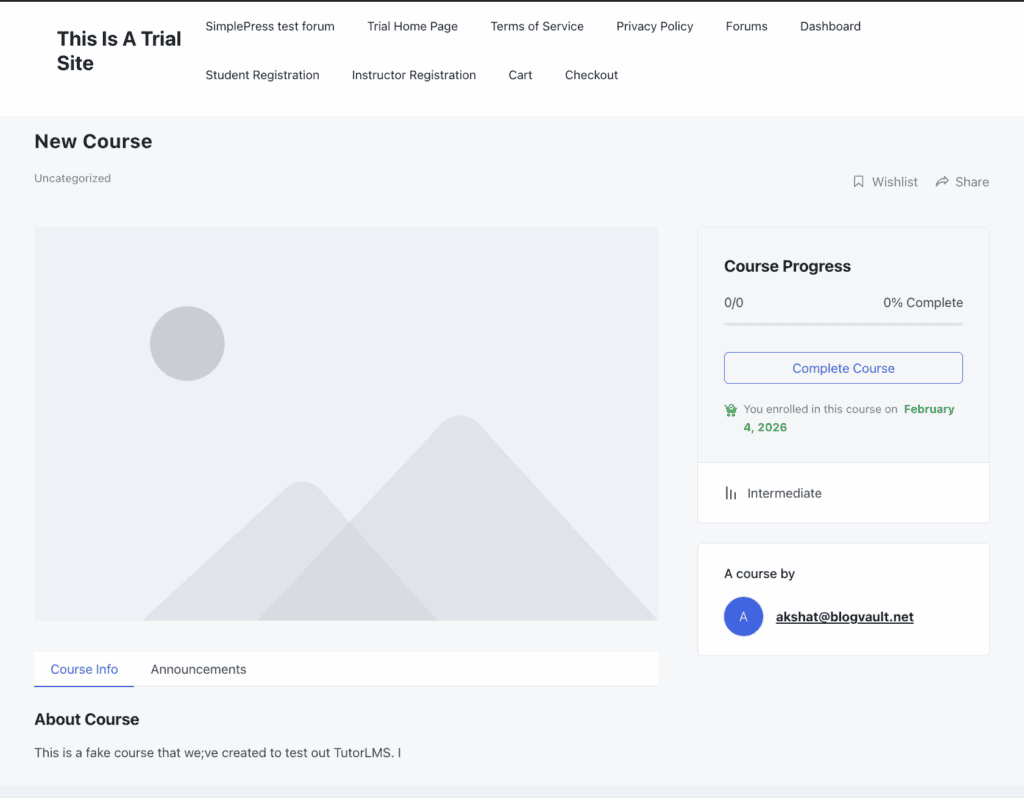
A great student experience keeps learners engaged and reduces refund requests. We looked at how each plugin creates a distraction-free learning environment, helping students concentrate on the course material without being distracted by site menus or sidebars. A good UI is a hallmark of the best WordPress LMS plugin for beginners.
LifterLMS: LifterLMS excels at creating an immersive learning portal. Its dedicated “Syllabus” view and distraction-free Focus Mode hide unnecessary site elements to keep learners on task. This mode is highly brandable, allowing you to change colors and logos to match your site’s identity without touching any code. Navigation is clear, with a persistent progress bar and easy-to-find “Mark Complete” buttons.
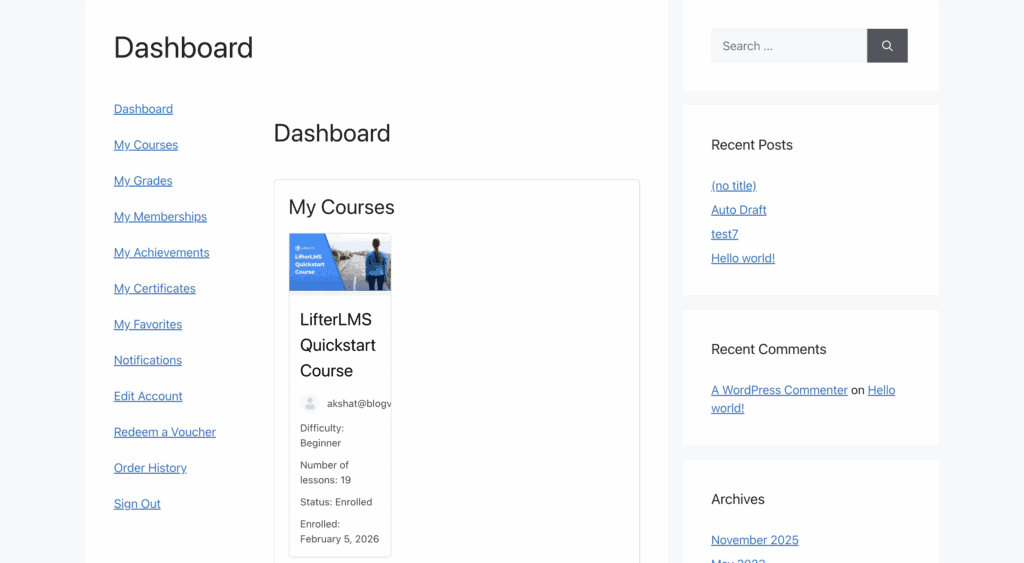
Tutor LMS: Tutor LMS also provides a clean, distraction-free Focus Mode that hides global elements to center attention on the lesson content. The user interface is consistently praised for being minimalistic and uniform, which helps beginners navigate courses without feeling overwhelmed. Recent updates have also focused on improving accessibility for all users.
Quiz Complexity & Assessment Tools
Quizzes are crucial for testing knowledge and reinforcing what’s been taught. We compared the variety of question types available, the control instructors have over quiz logic (like timers and randomization), and the feedback options each plugin provides.
LifterLMS: The free version of LifterLMS offers only basic question types. To unlock advanced options like file uploads, matching, or “fill in the blank,” you must purchase the Advanced Quizzes add-on. Once you have it, the system is robust, supporting question weighting, randomized question banks, and strict timers.
Tutor LMS: Tutor LMS stands out by offering 10 diverse question types out of the box, including matching, image answering, ordering, and fill-in-the-blanks. Its advanced controls are equally impressive, featuring randomized question banks (e.g., “pull 5 questions from a pool of 20”) and customizable timers, making it a powerful solution for any LMS for coaching programs that require detailed assessments.
Content Control: Drip-Feeding and Prerequisites
Controlling how and when students access your content is key to building a structured learning path. We evaluated each plugin’s ability to drip-feed lessons over time and set up prerequisites to ensure students follow a logical progression. This is a core part of any LMS with membership features.
LifterLMS: LifterLMS is known for its highly reliable drip-feeding. You can schedule content to unlock on a fixed date (e.g., January 1st) or a relative date (e.g., 7 days after enrollment). Its prerequisite engine is also powerful, allowing you to lock lessons until a specific quiz is passed. A standout feature is “Access Plans,” which lets you expire student access after a certain timeframe, encouraging renewals.
Tutor LMS: Tutor LMS offers robust content control with four different drip scheduling modes: by a specific date, a number of days after enrollment, upon sequential completion, or after meeting other prerequisites. Its lesson-locking mechanism is reliable, and it adds extra content security features like “hotlink prevention” for videos and copy protection for text.
Payment Flexibility & eCommerce Integration
Getting paid for your courses should be simple. We compared how easily each plugin lets you sell, handle recurring payments, and integrate with popular payment gateways without forcing you to rely on complex third-party tools.
LifterLMS: LifterLMS has a major advantage here: it includes its own checkout system. You can connect to Stripe and PayPal and start selling courses, memberships, and payment plans natively. This reduces plugin conflicts and simplifies your setup. For those who need specific local gateways, a WooCommerce integration is still available as an option.
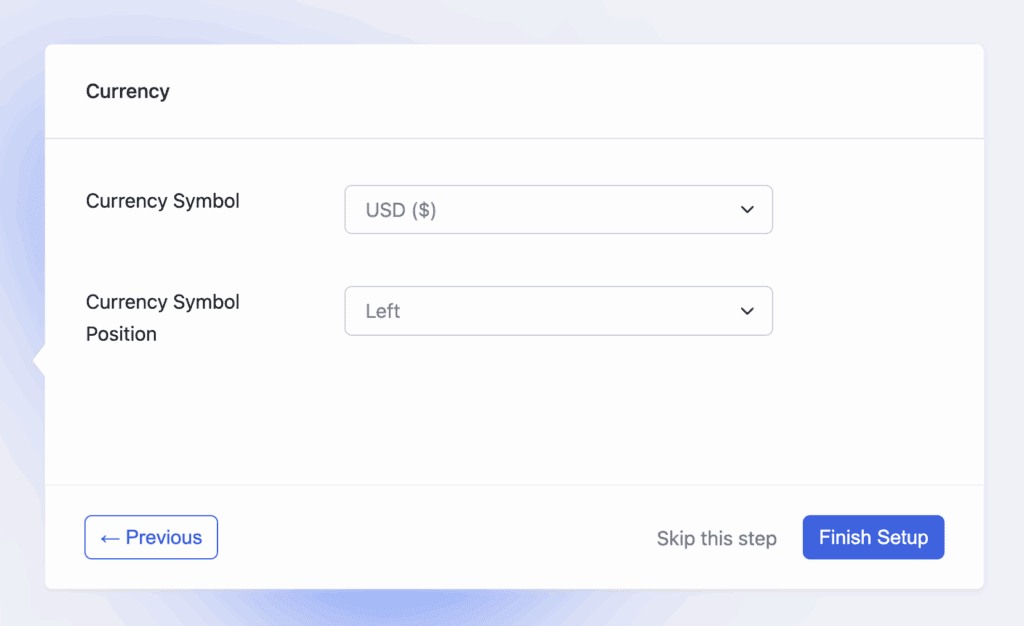
Tutor LMS: Tutor LMS also offers native eCommerce, allowing you to sell courses directly via Stripe, PayPal, Paddle, and Razorpay without external plugins. It also has built-in support for creating subscription plans. However, for more complex scenarios like advanced tax rules or bundling courses with physical products, it relies heavily on its excellent WooCommerce payment plugins.
Student Engagement & Gamification
Keeping students motivated is essential for course completion rates. We looked at the built-in tools each plugin provides for gamification (like badges and certificates) and communication to create an interactive and rewarding learning journey.
LifterLMS: Engagement is a core strength of LifterLMS. It includes built-in Achievement Badges and dynamic PDF Certificates that automatically populate with student data. It also features a native reviews function for social proof and powerful “Engagement Triggers” that can send personalized emails automatically (e.g., “Congrats on finishing Lesson 1!”). This makes it a great choice for a hands-on LMS for coaching programs.
Tutor LMS: Tutor LMS features a user-friendly drag-and-drop builder for creating professional certificates. It also has a dedicated Q&A section where students can ask questions and instructors can mark them as resolved. For more advanced gamification like points and badges, it relies on third-party integrations with plugins like GamiPress or BadgeOS.
Mobile Experience & Responsiveness
Today’s students learn everywhere, so a smooth mobile experience is non-negotiable. We looked at how each plugin’s course player, quizzes, and navigation adapt to smaller screens. For anyone looking for the easiest LMS to set up, a great mobile experience out-of-the-box is a must.
LifterLMS: The LifterLMS course player is built on a fluid grid system, meaning video players, text, and quiz buttons scale perfectly for easy tapping on both iOS and Android. For course creators who want to go a step further, LifterLMS also integrates with AppPresser, allowing you to turn your entire course website into a native mobile app.
Tutor LMS: Tutor LMS is fully responsive. Core components like the video player, lesson content, and course progress bars adapt cleanly to smartphone screens. Recent updates have focused on touch optimization, fixing earlier issues and ensuring that even features like the drag-and-drop course builder work well on a tablet.
Data Reporting & Analytics
Good data helps you understand what’s working and where students are struggling. We compared the analytics dashboards, student progress tracking tools, and data export capabilities of both plugins to see which gives instructors more actionable insights.
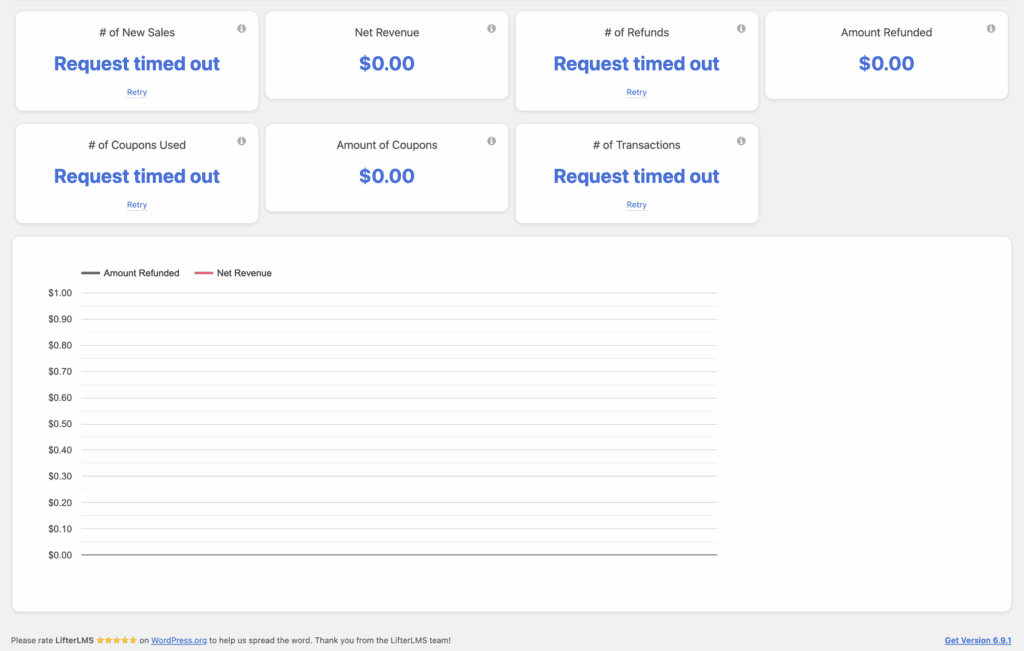
LifterLMS: LifterLMS provides instructors with a comprehensive dashboard that gives a birds-eye view of enrollment trends and revenue. Its real strength lies in its detailed gradebooks and individual student reports, which show every quiz attempt, time spent on lessons, and overall progress. All this data can be easily exported to a CSV file for external analysis.
Tutor LMS: Tutor LMS provides a centralized “Gradebook” where instructors can set up custom grading scales and track student performance. Its analytics dashboard features helpful visual graphs for tracking total earnings, enrollments, and identifying the most popular courses. This data is also exportable to CSV for record-keeping.
Ecosystem & Integrations
An LMS doesn’t exist in a vacuum. We looked at how well each plugin connects with other essential tools for marketing automation, community building, and video hosting. This is especially important when creating an online course marketplace that requires multiple systems to work together.
LifterLMS: LifterLMS is built to be the central hub of your learning ecosystem. It features deep integrations with automation tools like Zapier and Uncanny Automator, connecting it to over 5,000 other apps. It’s also known for its native compatibility with BuddyBoss and GamiPress, making it a top choice for building “social learning” communities.
Tutor LMS: Tutor LMS also connects well with the broader WordPress ecosystem. It integrates with Zapier, Pabbly, and FluentCRM for setting up automated email funnels and marketing campaigns. For community features, it pairs well with BuddyBoss and BuddyPress. It’s also optimized to work seamlessly with video hosting platforms like Vimeo and Bunny.net to ensure fast load times.
Site Performance & Speed
A slow website frustrates students and hurts sales. We evaluated the core architecture of each plugin to see how lightweight they are and whether they add unnecessary “bloat” to your WordPress site.
LifterLMS: LifterLMS is generally very efficient. It avoids “script bloat” by only loading its assets on course-related pages, keeping the rest of your site fast. Its database structure is well-indexed for quick queries, though it’s still recommended to use object caching on sites with very high traffic.
Tutor LMS: The core Tutor LMS plugin is considered high-performing and lightweight. However, community feedback often warns that overall performance depends heavily on the quality of your web hosting and avoiding “bloated” themes that load too many unnecessary scripts. It is fully compatible with standard caching and CDN tools to optimize speed.
Pricing & Value for Money
Budget is a major factor in the Tutor LMS vs LifterLMS pricing debate. We’re breaking down the pricing models, what you get for free, and the long-term cost of building a full-featured course site with each plugin.
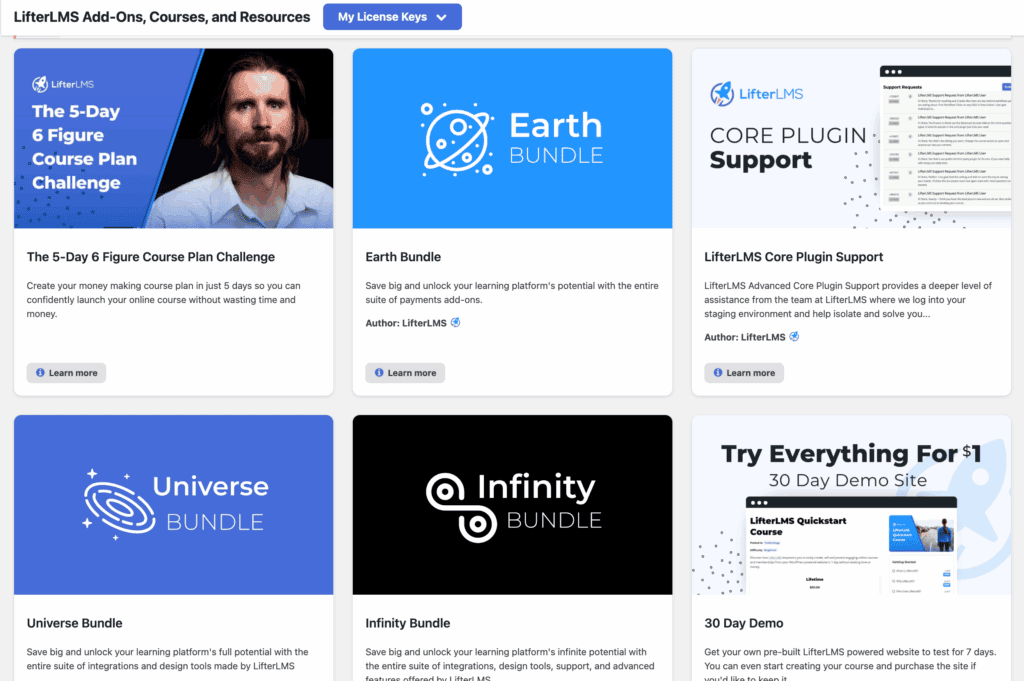
LifterLMS: LifterLMS’s pricing operates on a freemium model. The core plugin is a free LMS plugin for WordPress, but to sell courses and add advanced features, you need paid add-ons. Individual add-ons cost around $120/year each. Most users opt for a bundle, which starts at ~$360/year for marketing and payment tools and goes up to ~$1,200/year for everything.
Tutor LMS: Tutor LMS pricing also has a highly functional free version that is powerful enough for a basic course. The Pro version unlocks all features and starts at around $199/year for a single site. The biggest advantage for Tutor LMS is its lifetime deal, which starts around $499. This one-time payment is incredibly attractive for those looking to control long-term costs.
Potential Limitations to Consider
No plugin is perfect. It’s important to understand the potential downsides before you commit. Here are the most commonly cited limitations that are important for anyone, especially someone looking for the best WordPress LMS plugin for beginners.
LifterLMS: The primary limitation of LifterLMS is the “add-on tax.” The free core plugin is limited, and to build a professional site with payment gateways and advanced quizzes, you’ll likely spend at least $200–$300 annually. Additionally, while the Focus Mode is clean, some of the default course archive pages can look plain and require a page builder like Elementor to style them effectively.
Tutor LMS: While the TutorLMS interface is modern and beautiful out of the box, some users find that achieving a deeply unique or branded look can be challenging without custom CSS knowledge. Its core strengths are in its default design, so heavy customization can be more difficult compared to competitors that offer more styling controls in the backend.
Alternatives to Tutor LMS and LifterLMS
While Tutor LMS and LifterLMS are top contenders, they aren’t the only options. If neither feels like a perfect fit, here are two other popular alternatives worth considering.
- LearnDash: LearnDash is often considered the market leader in the WordPress LMS space and is used by major universities and Fortune 500 companies. It’s incredibly powerful, offering robust features for complex course structures, advanced quizzing, and detailed reporting. However, its power comes with a steeper learning curve and a higher price tag, making it better suited for established educational institutions or serious businesses rather than beginners.
- Thrive Apprentice: Thrive Apprentice is part of the popular Thrive Suite, a collection of marketing-focused WordPress tools. Its biggest strength is its seamless integration with the entire Thrive ecosystem, including the Thrive Architect page builder and Thrive Quiz Builder. If you are already a Thrive Suite user or want an LMS that is deeply integrated with marketing and conversion tools from day one, Thrive Apprentice is an excellent choice.
Final Thoughts
The “better” option truly depends on the specific project you’re building, as there is no single right answer, only the right fit for your goals. Choose Tutor LMS if you prioritize a beautiful, modern user experience, want to launch quickly without a steep learning curve, or plan to build a multi-instructor marketplace. Its generous free version and valuable lifetime deal make it an outstanding choice for solo creators and beginners. Conversely, choose LifterLMS if you are building a serious membership business or a high-touch coaching program. Its all-in-one engine for courses, payments, and engagement provides a robust foundation for scaling a complex learning platform.
Our final piece of advice? The best way to know for sure is to try them yourself, as both plugins have free versions you can install on a staging site. Build a single lesson in each, click through the student dashboard, and see which one feels right. This hands-on experience is the best way to make a decision you’ll be happy with for years to come.
FAQs
Is Tutor LMS worth it?
Absolutely. For most users, especially beginners, Tutor LMS is worth it. Its combination of a modern, easy-to-use interface, a feature-rich free version, and an affordable lifetime license for the Pro version provides incredible value and a fast track to launching a professional-looking course.
What is the best LMS plugin?
The “best” LMS plugin depends entirely on your needs.
Tutor LMS is often best for beginners and marketplaces.
LifterLMS is best for all-in-one membership and coaching sites.
LearnDash is best for universities and corporate training. The best plugin is the one that aligns with your specific project goals, technical comfort level, and budget.
What is the difference between Tutor LMS and Tutor LMS Pro?
The free version of Tutor LMS gives you the core tools to create and manage unlimited courses, lessons, and basic quizzes. Tutor LMS Pro unlocks the professional features you need to sell and scale, including the frontend drag-and-drop course builder, content drip, advanced quiz types, certificates, multiple payment gateways, and detailed analytics.
Is LifterLMS good?
Yes, LifterLMS is a very good and highly respected LMS plugin. It is exceptionally powerful for creating a cohesive learning business that combines courses, memberships, e-commerce, and automated student engagement in a single system. While it can be more expensive and complex than Tutor LMS, it provides a robust foundation for serious entrepreneurs.

Shreya has been a writer for as long as she can remember. Now, she writes articles that help WordPress users manage the sites that they're proud of, with little to no coding


