

The LiveChat vs Tidio debate comes down to one key question: do you need a powerful, human-centric tool or an all-in-one automated platform? Both are excellent for boosting customer engagement, but serve different needs. LiveChat is perfect for scaling support teams needing deep integrations, while Tidio packs AI and multichannel support into one user-friendly package.
Chat plugins like LiveChat and Tidio are essential for turning visitors into loyal customers. We’ll compare both platforms on key features, pricing, and ease of use to help you make a confident decision and get back to running your business.
Our experience of Tidio showed that it is the better plugin for most small to medium-sized businesses. It offers a more complete, all-in-one solution with built-in AI (Lyro) and multichannel support at a much lower price point.
To find the real winner in the LiveChat vs Tidio debate, we installed both on a test site to see how they perform in the real world. We’re looking beyond the feature lists to give you an honest, hands-on breakdown.
Here’s exactly what we tested for:
- Intelligent AI: How effective are the chatbots at solving real problems?
- Integrations: Do they connect seamlessly with essential tools?
- Performance: Do they slow down your website?
- Mobile App: Can your team manage chats reliably on the go?
- Agent Experience: How easy is it for your team to use?
- Compliance: Is customer data safe and GDPR-compliant?
- True Cost: What’s the real value, and is the free plan useful?
- User Complaints: What are the actual downsides users report?
AI and Automation
Verdict: Tidio is better for its built-in, advanced AI and automation capabilities included in the core product.
Effective automation is key to managing customer inquiries 24/7 without burning out your team. We looked at how each platform uses AI to resolve issues, qualify leads, and assist human agents.
LiveChat: LiveChat focuses on AI-assisted human support. Its built-in Copilot Assistant provides agents with real-time reply suggestions, helps adjust text tone, and summarizes long conversations. For full, 24/7 automation, you must integrate LiveChat with its separate (and separately paid) sister product, ChatBot, which handles FAQs and lead qualification.
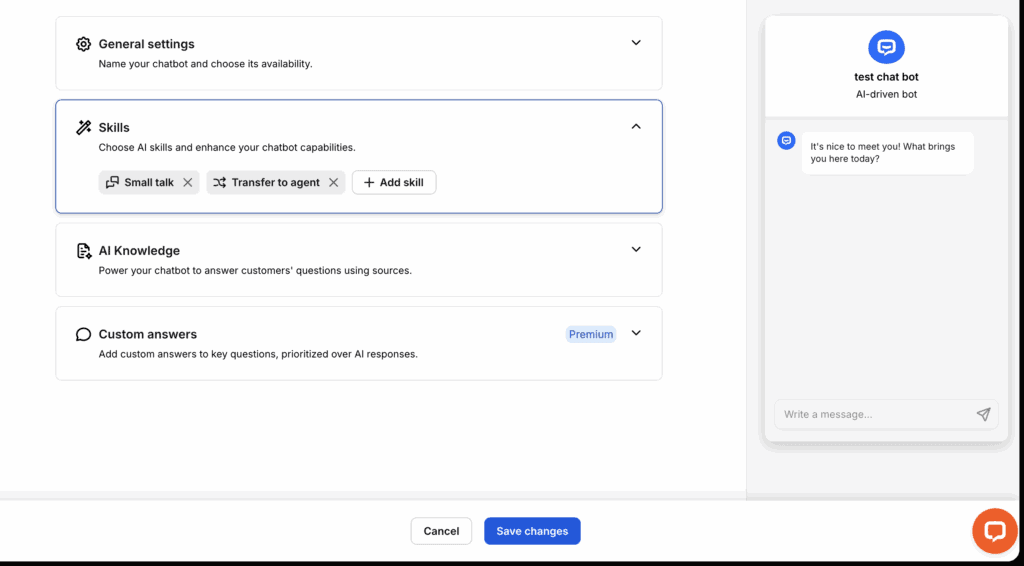
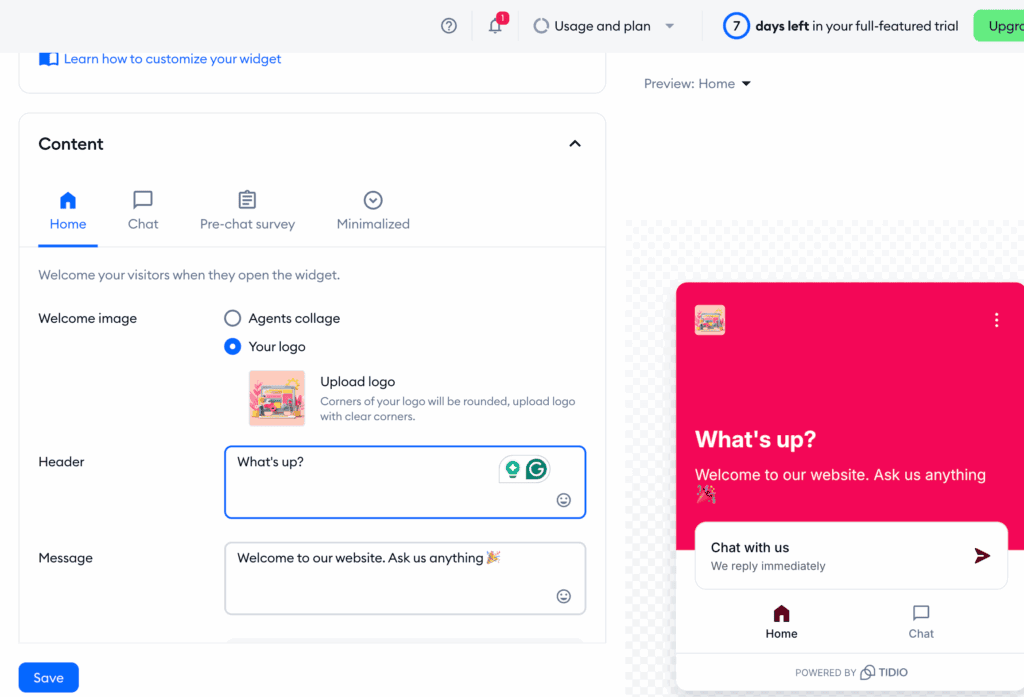
Tidio: Tidio builds its powerful AI directly into the platform. Its Lyro AI agent can resolve up to 70% of customer issues by learning from your website content and FAQs. It also includes a visual drag-and-drop builder for creating rule-based automations and an AI Copilot to assist human agents. The integrated nature of Tidio chatbot features makes it a more seamless and cost-effective automation solution.
Third-Party Integrations
Verdict: LiveChat wins for its massive, dedicated marketplace of over 200 direct integrations.
A great chat tool needs to connect with the other software you use every day, from your CRM to your email marketing platform. We evaluated the breadth and depth of each platform’s integration ecosystem.
LiveChat: LiveChat boasts an enormous app marketplace with over 200 native integrations. It connects directly with major CRMs like Salesforce and HubSpot, helpdesks like Zendesk, and social channels like WhatsApp and Facebook Messenger. These extensive LiveChat integrations make it the perfect hub for businesses with complex software stacks.

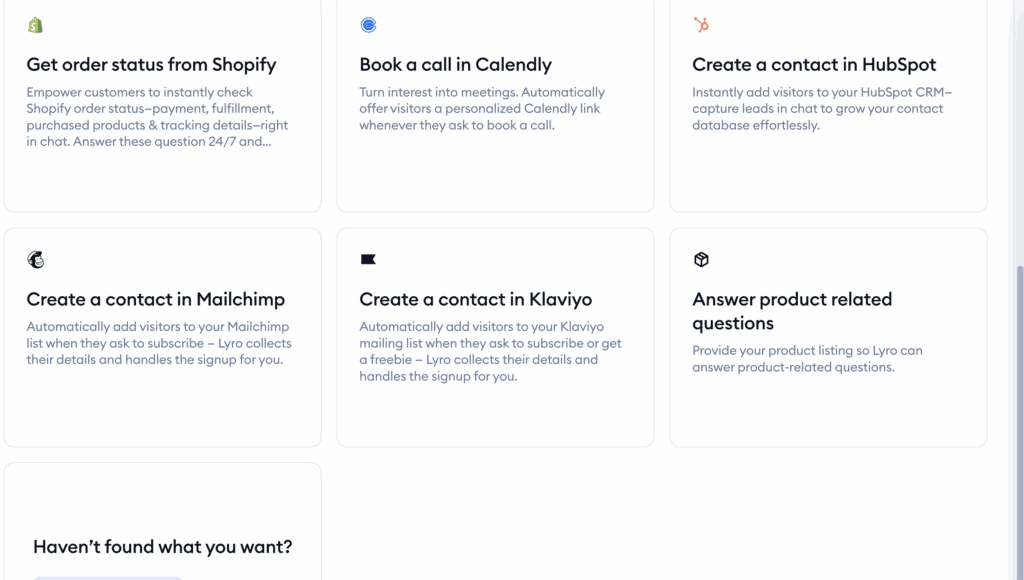
Tidio: Tidio offers strong native integrations, particularly for e-commerce platforms like Shopify and WooCommerce. It also centralizes messages from Instagram and Facebook and can connect to over 1,000 other apps via Zapier. However, its list of direct, one-click integrations is smaller than LiveChat’s.
Performance and Site Speed
Verdict: Both are excellent, but LiveChat has a slight edge due to its long-standing reputation for being extremely lightweight and stable.
A chat widget should never slow down your website. We analyzed how each tool is built to ensure it loads quickly and doesn’t harm your site’s performance or user experience.
LiveChat: LiveChat is a cloud-based service, meaning its scripts load asynchronously from its own high-speed servers. This ensures the widget doesn’t block your website’s content from loading first. It is widely regarded as one of the fastest and most stable widgets on the market.
Tidio: Tidio also uses a lightweight widget script that loads asynchronously from its secure AWS servers, preventing it from impacting your site speed. The platform’s easy live chat setup ensures you can get it running quickly without worrying about performance bottlenecks, and it can be configured to load only on specific pages to further optimize speed.
Mobile App Support
Verdict: LiveChat offers a more polished and fully-functional mobile app experience for agents on the go.
In today’s fast-paced world, managing customer chats from a smartphone is essential. We compared the functionality, design, and reliability of each platform’s iOS and Android applications.
LiveChat: LiveChat provides high-quality, fully-featured native apps for both iOS and Android. Agents receive real-time push notifications and can manage chats, use canned responses, and view visitor details with the same efficiency as the desktop version.
Tidio: Tidio also offers dedicated mobile apps with core functions like live chat and push notifications. However, some users have reported that the app can be slow to load and occasionally suffers from delayed notifications, which can impact agent response times. In any customer support tools comparison, mobile reliability is a critical factor, and LiveChat is more consistent here.
Security and Compliance
Verdict: It’s a tie, as both offer strong compliance, but the best choice depends on specific industry needs like HIPAA.
Protecting customer data is non-negotiable. We checked how LiveChat and Tidio adhere to major privacy regulations like GDPR and whether they offer specialized compliance for industries like healthcare.
LiveChat: LiveChat is fully GDPR compliant and gives you the option to host your data in EU data centers. It also offers HIPAA compliance for healthcare providers, but this is restricted to its expensive Enterprise plan and requires signing a Business Associate Agreement (BAA).
Tidio: Tidio is fully compliant with GDPR, CCPA, and SOC 2, using 256-bit SSL encryption to secure all data. While it provides excellent security for most companies, it does not offer a specific HIPAA-compliant plan. This makes it a great choice for the best live chat software for small business not operating in the healthcare sector.
Agent Management and Experience
Verdict: LiveChat wins for its advanced, agent-centric features like “Message Sneak Peek” and sophisticated routing.
An effective chat tool should empower your support team to work efficiently. Here, we compared the features that make an agent’s job easier, from chat routing to internal collaboration.
LiveChat: LiveChat excels with unique tools designed for agents. Its “Message Sneak Peek” feature lets agents see what customers are typing before they hit send, allowing them to prepare answers faster. It also offers powerful, rule-based routing to direct chats to specific departments (e.g., Sales or Support).
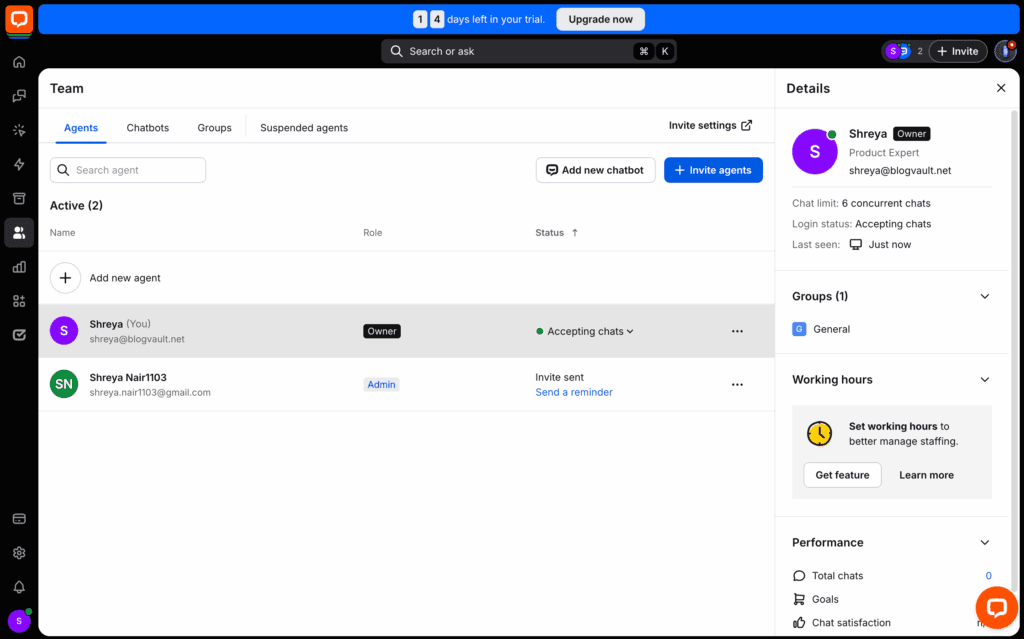
Tidio: Tidio provides solid agent management tools, including a shared inbox with internal notes for team collaboration and automatic routing based on agent availability. When agents are offline, the widget can switch to an AI-powered contact form. While effective, it lacks some of the advanced real-time engagement features found in LiveChat.
Chat History and Data Storage
Verdict: Tidio offers better value, providing unlimited history on all its paid plans, while LiveChat restricts it on its entry-level tier.
Accessing past conversations is vital for maintaining context, training agents, and ensuring quality. We compared how each platform stores chat transcripts and whether access is limited.
LiveChat: LiveChat stores all chat transcripts in a searchable database. However, its entry-level Starter plan restricts your access to the last 60 days of history. To get unlimited chat history, you must upgrade to a more expensive plan.
Tidio: Tidio gives you unlimited access to past chat transcripts on all its paid plans, offering greater value. It also automatically saves visitor information and conversation history within its built-in contact management system. This difference in data access is a key factor when comparing LiveChat vs Tidio pricing.
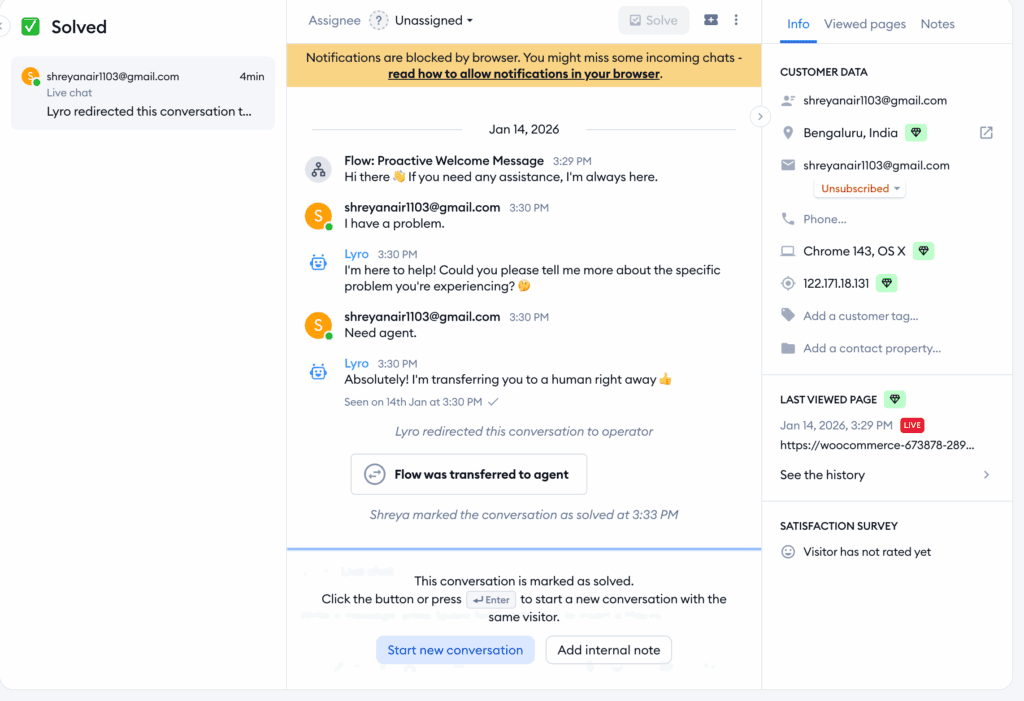
Pricing and Value
Verdict: Tidio offers significantly better value with a functional free plan and more features included in its paid tiers.
Budget is often the deciding factor. We broke down the pricing models of both tools to determine which one gives you more for your money.
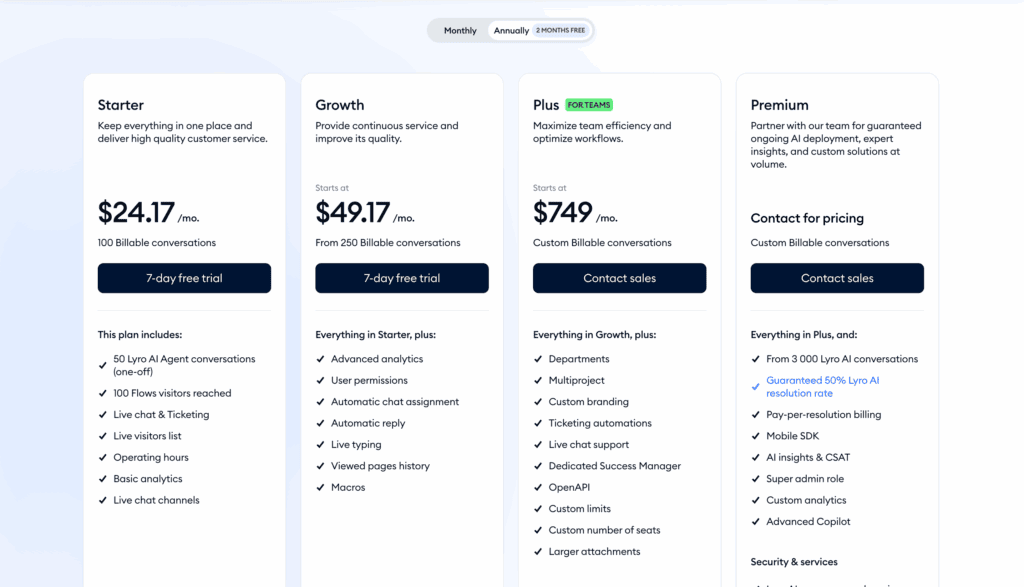
LiveChat: LiveChat operates on a per-agent, per-month model and does not have a free plan. The LiveChat pricing starts at around $20 per agent, and costs can add up quickly for growing teams. Crucial features like the AI-powered ChatBot are sold as a separate add-on, further increasing the total cost.
Tidio: Tidio provides a more accessible pricing structure. It offers a generous Tidio free plan that includes 50 live chats and 10 agent seats, making it ideal for startups. Its paid plans are more affordable and bundle key features like AI (Lyro) and automation, delivering more out-of-the-box functionality for a lower price.
Common User Complaints
Verdict: Tidio’s main drawbacks are its restrictive free plan and complex billing, while LiveChat’s are its high cost and upselling of core features.
No tool is perfect. Based on user feedback, here are the most common complaints and potential downsides to consider before making your final choice.
LiveChat: The most frequent complaint of LiveChat is its high cost per agent, which can be prohibitive for small businesses. Users also express frustration that essential automation features (via the ChatBot product) and ticketing (via HelpDesk) are separate, expensive add-ons rather than being included in the core platform.
Tidio: Users often find Tidio’s free plan’s 50-conversation limit too restrictive, forcing them to upgrade quickly. The pricing can also become confusing as it’s based on conversation volume with separate, sometimes unexpected, charges for AI and automation usage. Other reported issues include a mobile app that can be slow and a lack of deep native analytics on lower-tier plans.
Alternatives to LiveChat and Tidio
If neither LiveChat nor Tidio feels like the perfect fit, the market has other strong contenders. Here are three popular alternatives worth considering:
- Tawk.to: The best option if your budget is zero. Tawk.to is a 100% free live chat plugin that offers surprisingly robust features, including ticketing and a knowledge base. It’s the go-to choice for startups and small businesses that need powerful chat functionality without any monthly fees.
- Olark: Known for its simplicity and clean design. Olark is ideal for small teams that want a straightforward chat tool without a steep learning curve. It excels at providing real-time visitor insights and powerful reporting in a user-friendly package.
- JivoChat: The true omnichannel powerhouse. JivoChat consolidates messages from your website, Facebook, Instagram, WhatsApp, Telegram, and even phone calls into a single, unified inbox. If your goal is to manage all customer communication from one dashboard, JivoChat is an excellent choice.
Final Thoughts
In the LiveChat vs Tidio showdown, Tidio is the clear winner for small businesses, offering an all-in-one platform with built-in AI and a generous free plan. LiveChat excels for larger teams needing deep integrations. If neither is a fit, consider alternatives like the free Tawk.to for budget-conscious users, the simple Olark, or the omnichannel JivoChat. Tidio provides immense value but remember it’s a communication tool, not a dedicated CRM.
Irrespective of which plugin you choose, use a staging site to set up the plugin first. This helps you feed the chatbot enough information without affecting your customers.
FAQs
Is Tidio worth it?
Yes, Tidio is absolutely worth it for most small to medium-sized businesses. It packs live chat, powerful AI automation (Lyro), and a multichannel inbox into a single, affordable platform, offering exceptional value for the price.
Is Tidio LiveChat free?
Yes, Tidio offers a generous free-forever plan. It includes core live chat features, 50 conversations per month, and access to its AI chatbot, making it a great way for businesses to get started with customer communication at no cost.
How much does Tidio chatbot cost?
Tidio’s rule-based chatbot automation is included in all plans, even the free one. Its advanced conversational AI, Lyro, has its own usage-based pricing or is included with higher limits in Tidio’s paid plans, which start at around $29 per month.
Is Tidio a CRM tool?
No, Tidio is not a full CRM. While it includes CRM-like features such as storing contact information and conversation history, its main purpose is customer communication. It is designed to integrate seamlessly with dedicated CRM platforms like HubSpot or Salesforce.

Shreya has been a writer for as long as she can remember. Now, she writes articles that help WordPress users manage the sites that they're proud of, with little to no coding


