Stuck choosing a platform for your online course? The LearnDash vs Tutor LMS debate is a critical decision for any creator. Picking the right one means a smooth launch and happy students, while the wrong choice can lead to technical headaches and wasted time. This guide cuts through the jargon, comparing the features, pricing, and user experience of both platforms so you can make a confident decision.
An LMS plugin is the engine of your online school, impacting everything from student engagement to your bottom line. We’ll compare their core features to show you which platform is easier for beginners and which is built for scaling. By the end, you’ll know exactly which tool fits your vision and budget.
Our experience of TutorLMS makes it the clear choice for a modern, user-friendly interface with a strong free version, whereas LearnDash excels for those needing deep functionality, extensive integrations, and enterprise-level control
To give you an honest, head-to-head comparison, we installed both course plugins, LearnDash and Tutor LMS, on a fresh WordPress site. We tested the core features that matter most to course creators to see which platform came out on top:
- The ease of use of their respective course builders.
- The depth and flexibility of their quiz and assignment tools.
- The true cost and complexity of integrating Stripe & PayPal.
- The quality of their built-in certificates and engagement tools.
- How reliably they could drip content according to a set schedule.
- The clarity and detail of their student reporting and analytics.
- Each plugin’s impact on overall site speed and performance.
Student Experience: Who Creates a Better Learning Environment?
A student’s ability to concentrate is crucial for course completion. A cluttered interface with distracting menus and sidebars can lead to frustration and lower engagement. In this section, we looked for which platform provides the cleanest, most immersive learning environment to keep students on track.
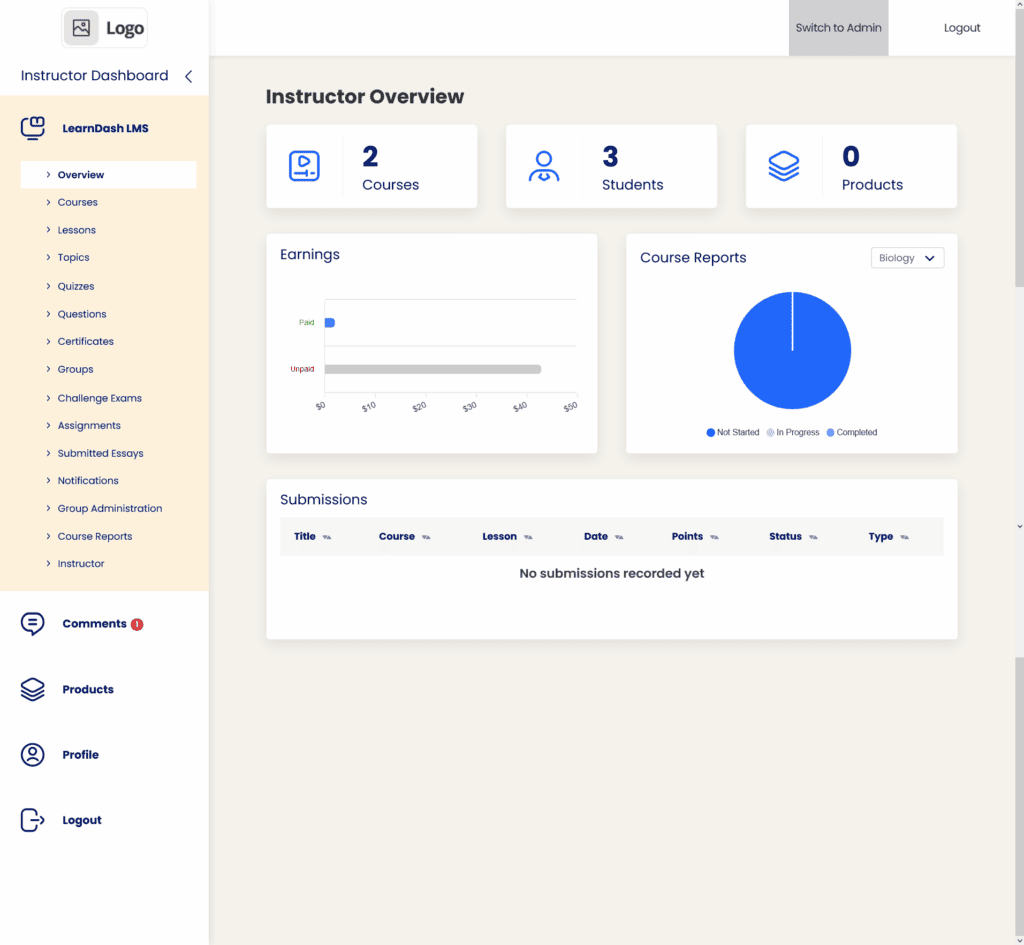
LearnDash: In our experience of LearnDash, “Focus Mode” is a powerful feature that transforms your standard WordPress site into a dedicated learning portal. It gives you significant branding control, allowing you to set a custom logo and color scheme that can be different from your main website theme. It effectively removes all distractions like sidebars and footers, and a persistent progress bar keeps students aware of where they are in the course. The ability for learners to toggle lesson lists without leaving the page is a thoughtful touch that enhances navigation.
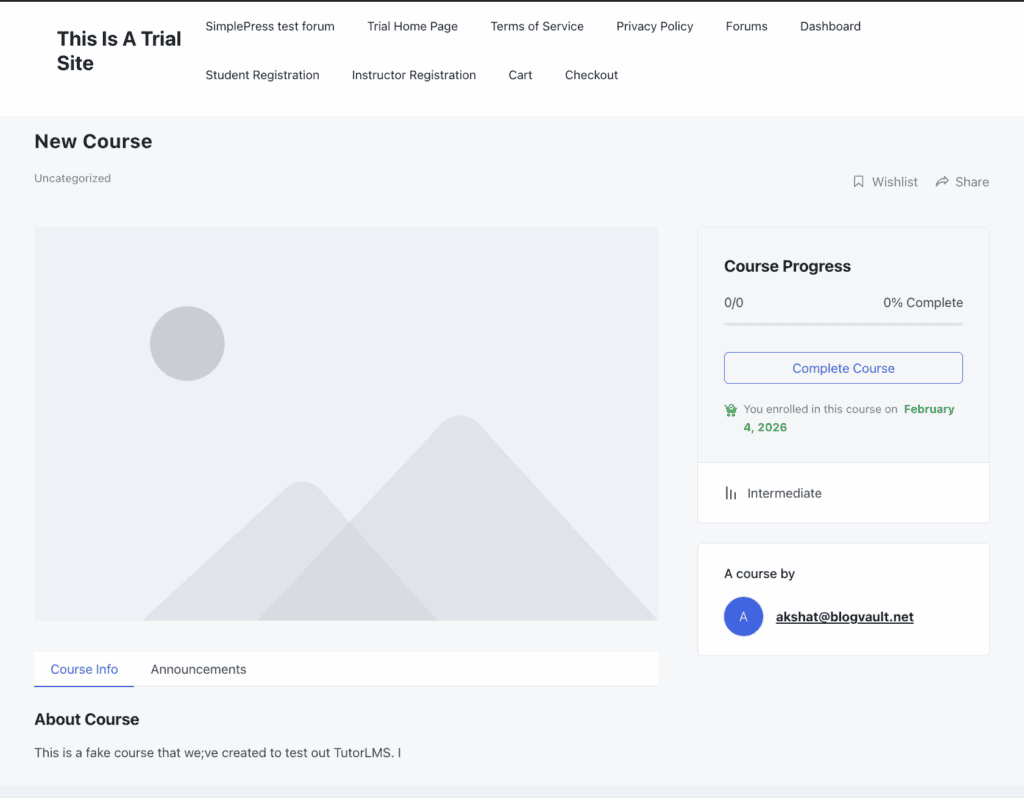
Tutor LMS: Tutor LMS also provides a clean, distraction-free Focus Mode that hides global site elements. Where it shines is in its interface design, which is consistently praised for being minimalistic and uniform. This makes it one of the best WordPress LMS for beginners, as students can navigate the course content without feeling overwhelmed by a complex layout. Furthermore, recent updates have focused on improving accessibility, ensuring a better experience for users with visual or cognitive impairments.
Quiz Complexity: Who Offers More Powerful Assessments?
Quizzes are more than just tests; they are vital tools for gauging comprehension and reinforcing knowledge. A robust course creation plugin for WordPress should offer diverse assessment options. We evaluated which plugin provides a greater variety of question types, stricter controls like hard timers, and more dynamic feedback options for instructors.
LearnDash: LearnDash offers an exceptionally advanced quiz system with 8 distinct question types. Its true power lies in its adaptive testing capabilities. You can create large “Question Banks” and use randomization to ensure no two students get the same test. Features like strict timers that auto-submit, and “Answer Extra,” which provides detailed feedback on why an answer was right or wrong, make it ideal for formal certifications and academic programs.
Tutor LMS: Tutor LMS is no slouch, offering an impressive 10 different question types, including visual options like image answering and ordering. It includes essential features like randomized question banks and customizable timers. Instructors can also control when students see the correct answers—either immediately after each question or only after final submission. While highly capable for most use cases, it lacks the deep, granular logic and adaptive controls found in LearnDash.
Content Control: Who Gives You More Power to Guide Students?
Controlling how and when students access your material is key to creating a structured and effective learning path. The easiest way to create an online course is by guiding students logically from one topic to the next. We compared the granularity of content dripping, the strength of prerequisite enforcement, and unique features that ensure students complete lessons as intended.
LearnDash: LearnDash provides granular control over your content flow. You can drip-feed lessons on a specific date or a set number of days after a student enrolls. Its prerequisite system is rigid, allowing you to force a linear path where a student cannot access Lesson B until they have fully completed and passed the quiz for Lesson A. The standout feature is Video Progression, which locks the “Mark Complete” button until the embedded video has been watched in its entirety, guaranteeing content consumption.
Tutor LMS: Tutor LMS offers a highly flexible drip-feeding system with four different scheduling modes, giving instructors plenty of options. Its lesson prerequisite feature is equally reliable, locking future content until specific lessons or quizzes are completed. It also adds a layer of content security with features like hotlink prevention for videos and text copy protection, which are valuable for protecting your intellectual property.
Payment Flexibility: Who Makes It Easier to Get Paid?
Selling your course should be straightforward. When comparing LearnDash vs Tutor LMS pricing, it’s crucial to consider not just the plugin cost, but the cost of any additional tools needed to sell effectively. We looked at which platform provides simple, built-in payment options and how well they integrate with larger eCommerce systems for more complex needs.
LearnDash: LearnDash integrates directly with major payment gateways like Stripe, PayPal, and Razorpay for simple one-time purchases or subscriptions. However, for more common eCommerce functions like “Add to Cart” functionality, creating coupons, or bundling courses with physical products, you will almost certainly need to purchase and configure the WooCommerce add-on. This adds an extra layer of complexity and potential cost.
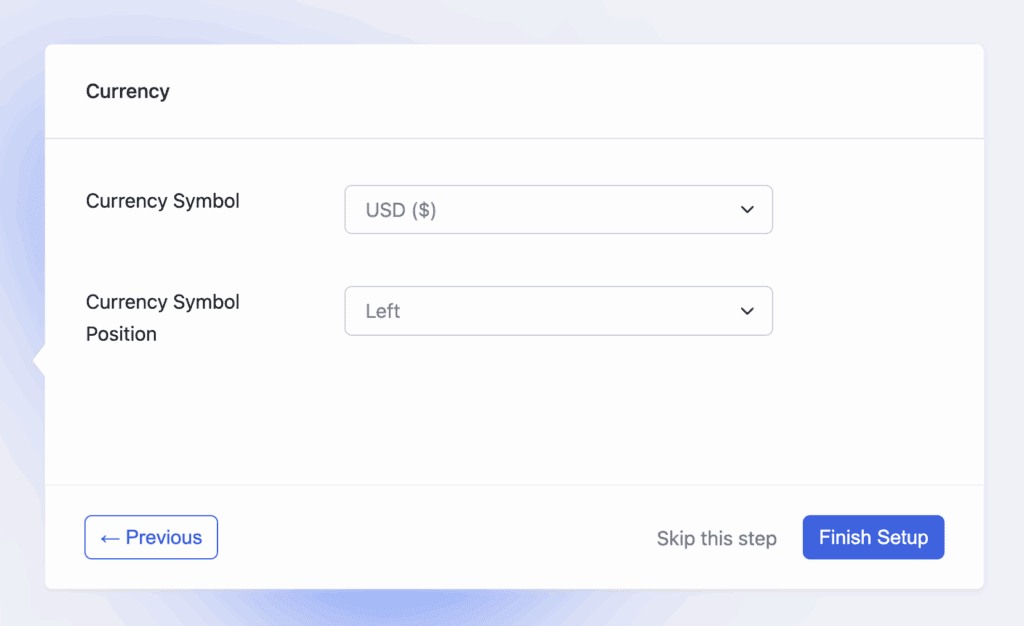
Tutor LMS: Tutor LMS allows you to sell courses directly using Stripe, PayPal, Paddle, and Razorpay without needing any external eCommerce plugins. This built-in functionality is a huge advantage for creators who want a simple, all-in-one solution. While it still offers a full WooCommerce integration for those who need advanced tax rules or a wider range of payment gateways, it isn’t a requirement for getting started.
Engagement Tools: Who Keeps Students Motivated?
An engaged student is a successful student who is more likely to complete your course and recommend it to others. We examined the tools each platform offers to motivate learners, from celebrating milestones with certificates to fostering community. Many users seeking LearnDash alternatives are looking for a more modern or streamlined approach to student engagement.
LearnDash: LearnDash uses a system of “Course Points” that students can earn upon completion, which can then be used as a “currency” to unlock other courses—a fantastic native gamification tool. It also includes a dedicated “Achievements” add-on for creating pop-up badges and celebrations. Certificates are highly dynamic, automatically pulling in student data using shortcodes, though designing them can be less visual.
Tutor LMS: Tutor LMS stands out with its beautiful, drag-and-drop certificate builder, making it easy to create professional-looking certificates that students can share on social media. It also features a dedicated Q&A section for each lesson, creating an interactive space for students and instructors. While it integrates with gamification plugins like GamiPress, it lacks the advanced, built-in points system that LearnDash offers.
Mobile Fluidity: Which Platform Works Better on a Phone?
Verdict: Both platforms are highly responsive, but LearnDash’s documented “Mobile-First” philosophy and specific UI considerations give it a slight edge.
With more students learning on the go, a flawless mobile experience is non-negotiable for any modern course creation plugin for WordPress. We assessed how well each plugin’s layout, navigation, and video players adapt to the small screen of a smartphone, ensuring content is both accessible and easy to interact with.
LearnDash: LearnDash is built on a “Mobile-First” philosophy, which is evident in its design. Buttons and interactive elements are designed with large tap targets (around 44px) to be thumb-friendly. Its Focus Mode is particularly well-executed on mobile, collapsing the course sidebar into a clean “hamburger” menu to maximize the screen real estate for the actual learning content.
Tutor LMS: Tutor LMS also features a fully responsive design where core components like the video player and course progress bars adapt seamlessly to smaller screens. The development team has actively addressed user feedback, releasing fixes to improve touch optimization and draggability on mobile devices, ensuring a smooth and functional experience for learners on their phones.
Data Reporting: Who Provides Better Student Insights?
Understanding how your students are progressing is key to improving your courses and providing support where it’s needed most. We compared the depth and accessibility of analytics, looking at high-level trends and the ability to drill down into individual student performance.
LearnDash: For detailed reporting, LearnDash truly shines with its ProPanel add-on. This dashboard provides real-time tracking of student activity, showing you exactly when a student last logged in, how much time they’ve spent on a course, and even which specific quiz questions they got wrong. It also includes a centralized gradebook where instructors can view all scores and manually override grades if necessary.
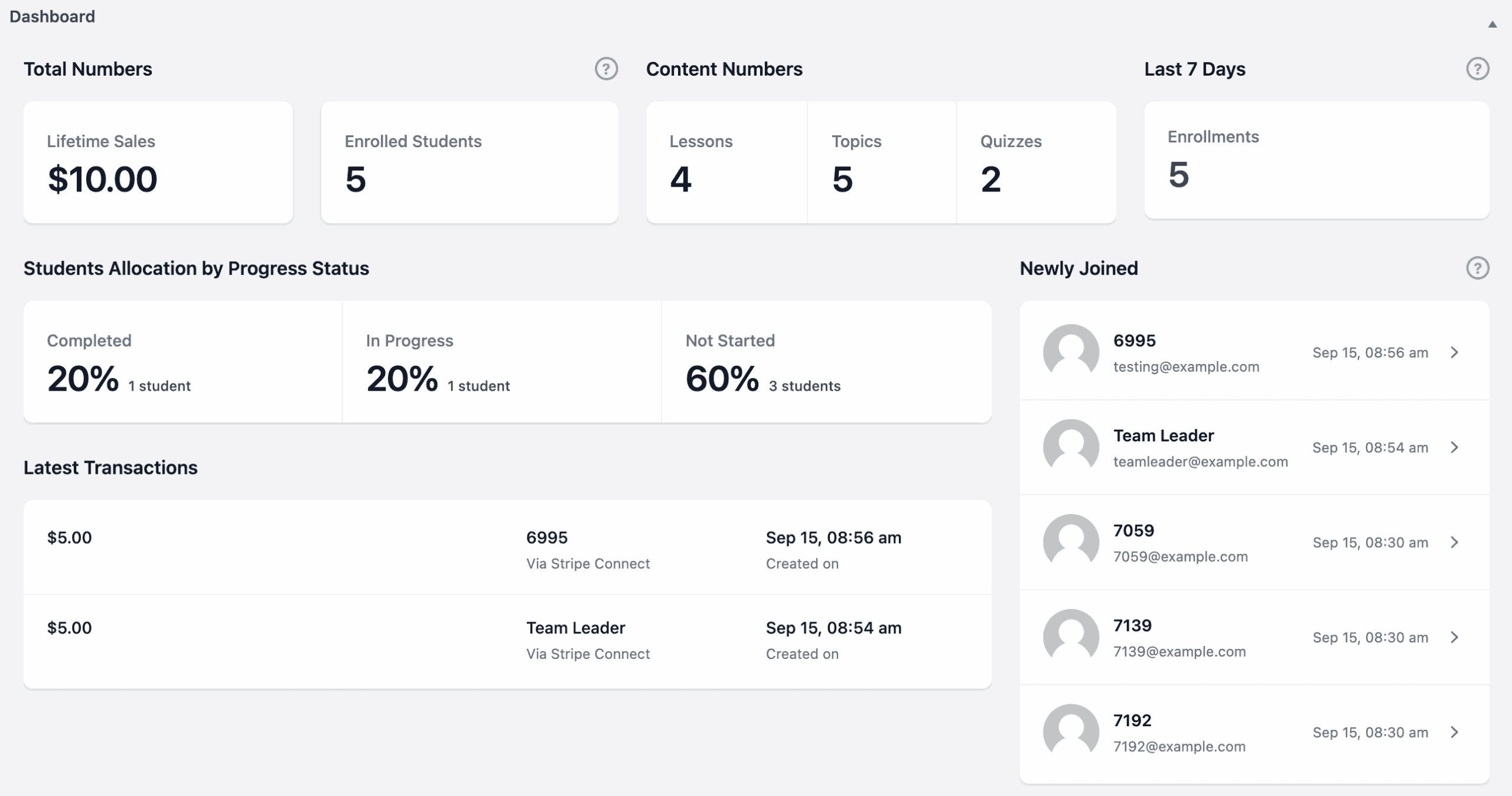
Tutor LMS: Tutor LMS provides a very capable and visually appealing analytics dashboard that is perfect for most course creators. It includes a centralized Gradebook for tracking student performance and offers clear graphs for tracking earnings, enrollment trends, and identifying your most popular courses. While excellent and likely all that is needed for the best WordPress LMS for beginners, it doesn’t offer the same micro-level, real-time activity tracking found in LearnDash’s ProPanel.
Ecosystem & Integrations: Which Plugin Plays Better with Others?
No LMS is an island. Its true power is unlocked by how well it connects with your other tools for marketing, community building, and automation. We evaluated the breadth and depth of each plugin’s third-party integrations, as this is often why users search for LearnDash alternatives—they need a specific connection that works better with a different system.
LearnDash: LearnDash boasts one of the most extensive ecosystems in the WordPress space. Its integration with BuddyBoss is widely considered the gold standard for turning your course site into a full-fledged social learning network. Furthermore, it has deep integrations with automation tools like Zapier and Uncanny Automator, allowing you to trigger complex workflows in your CRM or email marketing platform based on student progress.
Tutor LMS: Tutor LMS has a strong and growing ecosystem. It connects seamlessly with essential marketing and automation tools like Zapier, Pabbly, and FluentCRM. It also pairs well with BuddyBoss and BuddyPress for building online communities. It has focused on integrations that matter for performance, with optimizations for video hosting services like Vimeo and Bunny.net to ensure your site remains fast.
Site Performance: Which LMS is Lighter and Faster?
A slow-loading course is a major roadblock for students and can hurt your site’s SEO. When choosing a course creation plugin for WordPress, performance should be a key consideration. We investigated the core architecture of each plugin to see which is built for speed and what the community says about their real-world performance.
LearnDash: LearnDash is built efficiently, only loading its scripts and styles on pages where they are needed, which prevents it from slowing down your main website or blog. It uses standard WordPress Custom Post Types, but users should be aware that creating courses with very large and complex quizzes can cause the database tables to grow significantly, which may impact backend admin speed over time.
Tutor LMS: The core Tutor LMS plugin is widely considered to be very lightweight and performant. Community feedback on Reddit frequently highlights its speed but comes with a strong warning: performance is heavily dependent on using high-quality hosting and a well-coded, lightweight theme. Pairing it with a bloated, multi-purpose theme can quickly negate its performance advantages.
Pricing: Which Plugin Offers Better Value?
Budget is a major factor in any decision. The search for a free WordPress LMS plugin is often what leads people to this comparison. We’re not just comparing the sticker price but the overall value, considering what essential features are included in the core plugin versus what requires expensive add-ons.
LearnDash: LearnDash is a premium-only product, starting at $199 per year for a single-site license. There is no free version available to test its functionality. The value in LearnDash comes from its enterprise-grade features and deep ecosystem, making it a worthwhile investment for established businesses and serious educators who will leverage its full power.
Tutor LMS: Tutor LMS offers a clear advantage here with a highly capable free version available on the WordPress repository. This allows you to build and launch your first course without any financial investment. Its premium plans, which unlock advanced features, start at a lower price point than LearnDash (around $149/year). This pricing model makes it far more accessible for beginners and solo creators.
Understanding the Limitations: Where Do They Fall Short?
No plugin is perfect, and understanding the potential downsides is just as important as knowing the strengths. Many users search for LearnDash alternatives because they’ve run into one of these specific issues. Here, we look at the common complaints and potential deal-breakers for each platform.
LearnDash: The primary limitations of LearnDash revolve around its user experience and support model. Out of the box, its styling can feel dated and utilitarian unless you pair it with a premium page builder or a theme like BuddyBoss. Official support is handled through a ticket system that can sometimes be slow, leading many users to rely on its active Facebook community for faster help. Finally, some of the most detailed and useful reporting features are locked behind its more expensive Pro bundle, which can feel like a paywall.
Tutor LMS: Tutor LMS’s main weakness is in deep design customization. While its default interface is modern and clean, making significant branding changes to align it perfectly with a unique corporate identity can be challenging without some CSS knowledge. It offers fewer granular design controls in its dashboard compared to competitors that are built to integrate deeply with page builders.
What Are the Best Alternatives to LearnDash and Tutor LMS?
While LearnDash and Tutor LMS are top contenders, they aren’t the only options. If neither feels like the perfect fit, two other excellent plugins are worth considering.
- LifterLMS LifterLMS is a powerful all-in-one solution that excels at building learning communities. Its major strength is its native membership functionality, which allows you to sell course bundles and site-wide access without needing a separate membership plugin. This makes it an ideal choice for creators who want to build a comprehensive training business from a single, unified dashboard.
- Thrive Apprentice Part of the Thrive Suite ecosystem, Thrive Apprentice is focused on conversion and beautiful design. It integrates seamlessly with Thrive’s other marketing tools, making it perfect for entrepreneurs who want to build sophisticated sales funnels for their courses. Its visual editing experience is one of the best on the market, allowing you to design every aspect of your online school with drag-and-drop simplicity.
Final Thoughts
The choice between LearnDash and TutorLMS is one of established power versus modern usability. LearnDash is the industry standard, offering unmatched robustness, deep integrations, and enterprise-level features ideal for serious, complex projects. In contrast, TutorLMS excels with a superior out-of-the-box user experience, a sleek frontend dashboard, and a highly capable free version, making it the preferred choice for individual creators who prioritize a modern feel and a strong start.
Ultimately, the best way to decide is to try them yourself. We strongly recommend you use a staging siteto install and test your preferred option. Build a sample lesson, create a quiz, and walk through the student experience. This hands-on test is the only way to know for sure which plugin feels right for you and your business before you commit.
FAQs
What is a Tutor LMS alternative for WordPress?
The top alternatives to Tutor LMS within the WordPress ecosystem are LearnDash, LifterLMS, and Thrive Apprentice. Each offers a different approach: LearnDash focuses on power and features, LifterLMS excels at all-in-one community and membership building, and Thrive Apprentice is built for marketing and conversion-focused design.
Is Tutor LMS worth it?
Yes, for most users, Tutor LMS is absolutely worth it. Its free version is one of the most generous and functional on the market, making it possible to launch a complete online course without any initial investment. The premium versions are competitively priced and unlock powerful features like a frontend course builder, advanced quizzes, and detailed analytics, offering excellent value.
Who is the owner of Tutor LMS?
Tutor LMS is developed and owned by Themeum, a well-regarded WordPress development company that has been creating themes and plugins since 2013.
Does Tutor LMS support SCORM
Yes, Tutor LMS supports SCORM (Sharable Content Object Reference Model) content. This functionality is available through a premium add-on, allowing you to upload and integrate pre-packaged, interactive training materials from authoring tools like Articulate Storyline and Adobe Captivate.

Shreya has been a writer for as long as she can remember. Now, she writes articles that help WordPress users manage the sites that they're proud of, with little to no coding