

Wondering about the difference between LearnDash vs MemberPress? The choice is simpler than you think. LearnDash is a dedicated Learning Management System (LMS) built for creating structured courses with quizzes, assignments, and certificates. MemberPress is a membership plugin designed to protect any content on your site and manage recurring subscriptions for access.
Choosing the best course plugin is essential for successfully selling your expertise. This guide will break down the features, pricing, and specific use cases for each tool. By the end, you’ll know exactly whether you need a powerful educational platform or a flexible content paywall for your business.
TL;DR: In our review of LearnDash, choose it if your main product is a structured educational course. It offers deep academic tools like advanced quizzing, certificates, and progress tracking. In contrast, MemberPress is the ideal choice if your business is built on recurring subscriptions and protected content. Its powerful access rules let you sell tiered access to an entire library where courses are just one of the member benefits.
Both plugins seem to have very similar features on the surface, but there is a difference. Think of it this way: LearnDash helps you build a university, with a structured curriculum, classrooms, and final exams. MemberPress provides the library card, granting tiered access to the entire building.
We installed both plugins on a WordPress test site to see how they perform in a real-world setting. Our comparison focused on the features that matter most when deciding between a dedicated educational tool and a powerful access manager:
- Course Builder: How intuitive is the course creation process in each plugin?
- Assessments: What is the depth of their quiz and assignment options?
- Monetization & Subscriptions: How easily can you manage recurring payments and tiered access?
- Student Engagement: What built-in tools (certificates, badges, points) are available to motivate learners?
- Content Control: How do they handle content dripping and prerequisite rules?
- Reporting & Analytics: Is the focus on student learning data or on membership revenue?
- Performance: What is the plugin’s impact on your overall site speed?
Student Experience
A clean, distraction-free learning environment is critical for keeping students engaged and reducing refund requests. Finding the easiest way to sell online courses often comes down to providing a professional user experience. Here, we’re looking at how each plugin presents course content to the end-user.
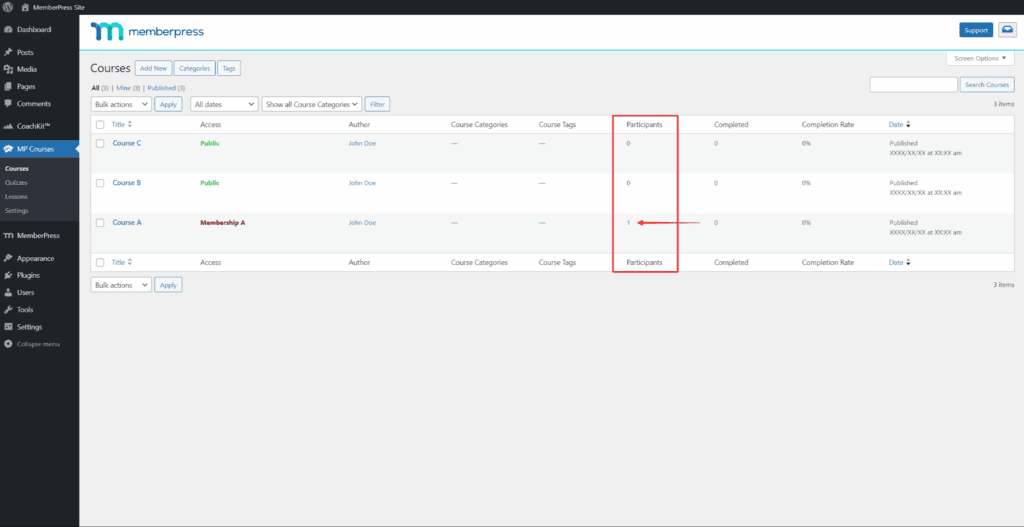
MemberPress: We tested MemberPress and found that it includes a feature called ReadyLaunch™, which automatically applies a sleek, modern “Classroom Mode” to your course pages. It bypasses your theme’s header and sidebar to create a focused learning environment similar to dedicated platforms like Teachable or Kajabi. Students always see a visual progress bar, so they know exactly where they are in the curriculum without any custom coding required.
LearnDash: LearnDash also offers a “Focus Mode” that removes distracting site elements like sidebars and footers. Its key advantage is branding control, allowing you to add a custom logo and color scheme that is independent of your main theme. It provides excellent navigation with a progress bar and collapsible lesson lists, but achieving the polished, out-of-the-box look of MemberPress often requires a bit more tweaking.
Quiz Complexity
Quizzes are more than just tests; they are powerful tools for reinforcing knowledge and tracking comprehension. The best LMS for WordPress will offer advanced quizzing logic, timers, and randomization to create a robust academic experience.
MemberPress: MemberPress offers surprisingly capable quizzes for a non-LMS plugin. With support for nine question types, you can set passing scores and limit retake attempts. However, it’s designed for knowledge checks rather than rigorous examinations. It lacks high-end features like timed exam countdowns or randomized question banks, which are essential for formal certifications.
LearnDash: LearnDash shines here with academic-grade quizzing. It supports eight question types and features powerful “Question Banks” that can randomize questions, ensuring no two students get the exact same test. You can set strict time limits with automatic submission and even provide detailed feedback on specific answers. This level of complexity is ideal for accredited courses and professional certifications.
Content Control
Knowing how to protect content on WordPress is fundamental to running a successful online business. This involves not only restricting access but also controlling the pace at which students consume your material (content dripping) to prevent overwhelm and increase completion rates.
MemberPress: We’ve reviewed MemberPress before and found that it excels at access control. Its rules-based dripping is highly reliable, allowing you to release content on fixed dates or a set number of days after a member joins. It includes prerequisites to prevent students from skipping ahead and can instantly revoke access to all course materials if a subscription payment fails, a critical feature for recurring revenue models.
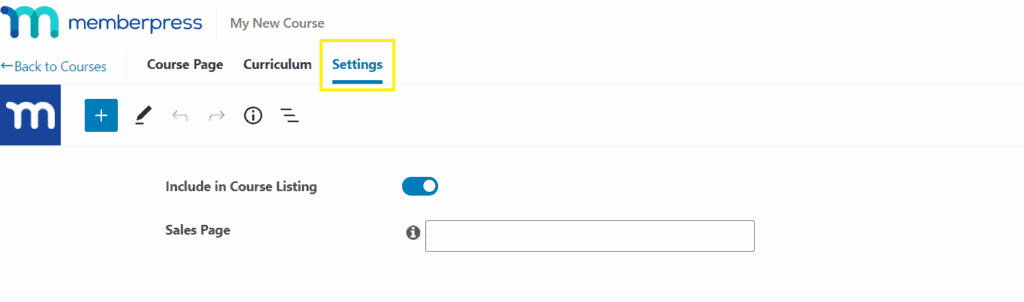
LearnDash: LearnDash provides granular control over the learning path. You can drip-feed lessons by a specific date or days after enrollment and enforce hard prerequisites, requiring students to pass a quiz before unlocking the next module. Its standout feature is “Video Progression,” which can lock the “Mark Complete” button until a student has watched an entire embedded video, guaranteeing content consumption.
Payment Flexibility
Getting paid should be simple and reliable. We’re looking for direct payment gateway integrations, seamless subscription handling, and whether the plugin requires a heavy e-commerce add-on like WooCommerce to function effectively.
MemberPress: MemberPress is a complete WordPress membership plugin with payments built into its core. You can add Stripe, PayPal, and Authorize.net without needing any other tools. Its greatest strength is superior subscription management, easily handling recurring billing, free trials, and automated renewal reminders. This lean approach keeps your site fast and simple to manage.
LearnDash: LearnDash offers native integrations with Stripe, PayPal, and Razorpay, which are perfect for simple one-time sales. However, for more complex scenarios like offering coupons, selling physical products alongside courses, or advanced tax handling, you will likely need to install and configure WooCommerce. While its recurring payments work, MemberPress handles the entire subscription lifecycle more gracefully.
Engagement Tools
Engagement tools like certificates, badges, and points transform a passive learning experience into an interactive journey. These features, often called “gamification,” can significantly boost course completion rates and student satisfaction.
MemberPress: MemberPress includes a great built-in certificate builder that can dynamically add the student’s name and completion date to a PDF. However, its engagement features stop there. It lacks native gamification like points or badges. To add these motivational tools, you would need to integrate a separate free plugin like GamiPress.
LearnDash: LearnDash has gamification built directly into its ecosystem. You can automatically award dynamic PDF certificates, grant “Course Points” upon completion that can be used to unlock other courses, and use the integrated “Achievements” add-on to award badges and celebrate milestones with pop-up notifications. This creates a much more rewarding and interactive experience for learners.
Mobile Fluidity
Today, a huge portion of learning happens on phones and tablets. A smooth mobile experience is non-negotiable. We’re evaluating how well the course layout, navigation, and video content adapt to smaller screens.
MemberPress: The ReadyLaunch™ classroom template is designed with a mobile-first approach. The interface is clean, buttons are touch-friendly, and the navigation menus automatically adapt for easy use on any device. Embedded videos from hosts like YouTube or Vimeo resize perfectly within the layout, ensuring content is always accessible and easy to watch.
LearnDash: Similarly, LearnDash’s Focus Mode is fully responsive and provides a great mobile learning experience. The progress bar, lesson navigation, and quiz interfaces all adapt cleanly to smaller screens. It ensures that students can learn effectively whether they are on a desktop computer at home or on their phone during a commute.
Data Reporting
Good data helps you understand what’s working and where your students are struggling. We’re looking beyond simple revenue reports to see what kind of learning-specific analytics each plugin provides, such as quiz performance and individual student activity.
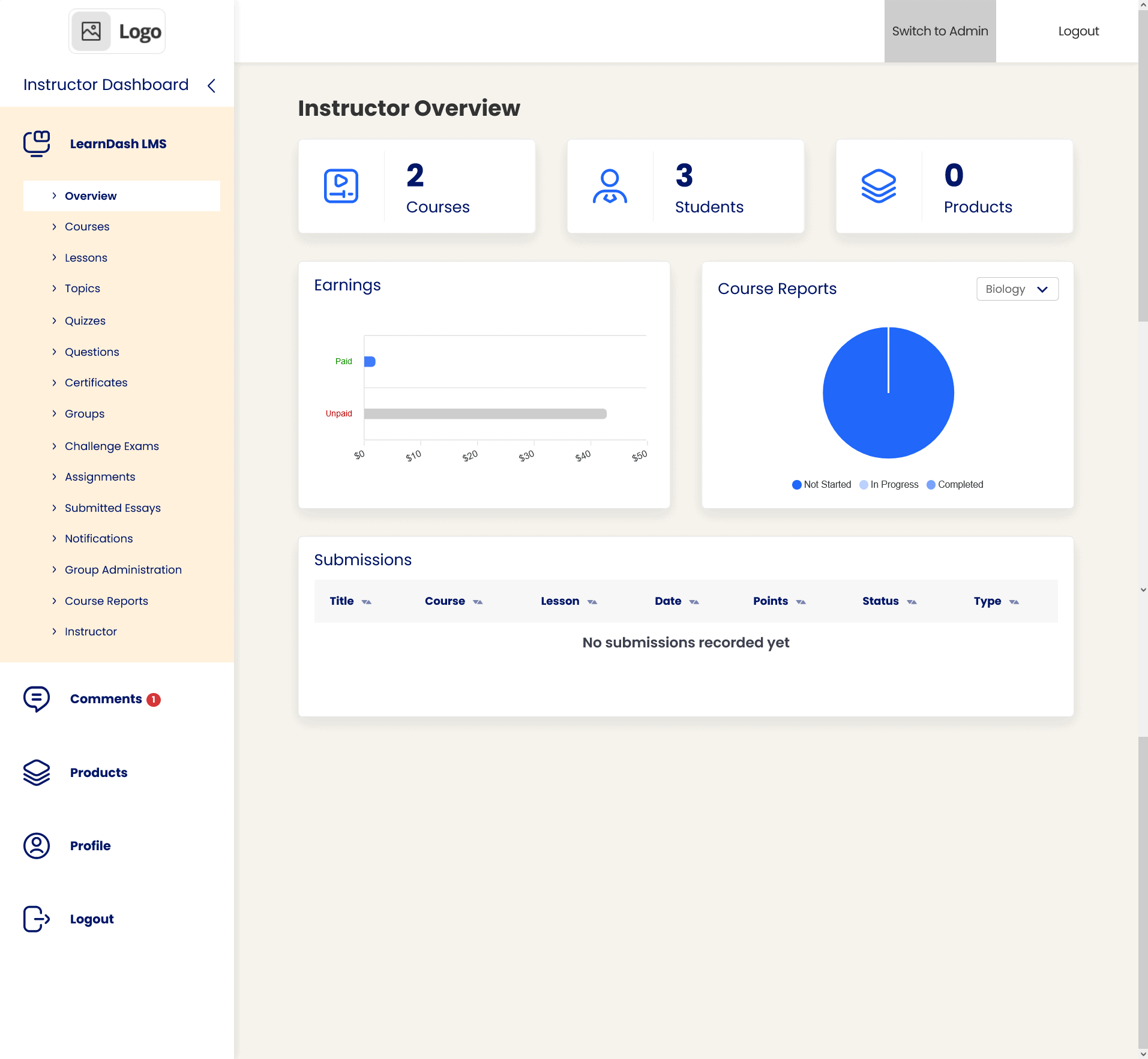
MemberPress: Many MemberPress reviews highlight its excellent reporting on revenue, subscriptions, and member churn. For courses, it provides basic progress tracking to see who has started or finished a course. The higher-tier Scale plan adds a Gradebook for a centralized view of quiz scores, but its learning analytics are not as deep as a dedicated LMS.
LearnDash: LearnDash provides highly detailed reporting, especially with its ProPanel add-on. You can track real-time student activity, see exactly which quiz questions they missed, and view comprehensive gradebooks. This level of insight is invaluable for identifying struggling students or improving your course content based on performance data.
Ecosystem & Integration
No plugin is an island. A strong ecosystem means seamless integration with email marketing services, automation tools like Zapier, and popular page builders. This flexibility is key to building a customized and automated business.
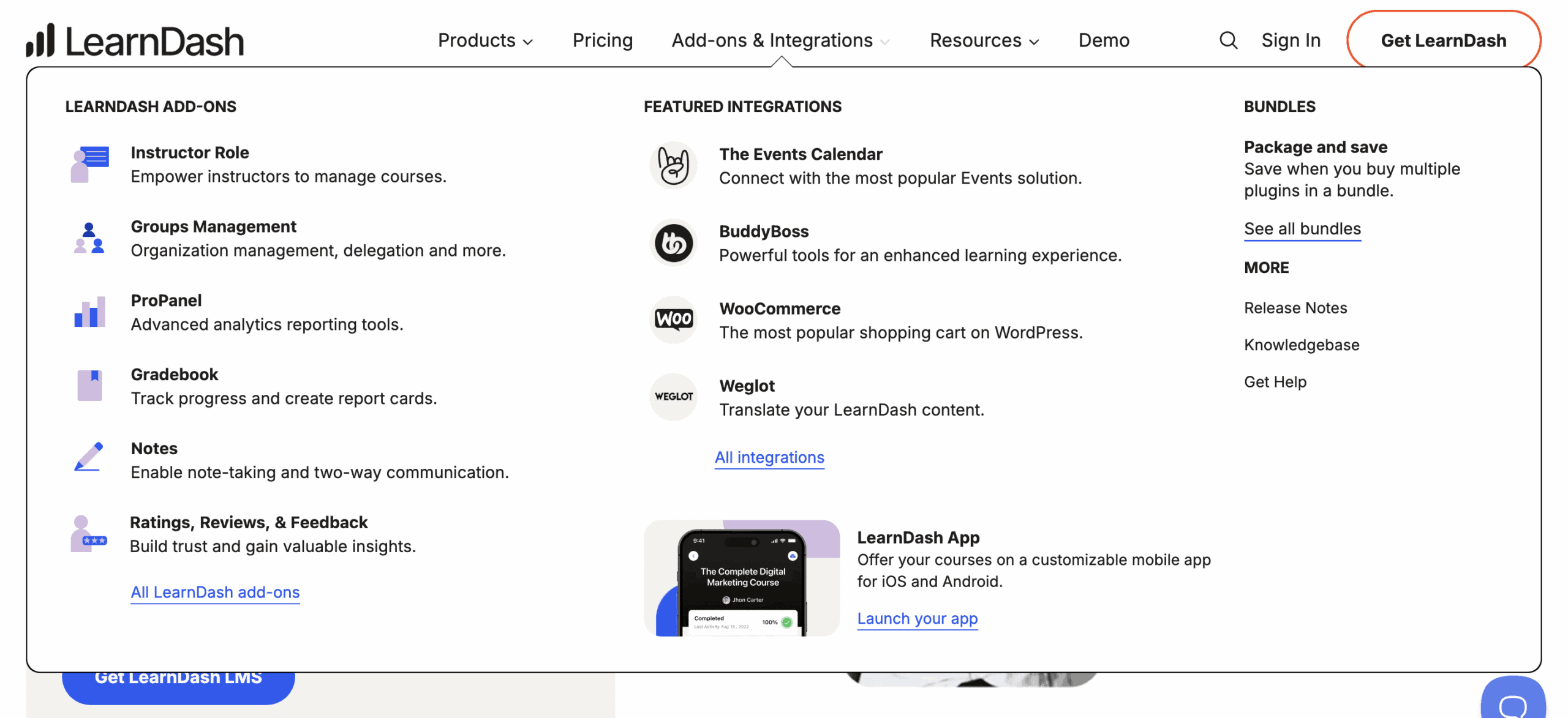
LearnDash: LearnDash is famous for its “gold standard” synergy with BuddyBoss, which transforms your site into a full-fledged social learning network. It also has deep integrations with automation tools like Uncanny Automator and offers custom blocks and widgets for all major page builders, including Elementor and Gutenberg.
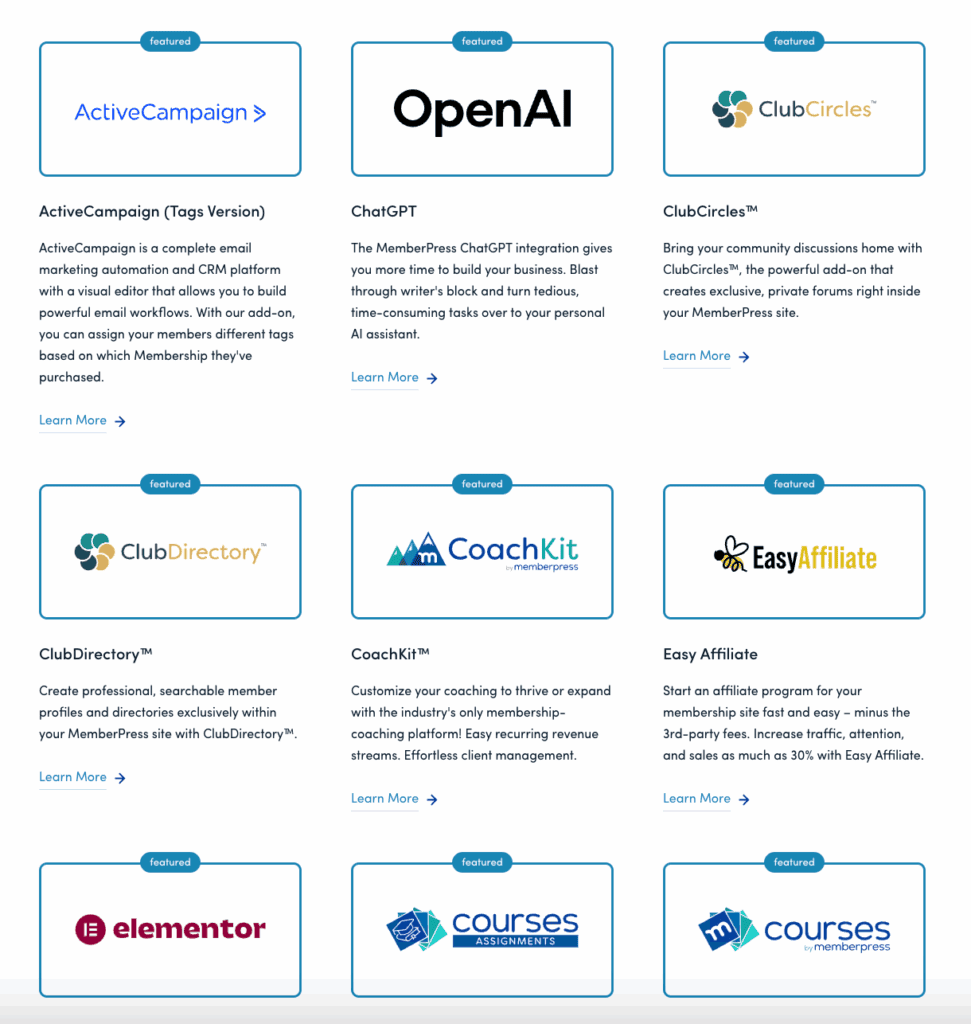
MemberPress: MemberPress integrates natively with the entire marketing stack, including Mailchimp, ConvertKit, and ActiveCampaign. It also offers full Zapier support and works perfectly with BuddyBoss for creating protected community areas. Because it’s a market leader, virtually every major WordPress plugin is built to be compatible with it.
Site Performance
Site speed is crucial for user experience and SEO. A slow, bloated plugin can drag down your entire website. We’re evaluating how efficiently each plugin is coded and its potential impact on your site’s database and page load times.
MemberPress: MemberPress is generally considered very lightweight. Because its primary job is to check permissions, its database queries are highly optimized and have a minimal impact on site performance. It doesn’t load a heavy framework across your entire site, keeping your homepage and blog posts loading quickly.
LearnDash: LearnDash is also well-optimized and only loads its scripts on course-related pages to prevent site-wide slowdowns. However, as a full-featured LMS, it inherently has a larger codebase. Large numbers of students and complex quiz result tables can lead to a bigger database over time, which may cause a slight slowdown in the admin backend.
Price
The Learndash vs MemberPress pricing comparison shows that both operate on a similar annual subscription model. There are no lifetime licenses available for either plugin, so this will be a recurring business expense.
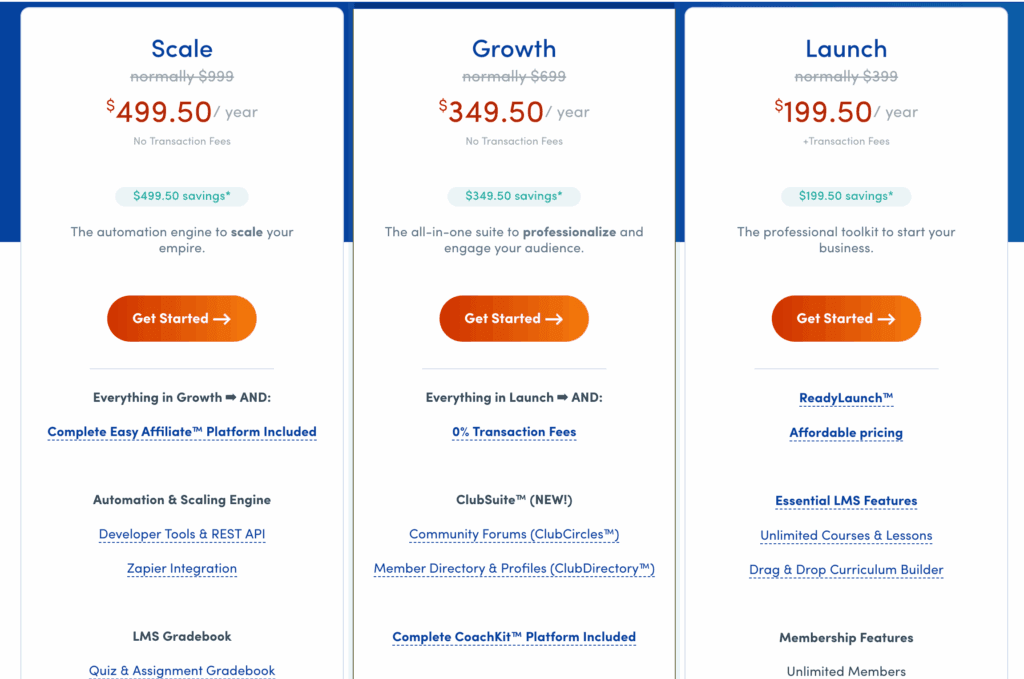
MemberPress: MemberPress plans start at $179.50/year for a single site with the essential course features. Higher-tier plans like Plus ($299.50/year) and Scale ($399.50/year) add more site licenses and advanced features like the Gradebook and enhanced integrations.
LearnDash: LearnDash pricing starts at ~$199/year for a single site. A 10-site license costs ~$399/year. For users who want a completely hands-off solution, they also offer LearnDash Cloud for ~$29/month, which includes hosting and pre-installed templates.
Limitations of LearnDash and MemberPress
Understanding a plugin’s weaknesses is just as important as knowing its strengths. The debate over MemberPress courses vs LearnDash often comes down to which set of limitations you can live with.
MemberPress: The primary limitation of MemberPress is its lack of LMS depth. It’s not designed for multi-instructor marketplaces, advanced grading, or complex assignments. Additionally, customizing the look of the ReadyLaunch™ course pages beyond the default template requires custom CSS knowledge, which can be a hurdle for beginners.
LearnDash: LearnDash’s main weakness is on the e-commerce and membership side. Its out-of-the-box design can feel dated without a premium theme like BuddyBoss, and its official support can sometimes be slow. Most critically, its best reporting features are often paywalled in the higher-tier Pro bundle, and complex payment setups almost always require adding WooCommerce.
LearnDash & MemberPress Alternatives
If neither LearnDash nor MemberPress feels like a perfect fit, the WordPress ecosystem offers several other powerful options worth considering.
- Thrive Apprentice: Best for marketers and solo entrepreneurs, Thrive Apprentice is part of the all-in-one Thrive Suite. Its strength lies in its visual, theme-builder-like approach to course design, giving you unparalleled control over the look and feel of your learning environment without needing to code.
- LifterLMS: LifterLMS is a powerful all-in-one solution that aims to be your single plugin for course creation, membership, and e-commerce. It’s an excellent choice for coaches and course creators who want deep engagement tools (like achievements and certificates) and prefer to manage everything from one central dashboard.
- TutorLMS: Known for its robust free version, TutorLMS is a fantastic starting point for those on a budget. Its premium version excels at creating multi-instructor marketplaces similar to Udemy, with features like instructor revenue sharing and withdrawal management, making it a top contender for collaborative educational platforms.
Final Thoughts
Neither plugin is “better” overall; the best choice depends entirely on your business model. LearnDash is the superior LMS for selling structured educational programs. MemberPress is the superior membership plugin for selling recurring access to a content library. Your primary revenue stream dictates the right tool for the job.
Before you commit, always test your chosen plugin on a staging site. A staging site is a private clone of your live website where you can build your course, test payments, and check for plugin conflicts without affecting your real visitors. This ensures a smooth and professional launch.
FAQs
Is LearnDash the best LMS?
It’s widely considered one of the most powerful and flexible LMS plugins for WordPress, especially for corporate training, higher education, and selling complex certification courses. However, the “best” LMS always depends on your specific needs, budget, and technical comfort level.
What is the alternative to LearnDash?
Popular alternatives include LifterLMS, known for its all-in-one features and engagement tools, and TutorLMS, which offers a robust free version and excellent multi-instructor marketplace capabilities. Thrive Apprentice is another great option for those already using the Thrive Themes ecosystem.
Is MemberPress an LMS?
No, MemberPress is fundamentally a membership plugin, not a Learning Management System (LMS). While it includes a “Courses” addon that allows you to create simple courses, its primary function is to protect content and manage subscriptions. It lacks the advanced quizzing and student management of a true LMS like LearnDash.
What is MemberPress used for?
MemberPress is used to create a membership site on WordPress. Its main purpose is to restrict access to content (pages, posts, videos, courses) and charge users a one-time or recurring fee for access. It excels at managing subscription tiers, dripping content, and handling payments.

Shreya has been a writer for as long as she can remember. Now, she writes articles that help WordPress users manage the sites that they're proud of, with little to no coding


