

Deciding between WP Courseware vs LearnDash is a critical step in building your online course. Choosing the wrong one can lead to wasted time, money, and a frustrating experience for you and your students. This guide eliminates the guesswork, directly comparing these two top contenders so you can choose with absolute confidence.
A WordPress course plugin is the engine of your teaching business. We’ll break down exactly who each one is for, comparing them on key areas like ease of use, pricing, and advanced features. By the end, you’ll know which plugin best fits your budget and vision.
In our experience of WP Courseware, it is the perfect choice for beginners due to its simplicity, speed, and fantastic pricing value, offering a powerful drag-and-drop builder right out of the box. In contrast, LearnDash is the industry-leading platform for building professional, scalable academies. It excels with superior quiz tools and a distraction-free “Focus Mode,” but comes with a higher price tag and a steeper learning curve.
To give you an honest, head-to-head comparison, we installed both WP Courseware and LearnDash on clean test sites. We focused on the key features that matter most to course creators, evaluating each plugin on:
- Ease of Use & The Student Experience.
- The Drag-and-Drop Course Builder.
- Advanced Quiz and Assignment Options.
- Monetization & Payment Integrations.
- Built-in Certificates and Engagement Tools.
- Reliable Content Dripping.
- Detailed Student Reporting.
- Impact on Site Speed & Mobile Performance
Student Learning Experience
The student’s journey through your course directly impacts their satisfaction and completion rates. We’re looking for a user interface that is focused, easy to navigate, and keeps learners engaged. For many creators, this is a key factor when looking for the best LMS for WordPress beginners to build with.
WP Courseware: When we reviewed WP Courseware, we found that it lacks a native “Focus Mode,” which means the standard website header, footer, and sidebars remain visible during lessons. Because the student interface relies heavily on the styling of your active WordPress theme, achieving a clean, minimal look often requires you to write custom CSS code or use a page builder to hide these potentially distracting elements.
LearnDash: When we tried LearnDash, we found that it excels with its dedicated “Focus Mode.” This feature automatically removes website distractions and can be customized with your brand’s logo and color scheme. It enhances navigation with a persistent progress bar and breadcrumb trail, keeping students aware of where they are in the course. By hiding sidebars and menus, it creates a premium learning experience similar to high-end platforms like Teachable, and students can easily collapse or expand lesson lists without leaving their current page.
Quizzes, Tests, and Assessments
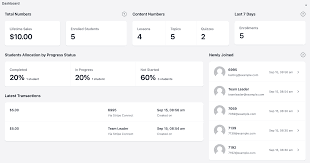
Quizzes are essential for gauging student comprehension and reinforcing learning. Here, we are comparing the variety of question types, timers, randomization options, and advanced logic that the top WordPress LMS plugins offer.
WP Courseware WP Courseware provides a solid foundation with seven different question types, including multiple choice, true/false, open-ended questions, and file uploads. It also supports randomization by allowing you to pull a random set of questions from a larger Question Pool or by specific tags. For time-based tests, it includes built-in quiz timers that automatically submit the student’s answers when time runs out.
LearnDash LearnDash takes quizzes a step further with eight distinct question types, including more complex options like sorting, matching, and “fill in the blank.” Its “Question Banks” feature enables true adaptive testing by creating unique, randomized tests for every student. It also offers advanced logic, such as an “Answer Extra” field to provide detailed feedback on why a specific choice was correct or incorrect, and allows you to set strict time limits with automatic submission.
Content Control & Drip-Feeding
Drip-feeding—releasing course content on a set schedule—is crucial for keeping students on pace and preventing them from skipping ahead. This is often the easiest way to create an online course on WordPress that maintains a structured learning path.
WP Courseware WP Courseware is known for its highly reliable drip content system. It allows you to release lessons and modules based on specific calendar dates or at set intervals after a student’s enrollment date, such as releasing Module 2 seven days after signup. To enforce a learning path, it uses “Blocking Quizzes,” which require a student to achieve a passing grade before they are allowed to advance to the next unit.
LearnDash LearnDash also provides granular drip-feeding, letting you schedule content by a specific date or a certain number of days after enrollment. It enforces a more linear path with hard prerequisites, effectively locking Lesson 2 until Lesson 1 and all its requirements are complete. Its standout feature, however, is Video Progression, which can prevent students from marking a lesson as complete until they have finished watching an entire embedded video.
Monetization & Payment Flexibility
Getting paid is the goal for most course creators. We are comparing how easily each plugin handles payments, from simple one-time sales to complex subscriptions. This is especially important if you plan on using a membership plugin with courses.
WP Courseware For simple sales, WP Courseware includes its own built-in shopping cart with native integration of Stripe and PayPal, meaning you don’t need any extra plugins. For more advanced needs like complex tax calculations or subscription models, it integrates seamlessly with third-party tools like WooCommerce, Easy Digital Downloads, and the popular MemberPress plugin.
LearnDash LearnDash offers its own native integrations with Stripe, PayPal, and Razorpay for simple one-time purchases and recurring subscriptions. However, for advanced e-commerce functions like “Add to Cart” functionality, coupons, or bundling courses with physical products, you will almost certainly need to integrate it with WooCommerce. While it can manage recurring payments natively, more complex tax handling typically requires a dedicated cart plugin.
Student Engagement & Gamification
Keeping students engaged is the key to high completion rates. We’re looking at the tools each platform provides to reward progress, such as certificates, points, and badges. According to WP Courseware reviews, its simple certificate builder is a fan favorite.
WP Courseware A major strength of WP Courseware is its native drag-and-drop PDF certificate builder, a powerful feature that doesn’t require an extra add-on. It also supports automated notifications to celebrate student achievements. However, it lacks a deep native points or badges system, so for more advanced gamification, it is often paired with a third-party plugin like GamiPress.
LearnDash LearnDash offers a more comprehensive engagement toolkit. It automatically generates dynamic PDF certificates using “Shortcodes” to pull in student names, quiz scores, and completion dates. It also has a “Course Points” system that lets you award points upon completion, which can then be used as a “currency” to unlock other courses. Furthermore, its integrated “Achievements” add-on enables you to create pop-up celebrations and award badges when a student hits a specific goal.
Reporting & Analytics
To improve your courses, you need to understand how your students are performing and where they are struggling. We’re comparing the depth of reporting, from high-level grade books to granular quiz analytics. For users who need deep data, this alone might make them look for LearnDash alternatives.
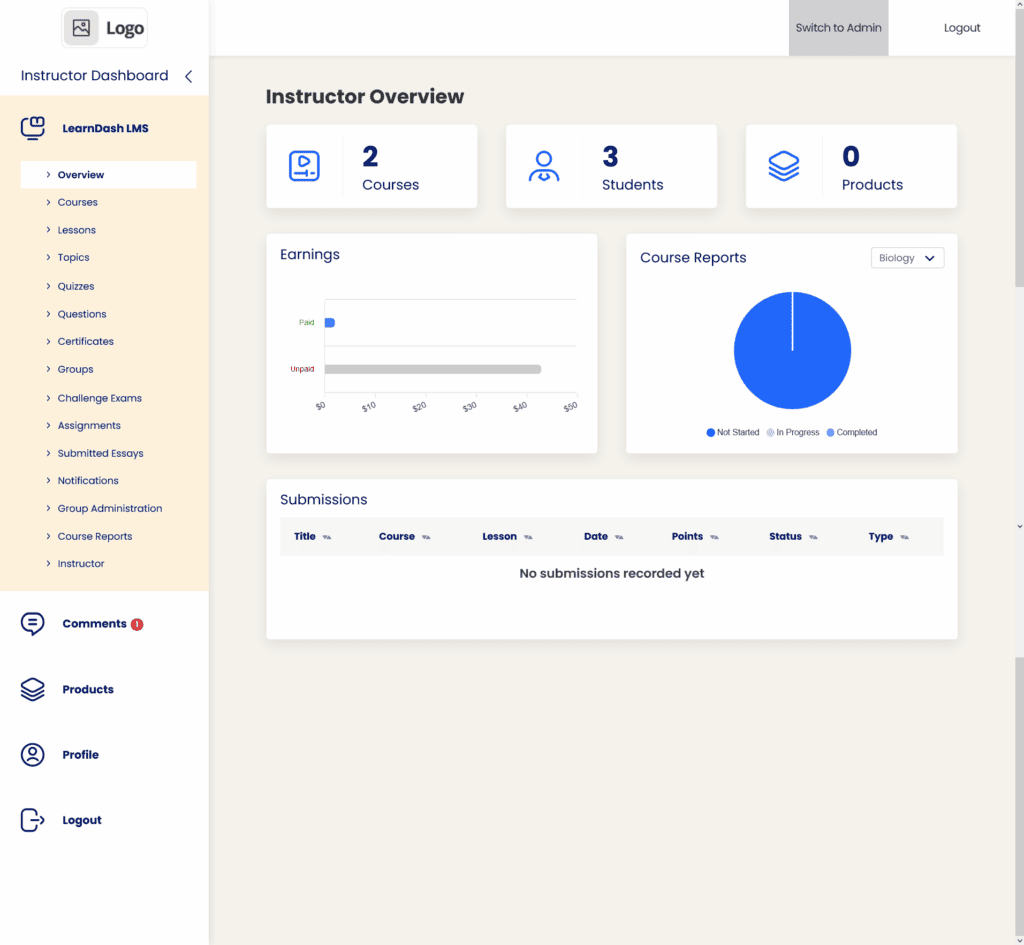
WP Courseware WP Courseware provides the essentials for tracking student performance. Its Course Gradebook offers a high-level view of progress, and a simple instructor dashboard allows you to track overall progress, see which lessons have been viewed, and monitor currently active users. The reporting is functional but not as deep as its competitor.
LearnDash The reporting strength of LearnDash is truly unlocked with its ProPanel, an add-on that offers detailed, real-time activity tracking. With it, you can access granular data, such as when a student last logged in and exactly which quiz questions they answered incorrectly. It also features centralized grade books that give instructors a complete view of all student scores and the ability to manually override grades if needed.
Ecosystem & Integrations
An LMS plugin can’t do everything on its own. A strong ecosystem of integrations with page builders, automation tools, and community platforms is essential for building a complete solution.
WP Courseware: WP Courseware offers solid integration capabilities. It connects with Zapier, which unlocks automations with over 7,000 other applications, allowing you to connect your school to your favorite CRM or email marketing tool. It also integrates well with popular community platforms like BuddyBoss and BuddyPress, enabling you to add a social element to your courses.
Expert Advice: When we compared BuddyBoss and BuddyPress, we found that either platform can dramatically enhance the WP Courseware experience by adding a social community layer, allowing you to build student forums, groups, and member profiles around your courses.
LearnDash: The ecosystem surrounding LearnDash is its greatest strength. Its integration with BuddyBoss is widely considered the “gold standard” for turning a course website into a full-fledged social learning network. For automation, it offers deep integrations with both Zapier and Uncanny Automator, allowing you to trigger complex workflows based on course progress. It also provides custom widgets and blocks specifically designed for Elementor, Beaver Builder, and the native Gutenberg editor.
Site Performance & Mobile Experience
A slow, clunky website is a major turn-off for students. We’re looking at how each plugin impacts site speed and how smoothly it functions on mobile devices.
WP Courseware WP Courseware is often described as a lightweight “quiet veteran” that avoids feature bloat, which generally helps maintain high site speed. While its interface is responsive, the mobile experience can sometimes feel less polished, with an appearance that may differ significantly from the desktop view. It’s also worth noting that it relies on WP-Cron for scheduled emails, meaning notifications are only sent when there is active traffic on your site.
LearnDash: LearnDash is built for performance and only loads its scripts and styles on course-related pages, preventing it from slowing down your main blog or homepage. While a large number of quizzes and students can lead to large database tables that slow down the admin backend, its front-end experience is fast. Most importantly, its “Focus Mode” creates a superior, app-like learning experience on mobile devices by removing all distractions.
Pricing & Overall Value
Price is often the final deciding factor. Here, we’re breaking down the annual costs and the number of site licenses you get for your investment, as this is the most common question in any LearnDash vs WP Courseware pricing debate.
WP Courseware: WP Courseware’s pricing provides excellent value, especially for those managing more than one website. Its “Teacher” plan starts at $129 per year for two sites. The “Professor” plan is $149 per year for ten sites, and the top-tier “Guru” plan costs $199 per year for an impressive twenty-five sites.
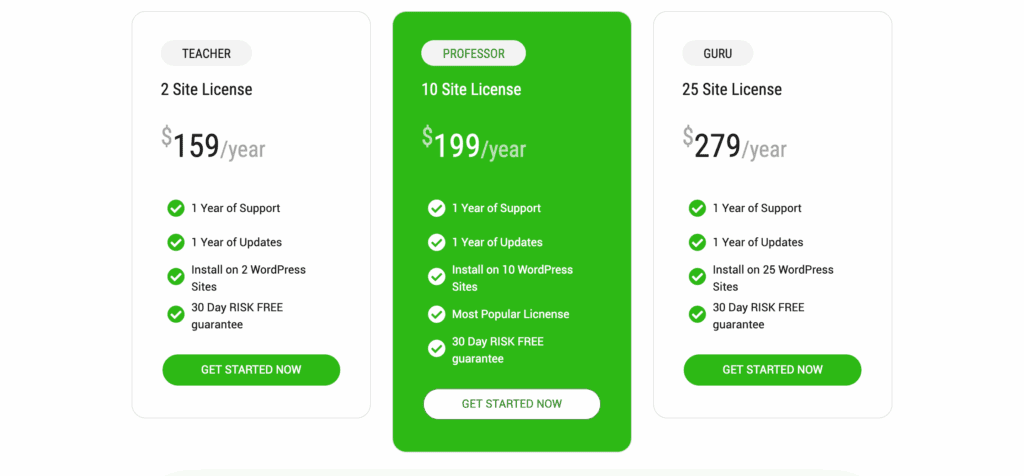
LearnDash: LearnDash’s pricing is positioned as a more premium product with a higher starting price. Its basic plan costs around $199 per year for a single site license. The “Plus Package” for ten sites costs around $399 per year. For those who want an all-in-one solution, the “LearnDash Cloud” option is available for about $29 per month and includes hosting with the plugin pre-installed.
Key Limitations to Consider
No plugin is perfect. Understanding the potential downsides is critical before you commit your time and money. Knowing these limitations can help you decide if you need to search for LearnDash alternatives.
WP Courseware The primary limitations of WP Courseware are its lack of a native “Focus Mode” for a distraction-free student experience and the absence of built-in marketplace or advanced social learning features. Its styling options are also limited within the plugin settings, often requiring you to write custom CSS to achieve a specific aesthetic.
LearnDash LearnDash’s main drawback is that its default “out of the box” styling can feel dated and utilitarian without a dedicated theme like BuddyBoss or heavy customization with a page builder. Additionally, its official support is ticket-based and can be slow, leading many users to rely on the active Facebook community for faster help. Finally, its best reporting features are locked behind the more expensive ProPanel add-on.
Other Excellent LMS Alternatives
While LearnDash and WP Courseware are industry titans, the WordPress ecosystem offers other fantastic options that might be a better fit for your specific needs.
- Thrive Apprentice: If you are already invested in the Thrive Suite ecosystem (which includes a page builder, quiz builder, and more), Thrive Apprentice is the obvious choice. It offers unparalleled integration with other Thrive products and focuses on a visual, front-end course-building experience that is perfect for marketers.
- LifterLMS: LifterLMS is known for its “all-in-one” approach to building a learning platform. It has a very capable free core plugin that allows you to build out your courses without an initial investment, making it a great starting point. However, be aware that costs can escalate as you purchase premium add-ons for payments, marketing, and advanced features.
- TutorLMS: A powerful and modern competitor, TutorLMS has a remarkably generous free version that rivals many premium offerings. It’s praised for its clean user interface, front-end course builder, and built-in features for creating a multi-instructor marketplace, similar to Udemy.
Final Thoughts
WP Courseware is better for beginners seeking simplicity and value with its drag-and-drop builder. LearnDash is the superior choice for building a professional, scalable academy, offering more advanced features, deeper reporting, and a polished student experience. Your project’s complexity and budget dictate the best choice.
Before you make a final decision, we strongly recommend testing your chosen plugin on a staging site. A staging site is a private copy of your live website where you can safely install, build, and test your new LMS without any risk to your current visitors. This allows you to check for any conflicts with your theme or other plugins and ensure everything works perfectly before you launch.
FAQs
Which is the best LMS plugin for WordPress?
There is no single “best” LMS plugin, as the right choice depends entirely on your needs and budget. LearnDash is the industry leader for power and scalability, WP Courseware is a champion of simplicity and ease of use, and alternatives like Tutor LMS offer an excellent, feature-rich free version.
What is WP Courseware?
WP Courseware is a user-friendly WordPress Learning Management System (LMS) plugin known for its intuitive drag-and-drop course builder. It allows you to create and sell online courses directly from your WordPress site, with a strong focus on a straightforward setup and reliable features.
Is LearnDash the best LMS?
LearnDash is widely considered the most powerful and feature-rich LMS for WordPress, making it the “best” for creating large-scale professional training academies and membership sites. However, its higher price and steeper learning curve may not be the best fit for beginners or simpler course projects.
Is there a free alternative to LearnDash?
Yes, there are excellent free alternatives to LearnDash. Both Tutor LMS and LifterLMS offer robust free core plugins that allow you to build and launch complete courses without any upfront cost. They are fantastic options for testing the waters or for creators on a very tight budget.

Shreya has been a writer for as long as she can remember. Now, she writes articles that help WordPress users manage the sites that they're proud of, with little to no coding


