Deciding between Thrive Apprentice vs Teachable can feel overwhelming when you just want to start selling your course. You have the knowledge, but which platform will get it to your students with the least amount of friction? Teachable is an all-in-one service that handles the tech for you, while Thrive Apprentice is a powerful tool you add to your own WordPress website. Making the right choice from the start will save you significant time and money down the road.
A WP course plugin like Thrive Apprentice gives you total design freedom but requires you to manage your own site. For new creators who aren’t familiar with WordPress, this distinction is the most important factor in your decision. This article provides a clear, jargon-free comparison to help you choose the right path for your first successful course launch.
In our experience of Thrive Apprentice, we found that it is the ideal choice for WordPress users wanting total design control. In contrast, Teachable excels as an all-in-one, hosted platform that simplifies setup, video hosting, and tax management for absolute beginners.
We built a course on a new Teachable account and installed Thrive Apprentice on a clean WordPress test site. We focused on the key features that matter most to course creators, evaluating each platform on:
- The student experience and mobile accessibility.
- The complexity and power of the quiz engine.
- Content control, including drip scheduling and prerequisites.
- Payment processing, transaction fees, and sales tax handling.
- Built-in engagement tools like certificates and communities.
- The depth of student progress and performance reporting.
- Ecosystem integrations with marketing and other tools.
- The platform’s impact on your website’s performance and maintenance needs.
Student Experience
A smooth, distraction-free student experience is crucial for course completion rates. A confusing or cluttered interface can cause students to abandon your content, no matter how valuable it is. We’re looking at how each platform presents content to the learner and makes it easy to navigate and consume.
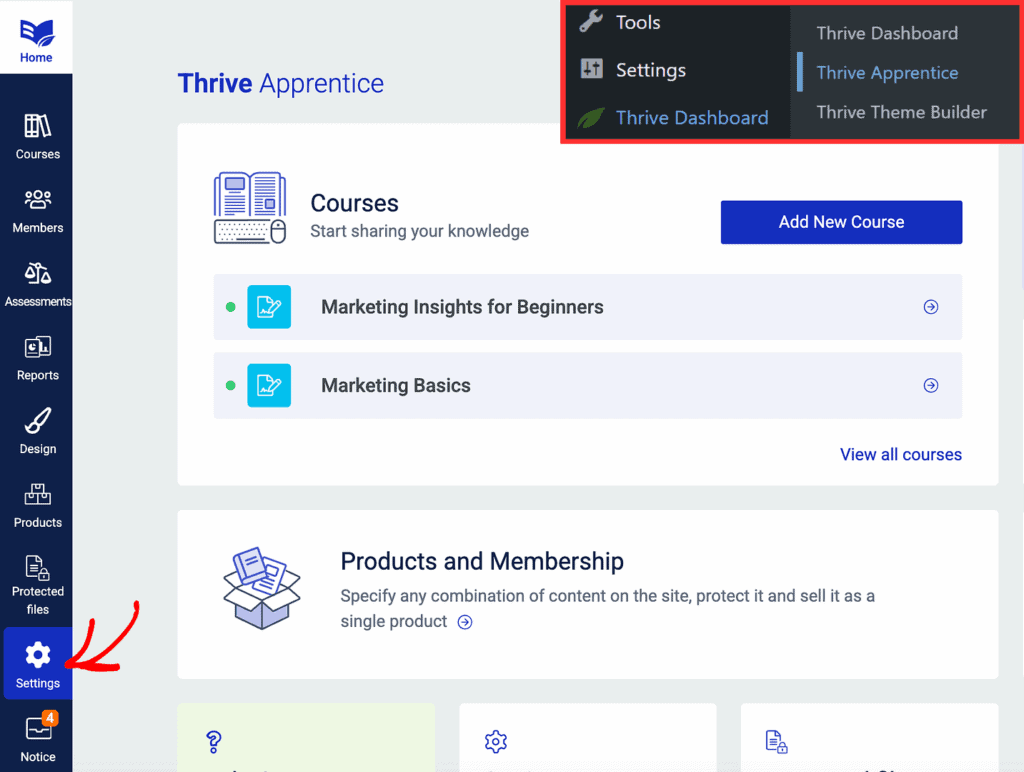
Thrive Apprentice: Thrive Apprentice creates a polished learning environment directly within your WordPress site. Its “Focus Mode” strips away your website’s header and sidebars, creating an immersive portal that feels just like a dedicated platform. With visual progress bars and a “Resume Course” button, it gives students all the tools they need to track their journey without ever leaving your domain.
Teachable: While the web experience is clean and professional, Teachable’s main advantage is its dedicated iOS and Android app. This allows students to download lessons and learn offline, a feature that significantly enhances value and convenience. For course creators targeting a mobile-first audience, this app makes Teachable one of the best online course platforms for beginners, as it provides a premium experience without any extra development work.

Quiz Complexity
Quizzes are vital for assessing student comprehension and reinforcing key concepts. Here, we’re comparing the depth and flexibility of each platform’s assessment tools, from simple multiple-choice questions to complex, logic-based exams that can be used for official certifications.
Thrive Apprentice: While the built-in quiz functions are basic, Thrive Apprentice’s power comes from its seamless integration with Thrive Quiz Builder. This combination unlocks timers, randomized question banks, and complex branching logic (e.g., “if the user answers A, show them question X”). This makes it a far more robust assessment tool, a key reason why many creators choose a WordPress LMS plugin for serious certification programs.
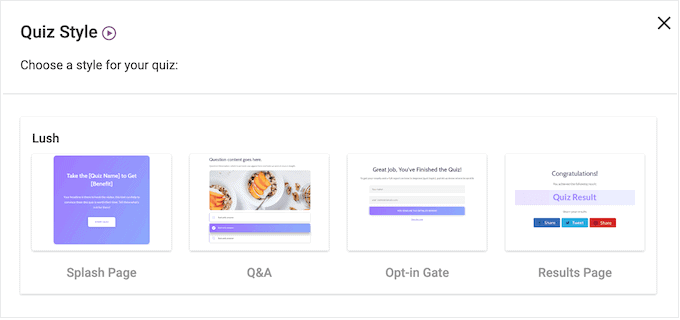
Teachable: Teachable’s quiz features are straightforward and easy to use. It supports multiple-choice questions, allows you to set passing scores, and even includes an AI Quiz Generator to help you create assessments quickly. However, it lacks the advanced features like question banks and deep branching logic, making it better for simple knowledge checks rather than rigorous final exams.
Content Control
How you release your course content—all at once or dripped out over time—can significantly impact student pacing and prevent them from feeling overwhelmed. We’re evaluating how each platform handles drip content schedules, lesson prerequisites, and managing student access based on their payment status.
Thrive Apprentice: As a tool built for memberships, Thrive Apprentice excels at access control. You can drip content based on a fixed schedule or a specific number of days after enrollment. Its rules are highly reliable and can instantly revoke a student’s access if their subscription payment fails, a critical feature when learning how to sell online courses on a recurring basis.
Teachable: Teachable also provides very reliable drip-feeding, allowing you to release content on specific dates or a set number of days after a student enrolls. Its “Course Compliance” feature is a standout, enabling you to require students to complete one lesson (or even watch a certain percentage of a video) before the next one unlocks. This ensures a linear, structured learning path.
Payment Flexibility
Getting paid easily and correctly is the ultimate goal. This section looks at how simple it is to connect payment gateways and, more importantly, how each platform handles the administrative burden of sales tax and transaction fees.
Thrive Apprentice: Thrive Apprentice allows you to take payments directly with built-in Stripe and Square integrations. However, it lacks native PayPal support, which typically requires another tool like ThriveCart or WooCommerce. The bigger challenge is that you are solely responsible for calculating, collecting, and remitting all sales taxes and VAT, which can be a complex and time-consuming task.
Teachable: This is where Teachable shines. It uses its own system for native Stripe and PayPal integration. Crucially, Teachable acts as the Merchant of Record, meaning they automatically handle all EU VAT and US Sales Tax calculations and filing on your behalf. This one feature can save you dozens of hours, making the teachable pricing vs thrive apprentice comparison lean heavily in Teachable’s favor for those who want simplicity.
Engagement Tools
Keeping students engaged beyond the core video lessons is key to building a loyal following. We’re comparing tools like course completion certificates, community forums, and gamification features that transform a simple course into a thriving learning environment.
Thrive Apprentice: Thrive Apprentice features a remarkably powerful Certificate Builder. You can create completely custom, professional-looking certificates with dynamic fields like the student’s name, completion date, and quiz score, and even include a QR code for verification. However, it lacks any native community or gamification tools, requiring you to integrate third-party plugins.
Teachable: Teachable offers built-in PDF certificates with several professional templates. Its biggest advantage is the recently launched native community feature, allowing you to host a forum directly within your course area and eliminate the need for a separate Facebook group. This makes it one of the easiest platforms to create a course with an active, engaged student base from day one.
Mobile Fluidity
With more students learning on their phones, a platform’s mobile experience is no longer an afterthought. We’re looking at how well each platform’s learning environment translates to a small screen, whether through a responsive website or a dedicated application.
Thrive Apprentice: The learning interface in Thrive Apprentice is fully responsive. The video players and navigation menus automatically adjust to fit any screen size, shifting to a “mobile-first” hamburger menu that is easy to use on a phone. All buttons and progress toggles are sized appropriately for touch screens, ensuring a smooth experience within a mobile browser.
Teachable: While its web-based player is also fully responsive, Teachable’s dedicated iOS and Android app is a game-changer. It allows students to download course content and learn on the go, even without an internet connection. This premium feature provides significant value and convenience for students, cementing Teachable’s reputation as a user-friendly platform.
Data Reporting
Understanding how students interact with your content is vital for improving your courses and marketing. We’re looking at the quality of analytics each platform provides, from enrollment trends to detailed lecture-level engagement.
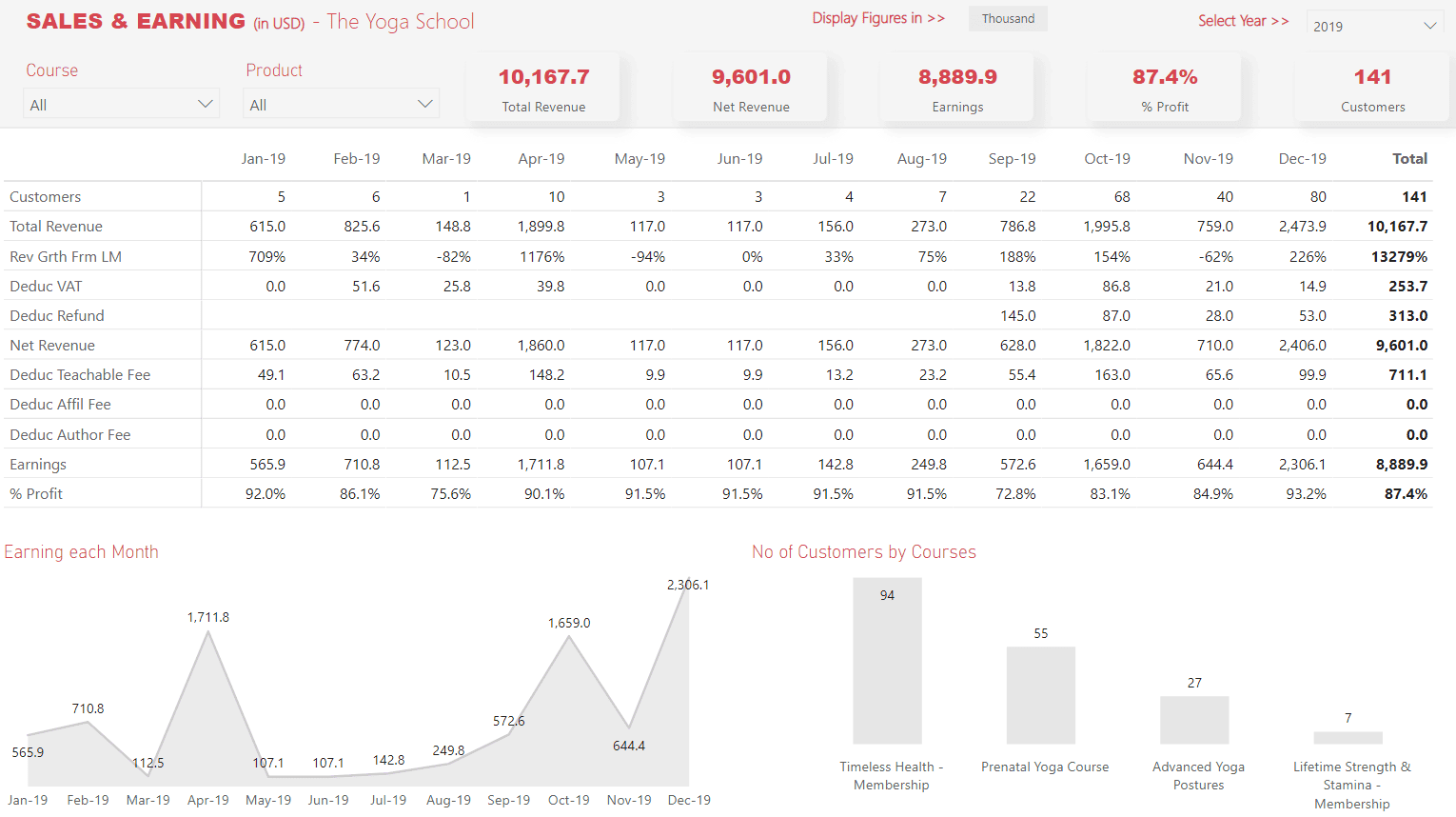
Thrive Apprentice: The reporting dashboard in Thrive Apprentice gives you a solid visual overview of your course business, showing enrollment trends, which lessons are most popular, and where students tend to drop off. However, it lacks a traditional “Gradebook” view, making it less ideal for manually grading large groups of students.
Teachable: Teachable offers a more robust analytics suite. Its dashboard shows Lecture Completion rates and, most impressively, Video Engagement heatmaps. This feature lets you see exactly where students stop watching your videos, providing a goldmine of data for improving your content. It also includes a centralized gradebook for tracking quiz scores across all your students.
Ecosystem Integration
No platform is an island. A course platform’s true power is often measured by how well it connects with the other marketing, community, and automation tools you use to run your business.
Thrive Apprentice: As a native WordPress LMS plugin, its greatest strength is its flawless integration with the entire Thrive Suite for building landing pages, managing email lists, and creating quizzes. It also connects easily with other popular WordPress tools like BuddyBoss for communities and can link to most major Email Service Providers via webhooks and API.
Teachable: Teachable operates more like a walled garden, relying primarily on Zapier for external connections to CRMs like ConvertKit or ActiveCampaign. Its integration with a WordPress site is minimal, usually just a link in your website’s navigation menu that redirects to your Teachable subdomain. It cannot connect to WordPress-specific tools like GamiPress or BuddyBoss.
Site Performance
A slow website can hurt sales and SEO rankings. We’re analyzing the impact each platform has on your website’s speed and server resources, which is a critical consideration for anyone with an existing WordPress site.
Thrive Apprentice: The plugin is generally lightweight and well-optimized. It only loads the necessary code on your course pages, minimizing its impact on your site’s overall speed scores. However, because it runs on your website, it still uses your server’s CPU and database resources to function.
Teachable: Teachable has zero impact on your WordPress site’s performance. Since it is a fully hosted SaaS platform, all the course delivery, video streaming, and student management happen on Teachable’s optimized servers. This is a key benefit for anyone worried about the technical side of running an online course and a strong argument against many self-hosted Teachable alternatives.
Price
The final cost is a major factor, especially for new creators. We’re comparing not just the subscription prices but also the transaction fees that can eat into your profits with every sale.
Thrive Apprentice: Thrive Apprentice pricing operates on a flat annual fee (~$149 standalone or ~$299 in the Thrive Suite). Once you pay for the year, you keep 100% of your course revenue (minus standard payment processor fees from Stripe/Square). This makes it a true online course platform no transaction fees, which is a huge advantage as you scale.
Teachable: Teachable’s pricing uses a monthly subscription model that is more expensive over a year. More importantly, its Free and Basic plans charge an additional transaction fee (10% + $1 and 5%, respectively) on top of the monthly cost. You must upgrade to the pricey Pro plan ($119/mo) to eliminate Teachable’s fees, making it a much more expensive option for serious creators.
Key Limitations of Thrive Apprentice and Teachable
No tool is perfect. This final section highlights the key deal-breakers and trade-offs for each platform to help you make a final, informed decision based on what you’re willing to compromise on.
Thrive Apprentice: The main hurdles are technical and financial. You must pay for and manage your own video hosting (e.g., Vimeo, Wistia), which is an extra ongoing cost. It lacks native PayPal support without external tools and does not have multi-instructor roles, making it best suited for a solo creator who is comfortable managing the different pieces of a WordPress site.
Teachable: The limitations are centered on control and cost. You cannot use WordPress page builders like Elementor or Divi to fully customize the design of the course player area. You are subject to transaction fees on lower-tier plans, which reduces your profit margin. Finally, while you can export student data, you don’t have direct database access like you do with a self-hosted WordPress site.
Alternatives to Thrive Apprentice and Teachable
While Thrive Apprentice and Teachable are fantastic options, they aren’t the only players in the game. Depending on your specific needs for features, complexity, and budget, one of these alternatives might be an even better fit for your online course business.
- Thinkific: As Teachable’s closest competitor, Thinkific is another all-in-one hosted platform. It’s known for its slightly more generous free plan (which has no transaction fees), strong student engagement tools, and a bit more design flexibility within its templates. If you like the idea of Teachable but want to compare it against a very similar service, Thinkific is the first place to look.
- LifterLMS: This is a direct alternative to Thrive Apprentice. LifterLMS is a powerful, all-in-one WordPress LMS plugin that often includes more advanced features like private coaching, assignments, and detailed memberships right out of the box. It can be more complex to set up than Thrive Apprentice but offers a deeper feature set for building a comprehensive learning academy on WordPress.
- Kajabi: Kajabi is more than just a course platform; it’s an all-in-one system for running your entire online business. It includes course hosting, email marketing, landing pages, a website builder, and sales funnel automation under one roof. It’s a premium, high-cost option designed for creators who want a single, powerful, and fully integrated system without ever touching WordPress.
Final Thoughts
The choice boils down to convenience versus control. Teachable is better for beginners, offering an all-in-one, easy-to-use solution to launch quickly. Thrive Apprentice is better for WordPress users who want full design control, long-term savings, and total ownership of their platform.
If you choose the WordPress route with Thrive Apprentice, always build and test your course on a staging site first. A staging site is a private copy of your live website. This allows you to set everything up and fix any potential issues without disrupting your main site for your visitors.
FAQs
Which is better, Teachable or Udemy?
They serve different purposes. Teachable is a platform you use to build and sell courses on your own branded website. You control the pricing, student data, and marketing. Udemy is a course marketplace; you upload your course to their site and gain access to their massive audience, but you give up control over pricing, branding, and student relationships.
What is the difference between ClickFunnels and Thrive Themes?
ClickFunnels is an all-in-one, hosted SaaS platform specifically for building sales funnels. Thrive Themes (now Thrive Suite) is a suite of conversion-focused WordPress plugins that gives you the tools (like a page builder and course builder) to build sales funnels, websites, and courses on your own self-hosted WordPress site.
What is better, Thinkific or Teachable?
They are very close competitors. Teachable is often preferred for its streamlined checkout process (especially its automatic tax handling) and built-in community features. Thinkific is often praised for its more generous free plan (0% transaction fees) and slightly more flexible site builder. The best choice often comes down to personal preference.
Is Teachable better than Kajabi?
It depends on your needs. Teachable is primarily a course creation and hosting platform. Kajabi is an all-in-one business platform that also includes email marketing, a full website and blog builder, sales funnels, and more. If you only need a tool to sell courses, Teachable is a more focused and affordable choice. If you want one single platform to run your entire online business, Kajabi is the more powerful (and more expensive) option.

Shreya has been a writer for as long as she can remember. Now, she writes articles that help WordPress users manage the sites that they're proud of, with little to no coding