The LearnDash vs Teachable choice boils down to a simple trade-off: total control versus absolute convenience. You have valuable knowledge ready to sell, but picking the wrong platform can be a frustrating and costly mistake. LearnDash is a powerful WordPress plugin that gives you complete ownership and flexibility, while Teachable is an all-in-one platform designed to get you launched as quickly and easily as possible.
Course tools for WordPress like LearnDash offer unmatched freedom, but they also come with a steeper learning curve. This guide cuts through the technical jargon, comparing everything from setup time and true cost to customization and long-term ownership. We’ll help you confidently choose the right foundation for your online school.
In our experience with Learndash, choose it if you want to build a long-term, fully-owned asset on WordPress, offering total design control and 0% transaction fees in exchange for managing your own hosting. In contrast, Teachable is the ideal choice if you want the fastest and easiest way to launch, as its all-in-one platform handles all the technical work for you so you can focus entirely on your content.
What is LearnDash?
LearnDash is the leading WordPress-native Learning Management System (LMS) plugin. It is designed to turn any existing WordPress website into a powerful, self-hosted educational platform.
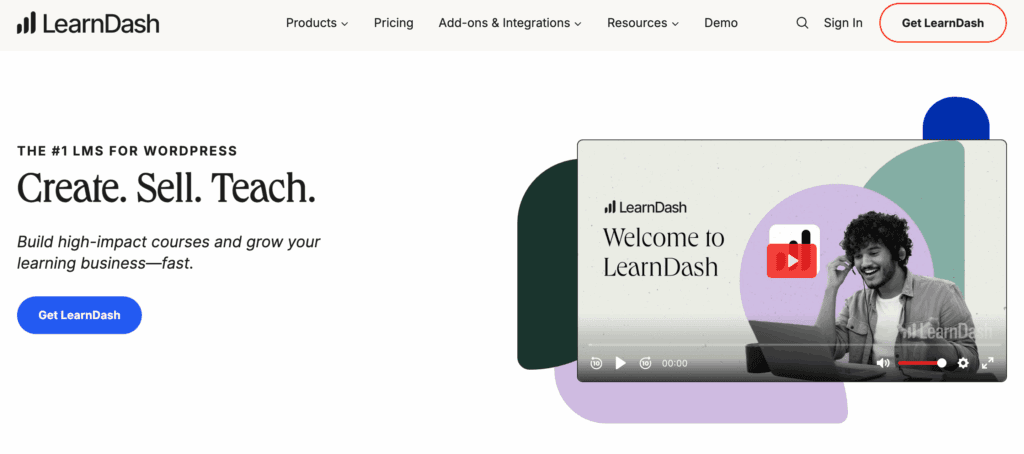
Unlike SaaS platforms, LearnDash is installed directly onto your server, giving you 100% ownership over your content, database, and the entire learning environment. Because it’s a plugin, LearnDash integrates deeply with popular WordPress tools like WooCommerce or MemberPress, allowing you to create a seamless, on-site experience with advanced quizzes, certificates, and reporting that all function natively within your dashboard.
What is Teachable?
Teachable is an all-in-one cloud-based platform for creating and selling online courses, digital downloads, and coaching services.
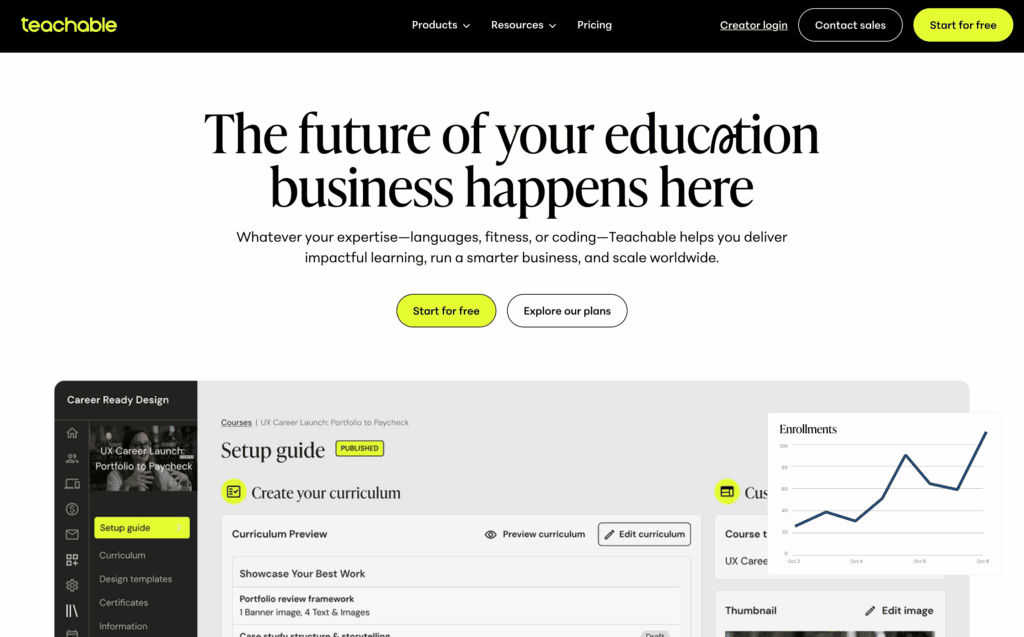
It provides creators with their own branded “school” where they control pricing and student data, but all content and features are hosted on Teachable’s servers. The Teachable WordPress plugin will primarily serves as a bridge to turn your WordPress site into a storefront for your Teachable products. It does not move your course content onto your server or provide WordPress-based features like quizzes or course builders; all the core LMS functionality remains within the Teachable platform.
Student Experience & Learning Environment
The best course in the world can fail if the student interface is confusing or distracting. This section evaluates the platform from the student’s perspective. We’re looking at how easy it is to navigate lessons, track progress, and stay engaged with the material, as these factors directly impact course completion rates and student satisfaction.
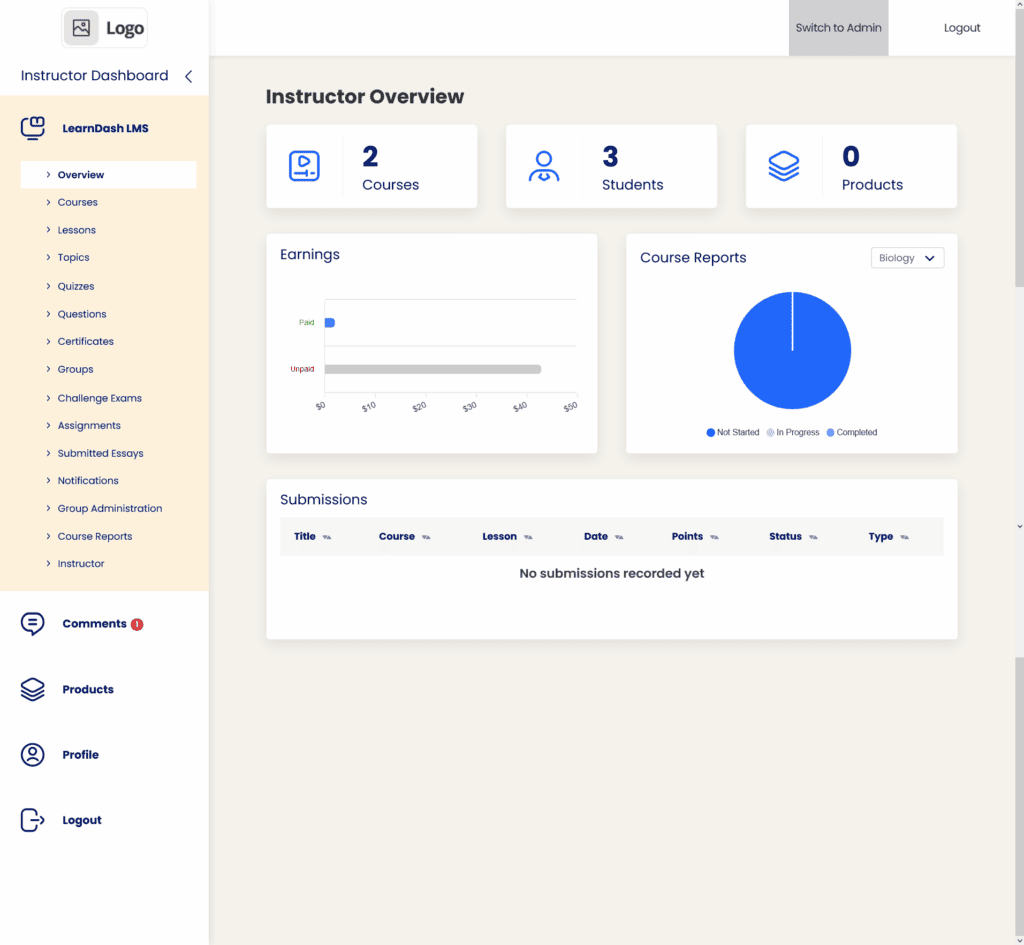
LearnDash: LearnDash gives you the tools to build a sophisticated and branded learning journey. Its standout “Focus Mode” creates a dedicated, distraction-free environment by hiding your main website’s navigation menus and sidebars. Within this mode, you can use a custom logo and color scheme, making it feel like a premium, standalone application. Students are always aware of their place in the course thanks to a persistent progress bar and breadcrumb navigation, and they can easily expand or collapse lesson lists to see what’s ahead. Furthermore, its advanced quiz engine allows for more complex and engaging assessments.
Teachable: Teachable prioritizes a clean, minimalist, and predictable student experience. While it doesn’t have a feature explicitly named “Focus Mode,” the interface is naturally distraction-free. Students can toggle the side navigation bar to get a full-width view of video and text lessons. The main advantage of Teachable is its consistency; the interface is professional and familiar across all Teachable schools, which reduces any learning curve for students. However, this simplicity comes at the cost of features, as its quiz and assessment options are far more basic than what LearnDash offers.

Quiz Complexity
Quizzes are crucial tools for reinforcing knowledge and gauging comprehension. A simple multiple-choice test is fine, but a platform with diverse question types and logic allows for a much richer learning experience. Here, we compare the depth and variety of assessment tools each platform offers.
LearnDash: LearnDash provides a truly robust quizzing engine suitable for formal education and certifications. It supports eight different question types, including advanced options like sorting, matching, and “fill in the blank.” You can create dynamic tests by pulling from question banks, set strict timers that auto-submit, and provide detailed feedback explaining why an answer was correct or incorrect. This level of control is ideal for creating serious, in-depth assessments.
Teachable: Teachable keeps its quiz functionality straightforward and easy to use. It supports multiple-choice and multi-select questions and includes a helpful AI Quiz Generator to speed up creation. While you can set required passing scores, it lacks the advanced question types, randomization from banks, and deep branching logic found in a dedicated LMS plugin like LearnDash. It’s perfect for simple knowledge checks but not for complex examinations.
Content Control
How you release your content can be just as important as the content itself. Enforcing a specific sequence or scheduling lessons over time (drip-feeding) ensures students learn at the proper pace and don’t skip ahead. This section examines the tools each platform provides for managing the flow of information.
LearnDash: LearnDash gives you precise, granular control over the learning journey. You can schedule content to be released on a specific calendar date or a set number of days after a student enrolls. Its key strength lies in its ability to set hard prerequisites, forcing a linear path where a student cannot access the next lesson until the previous quiz is passed. It also includes a unique “Video Progression” feature that locks the next lesson until a video has been watched in its entirety.
Teachable: Teachable also offers a very reliable and easy-to-configure drip-feeding system. You can release content by date or days after enrollment. Its “Course Compliance” settings serve as effective prerequisites, allowing you to force students to complete lessons, pass a quiz, or even watch a certain percentage of a video before the next module unlocks. This provides solid control for the vast majority of course creators.
Payment Flexibility
Getting paid should be the easiest part of the process, but transaction gateways, subscriptions, and sales tax can quickly become complicated. Here, we compare how each platform handles payments and which one makes it easier to manage the financial side of your business.
LearnDash: LearnDash has native integrations for Stripe and PayPal for simple one-time purchases or subscriptions. However, for a more robust e-commerce experience—like offering coupon codes, product bundles, or a traditional “add to cart” feature—you will almost certainly need to integrate a dedicated plugin like WooCommerce. This approach offers ultimate flexibility but adds another layer of setup and management.
Teachable: This is a major advantage for Teachable. It uses an integrated payment processor that handles Stripe and PayPal out of the box. Most importantly, Teachable acts as the Merchant of Record, meaning it automatically calculates, collects, and remits complex digital sales taxes (like EU VAT) on your behalf. This solves a massive administrative headache for creators and requires no extra plugins or configuration.
Engagement Tools
Keeping students motivated is essential for course completion and customer satisfaction. This section looks beyond the core content to evaluate the tools designed to encourage progress, reward achievement, and build a sense of community.
LearnDash: LearnDash is packed with features to make learning more engaging. You can automatically generate and award dynamic PDF certificates that pull in student names and scores. It also has built-in gamification tools, such as “Course Points” that can be used as a currency to unlock other courses, and an “Achievements” add-on that lets you award badges and pop-up celebrations for hitting milestones.
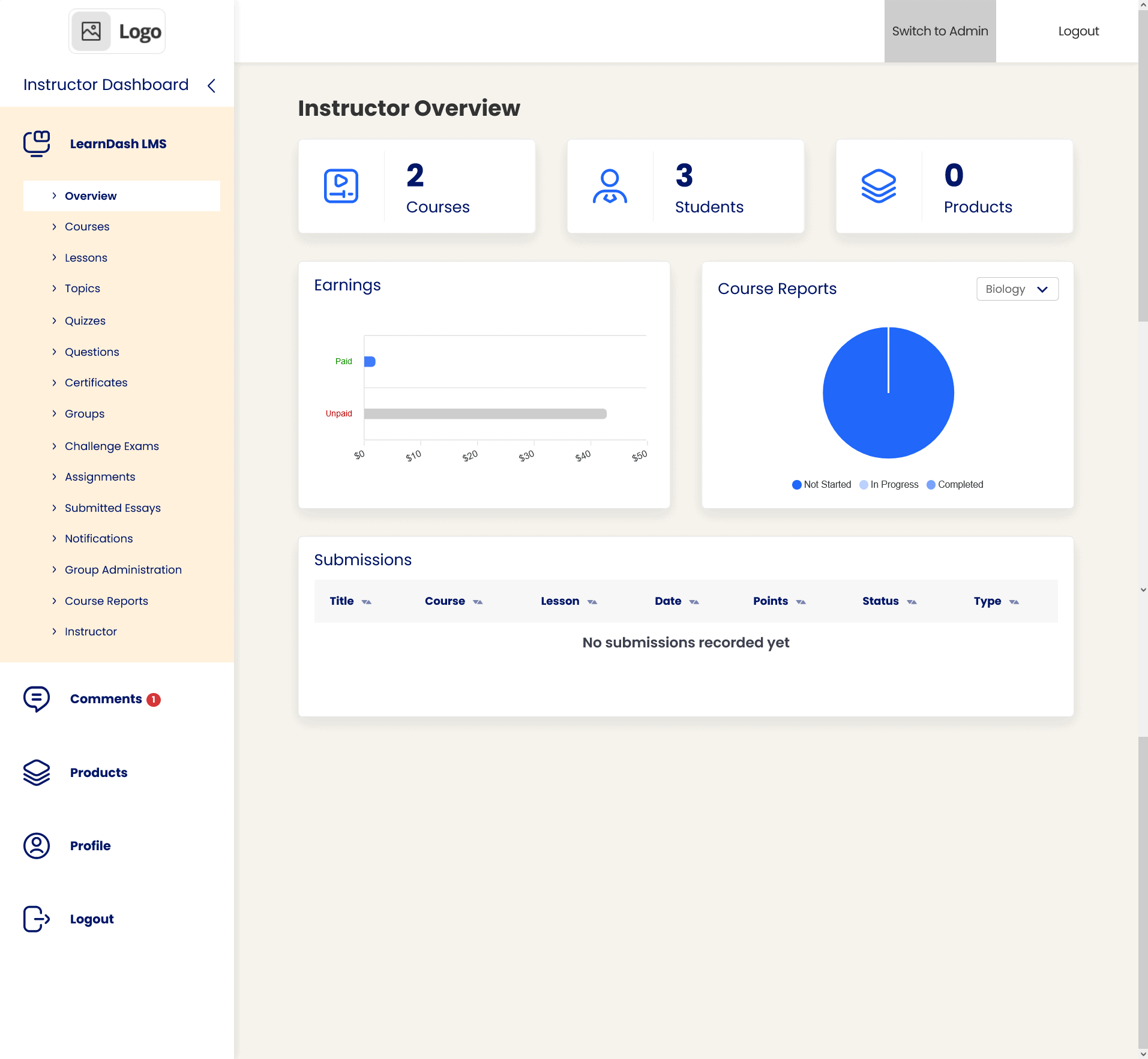
Teachable: Teachable offers solid foundational engagement tools. It has a built-in system for creating and awarding PDF certificates from native templates and recently launched an in-app community feature, which is excellent for fostering discussion. However, it completely lacks native gamification. If you want to award points or badges, you would need to set up a complex workflow using a third-party tool like Zapier.
Mobile Fluidity
In today’s world, students expect to be able to learn anytime, anywhere. A seamless mobile experience is no longer a luxury but a necessity. We evaluate how each platform performs on smaller screens, from its responsive web design to the availability of a dedicated mobile app.
LearnDash: LearnDash is built on a responsive, “Mobile-First” framework, so it looks and works well on mobile browsers. Its “Focus Mode” smartly collapses the navigation into a hamburger menu to maximize content space, and its interface elements are large enough for easy tapping. However, the experience is entirely dependent on your WordPress theme and is confined to a web browser.
Teachable: Teachable offers a superior mobile experience thanks to its high-quality, dedicated app for both iOS and Android. This allows students to download lessons for offline viewing and provides a polished, user-friendly interface designed specifically for mobile learning. In addition to the app, its web-based version is also fully responsive and “thumb-friendly,” ensuring a great experience on any device.
Data Reporting
Understanding how your students interact with your content is vital for improving your courses and identifying where people get stuck. This section compares the analytics dashboards, looking at how well you can track student progress, quiz performance, and overall engagement.
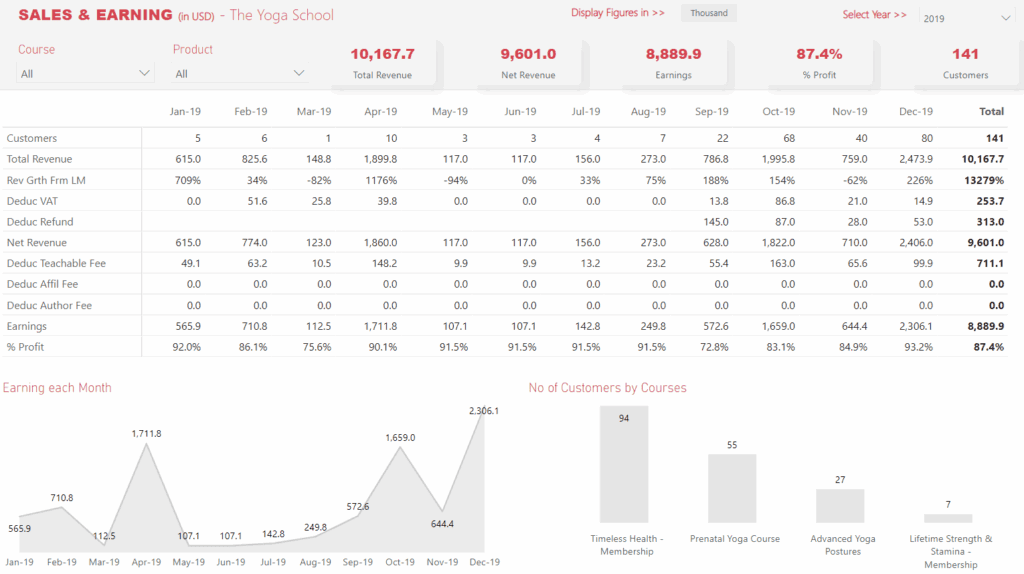
LearnDash: LearnDash provides extremely detailed, student-centric reporting, especially with its Pro Suite add-on. You can track individual student activity in real-time, see exactly which quiz questions they missed, and manage all scores in a centralized gradebook. This granular data is perfect for instructors who need to monitor the performance of specific students closely.
Expert Advice: When we tested Analytify, we found it’s the perfect solution for anyone who needs more detailed traffic reporting, as it brings complex Google Analytics data directly into a user-friendly WordPress dashboard.
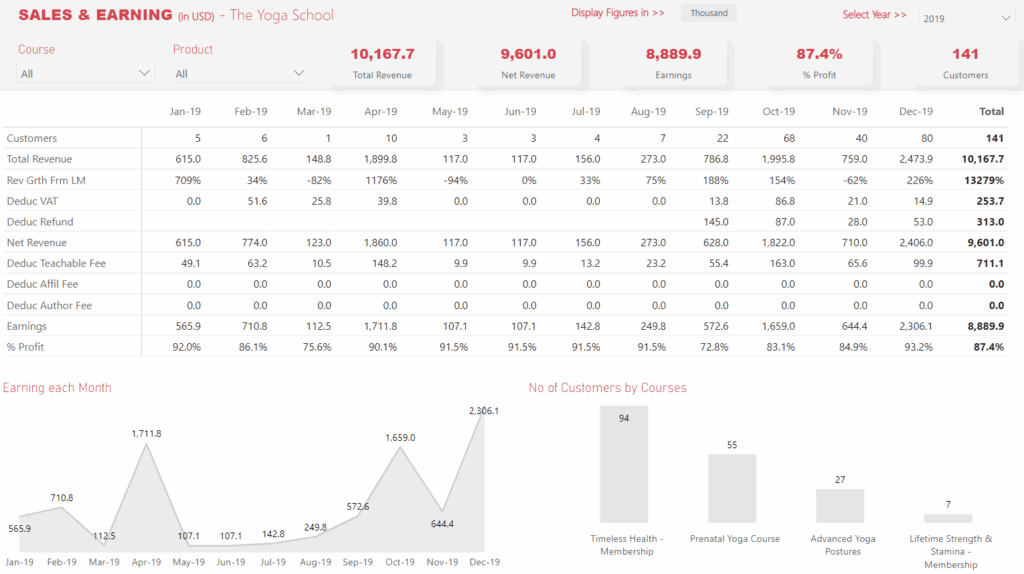
Teachable: Teachable’s analytics are focused on course-level performance. Its dashboard provides robust reports on lecture completion rates and, most impressively, video engagement heatmaps. This feature shows you exactly where viewers drop off in your videos, providing invaluable insight for improving your content. It also includes a centralized view of quiz scores and overall course progress.
Ecosystem Integration
Your course platform doesn’t exist in a vacuum; it needs to connect with your marketing tools, community platforms, and other business systems. Here, we evaluate how well each tool plays with others and fits into a broader tech stack.
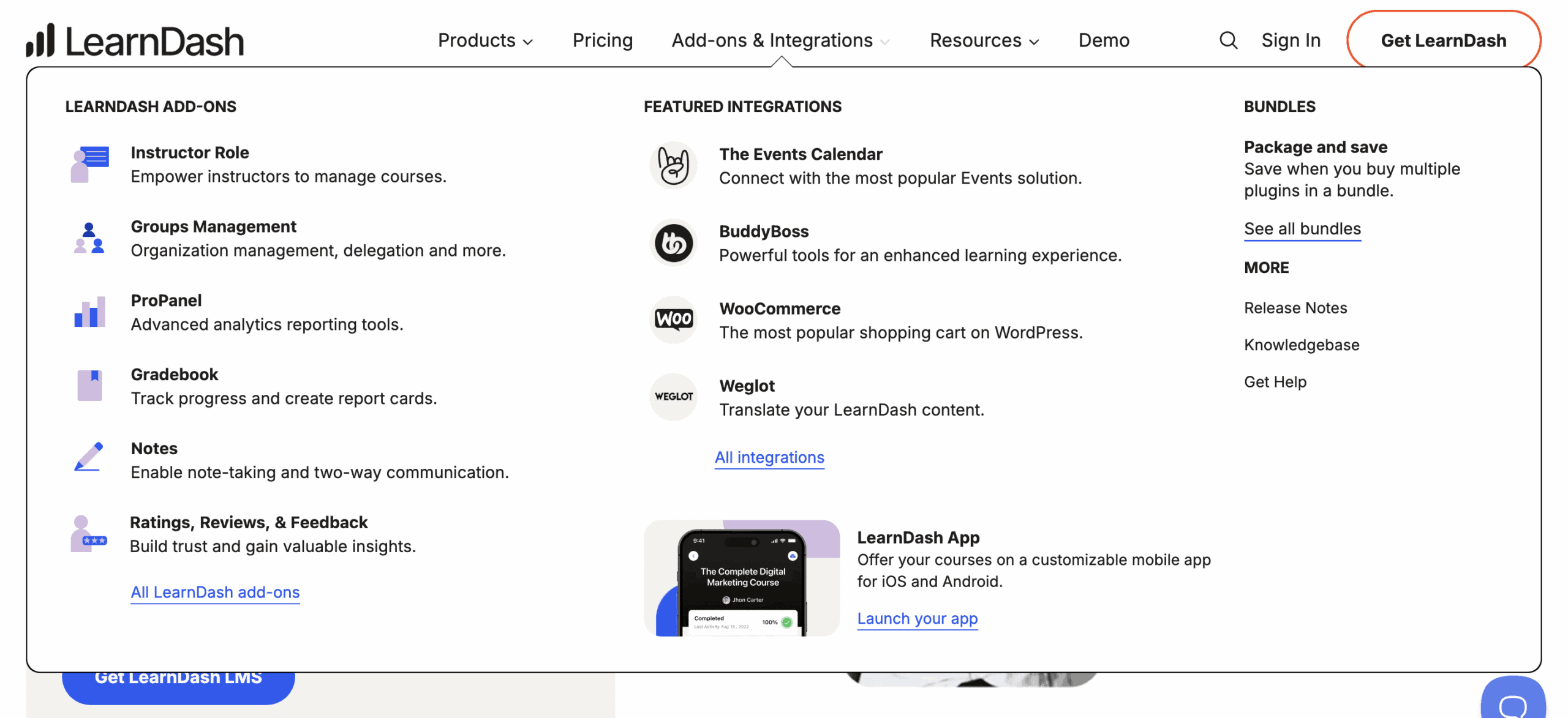
LearnDash: As a WordPress plugin, LearnDash’s integration potential is its superpower. It has a famous synergy with the BuddyBoss theme to create a full-fledged social learning network. It connects deeply with page builders like Elementor, offers powerful automation through plugins like Uncanny Automator, and can be extended with thousands of other WordPress plugins.
Teachable: Teachable integrates well with the outside world, primarily through a deep Zapier integration that connects it to thousands of other apps like email marketing services and CRMs. However, its integration with WordPress itself is very shallow. It cannot connect with WordPress plugins like BuddyBoss, and any “course” link on your site simply redirects users to your separate Teachable subdomain.
Site Performance
A slow, clunky website will frustrate visitors and hurt your brand. We analyze how each platform affects your site’s speed and server resources—a critical factor if you already have a blog or business website with established traffic.
LearnDash: While LearnDash is well-coded and only loads its scripts on course-related pages to minimize impact, it is still a large plugin that runs on your server. As you add more students, courses, and quiz data, it will inevitably consume more of your hosting resources and can potentially slow down your site’s backend administration over time.
Teachable: Teachable has absolutely no impact on your WordPress site’s performance. Because it is a fully hosted SaaS platform, all the heavy lifting—video streaming, student management, quizzing—happens on Teachable’s optimized servers. Your website remains as fast and lightweight as it was before, as the plugin merely acts as a link.
Price
The final decision often hinges on budget. Here, we break down the direct costs, comparing the different pricing tiers and, most importantly, the transaction fees that can significantly affect your profitability.
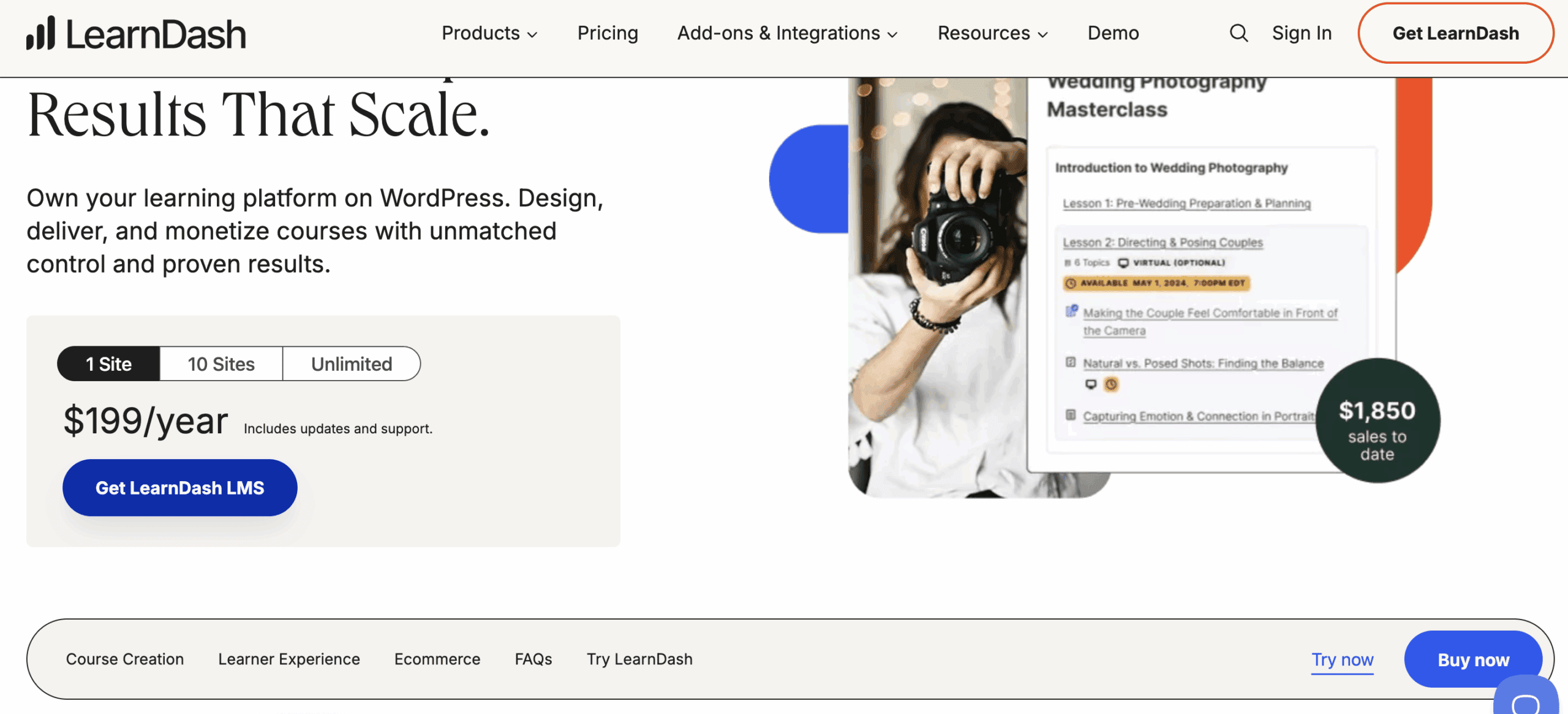
LearnDash: LearnDash’s pricing starts at around $199/year for a single site. The most significant financial advantage is that it charges 0% transaction fees on your sales. For those who don’t want to manage their own hosting, LearnDash Cloud is available for a monthly fee of around $29.
Teachable: Teachable’s pricing structure uses a monthly subscription model. Its Free and Basic plans are misleadingly cheap, as they come with very high transaction fees (5% to 10% per sale). To get 0% transaction fees and unlock key features, you must subscribe to the Pro plan, which costs around $119/month. This makes it a more expensive but fully all-inclusive option.
Limitations of Learndash and Teachable
No platform is perfect. This final comparison highlights the key trade-offs and potential frustrations you might encounter with each choice, helping you go in with your eyes open.
LearnDash: LearnDash’s main limitations stem from its self-hosted nature. The out-of-the-box styling can feel dated without a premium theme or page builder. Official support is ticket-based and can sometimes be slow, and you are fully responsible for all site maintenance and security. Furthermore, some of the best reporting features are locked behind the more expensive Pro bundle.
Teachable: Teachable’s limitations are the price you pay for convenience. The transaction fees on its lower-tier plans are a major drawback for new creators. You have very limited design control and cannot use WordPress page builders to customize your course pages. Finally, while you can export key data, you do not have direct database access or true ownership of your platform in the way you do with WordPress.
LearnDash and Teachable Alternatives
While LearnDash and Teachable are industry leaders, they aren’t the only options. Depending on your specific needs, one of these competitors might be an even better fit.
- Thinkific: Thinkific is Teachable’s most direct competitor. Like Teachable, it’s a fully hosted, all-in-one platform designed for ease of use. Its main advantage is that it charges zero transaction fees on all of its paid plans, which can make it a more cost-effective choice for creators just starting out. It’s an excellent option for those who want the simplicity of a hosted platform without the percentage-based fees.
- LifterLMS: LifterLMS is the primary WordPress-based alternative to LearnDash. It operates on a “freemium” model, with a free core plugin that you can extend with paid add-ons for things like advanced quizzing or payment gateways. It has a strong focus on building membership sites and creating engaging learning experiences, making it a powerful and flexible choice for those committed to the WordPress ecosystem.
- Kajabi: Kajabi is more than just a course platform; it’s an all-in-one online business solution. It includes not only course creation tools but also a website builder, email marketing automation, sales funnel builders, and a checkout system. It’s the best choice for creators who want a single, powerful system to run their entire business and are willing to pay a premium for that seamless integration.
Final Thoughts
The choice between LearnDash and Teachable isn’t about which tool is “better,” but which is right for your goals, boiling down to a classic trade-off: ownership vs. simplicity. LearnDash is the superior option if you want to build a long-term, fully-owned digital asset with complete design freedom and zero transaction fees, though it requires you to manage your own hosting. In contrast, Teachable is the ideal tool for beginners whose priority is to launch quickly and focus exclusively on content, as it removes every technical barrier by handling all hosting, security, and updates for you.
A final piece of advice: if you decide the power and ownership of LearnDash are right for you, make it a rule to always test updates on a staging site first. A staging site is a private clone of your live website where you can safely test changes without risking your active school. This simple step can save you from major headaches down the road.
FAQs
Is LearnDash the best LMS?
For WordPress users who demand maximum control, flexibility, and integration with the wider WordPress ecosystem, LearnDash is widely considered one of the best and most powerful Learning Management System (LMS) plugins available. However, the “best” LMS is always subjective and depends entirely on your specific needs.
Which online course platform is best?
There is no single “best” platform for everyone. The best choice depends on your priorities:
For simplicity and speed: Teachable or Thinkific.
For control and customization: LearnDash or LifterLMS (on WordPress).
For an all-in-one marketing and sales solution: Kajabi.
Who are Teachable competitors?
Teachable’s main competitors are other hosted online course platforms. The most direct competitor is Thinkific. Other popular alternatives include Kajabi and Podia. For those seeking a WordPress-based solution, LearnDash is its primary competitor.
Which is better, Teachable or Udemy?
They serve completely different purposes. With Teachable, you build your own branded online school. You control the pricing, own the student data, and are responsible for all your own marketing. With Udemy, you are an instructor on a massive marketplace. You gain access to their huge audience but give up significant control over pricing, branding, and direct communication with your students.

Shreya has been a writer for as long as she can remember. Now, she writes articles that help WordPress users manage the sites that they're proud of, with little to no coding