

Choosing between Tidio vs Crisp can feel like a high-stakes decision, because it is. One promises powerful AI to automate your e-commerce store, while the other offers a unified inbox to manage all your customer conversations. Picking the wrong one means wasted time and missed sales. We’ll help you get it right the first time.
The best WP live chat plugin for your website depends entirely on your business goals. This direct, no-fluff comparison breaks down the key differences in AI capabilities, integrations, performance, and pricing. You’ll get a clear verdict on which tool is better for your specific needs.
In our experience with Tidio, it’s the better plugin if you run an e-commerce store. It can help you incorporate a powerful AI chatbot to automate sales and support. Choose Crisp if you’re a startup needing a simple, all-in-one inbox to manage chats, emails, and social media messages at a lower cost.
While testing the chat plugins Tidio and Crisp, we moved beyond the marketing claims and installed both on a live WordPress test site. This hands-on approach allowed us to compare them on the factors that actually matter to a business owner trying to make the right choice:
- AI & Chatbot Power: How effective are their bots at actually solving problems and capturing leads?
- Crucial Integrations: How well do they connect to key platforms like Shopify, WooCommerce, or your social media channels?
- Website Performance: Do their chat widgets slow down your site and hurt your PageSpeed scores?
- Mobile App Usability: Can you reliably manage customer chats from your phone without friction?
- Agent Workflow: How intuitive is the dashboard for your team to use day-to-day?
- Data Security & Compliance: Is customer data handled safely and in line with GDPR?
- True Cost vs. Value: How useful are their free plans, and what will you actually pay as you grow?
- Real User Complaints: What are the common frustrations shared on platforms like Reddit and G2?
Here is our straightforward breakdown based on this direct testing.
AI & Automation
Verdict: Tidio is better for advanced, conversational AI that can resolve a high percentage of customer issues without human help.
AI automation is the engine that powers modern customer service. A good customer support chatbot should do more than just greet visitors; it needs to qualify leads, answer common questions, and free up your team’s time. We looked at how each platform empowers you to build smart, effective automation without needing to code.
Crisp: Crisp offers a solid no-code bot builder that is excellent for creating automated workflows, such as booking meetings or qualifying leads. Its “Knowledge Assistant” bot can pull answers directly from your help center articles, which is a great starting point for automation. For agents, features like “MagicReply” (AI-suggested responses) and real-time translation help speed up conversations and break down language barriers.
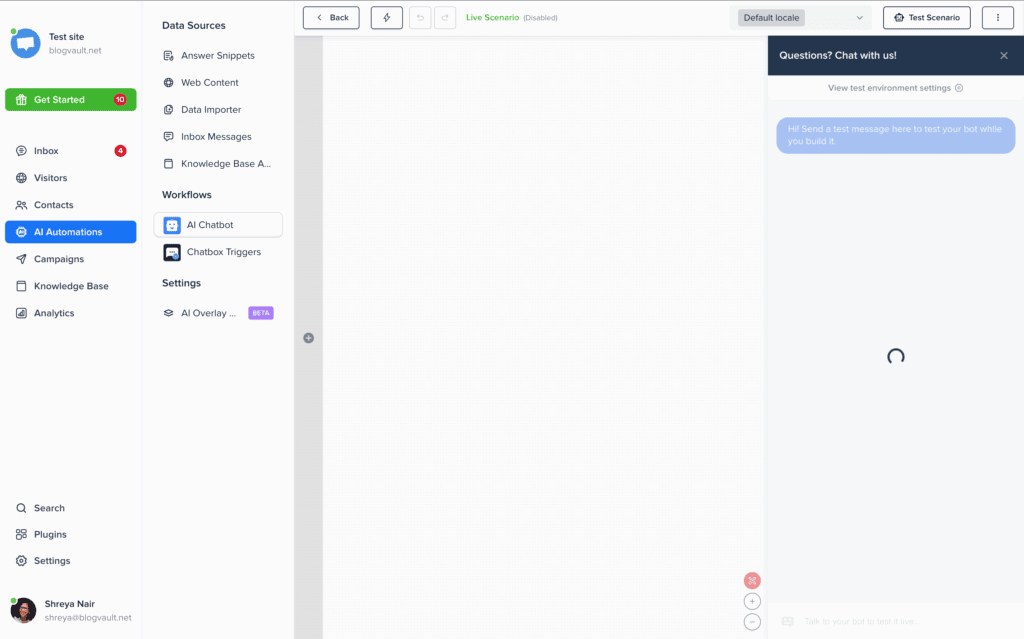
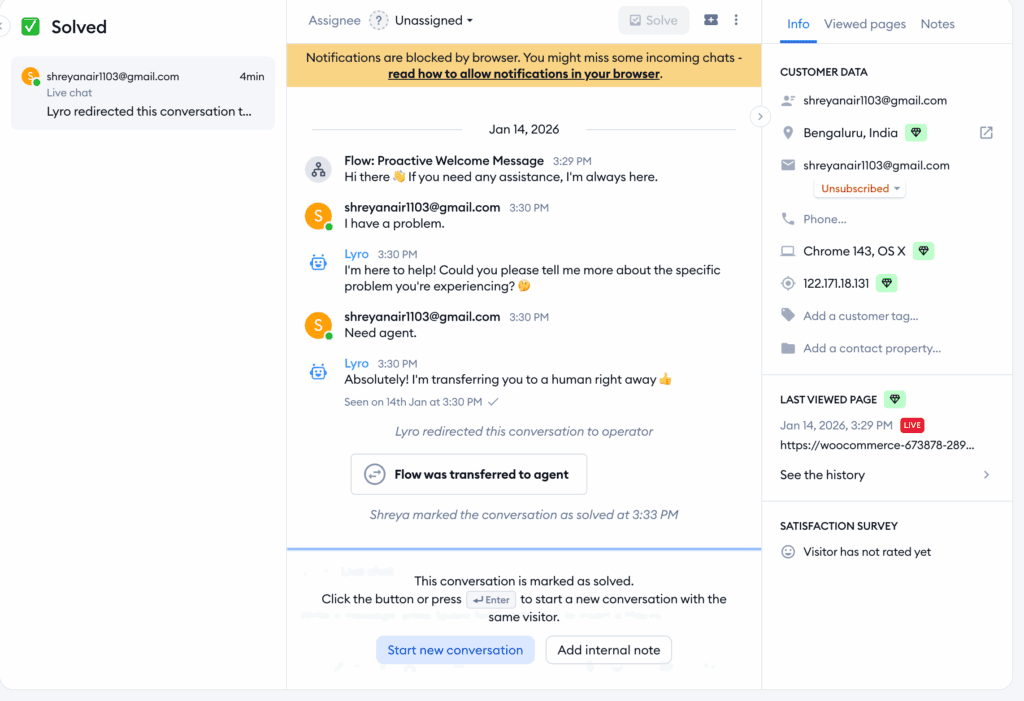
Tidio: Tidio takes AI a step further with its flagship “Lyro AI Agent.” This is a true conversational AI that learns from your website content, FAQs, and uploaded documents to hold natural, human-like conversations and resolve up to 70% of inquiries on its own. Its visual flow builder makes it easy to design rule-based bots for specific tasks like capturing cart abandoners, while the “AI Copilot” provides smart suggestions to live agents, ensuring consistent and quick replies.
Third-Party Integrations
Verdict: Tidio has the edge for e-commerce, while Crisp excels at consolidating a wider range of social media and messaging apps into one inbox.
Integrations are what turn your live chat tool from a standalone widget into the central hub of your customer communication strategy. A platform must connect seamlessly with your CRM, marketing tools, and especially your e-commerce platform to provide real value.
Crisp: Crisp’s main strength is its powerful omnichannel inbox. It consolidates messages from a wide array of channels, including WhatsApp, Instagram, Facebook Messenger, Line, and Telegram, allowing your team to manage everything from one dashboard. It also offers strong native integrations with major CRMs like HubSpot, Salesforce, and Pipedrive, ensuring your customer data stays in sync.
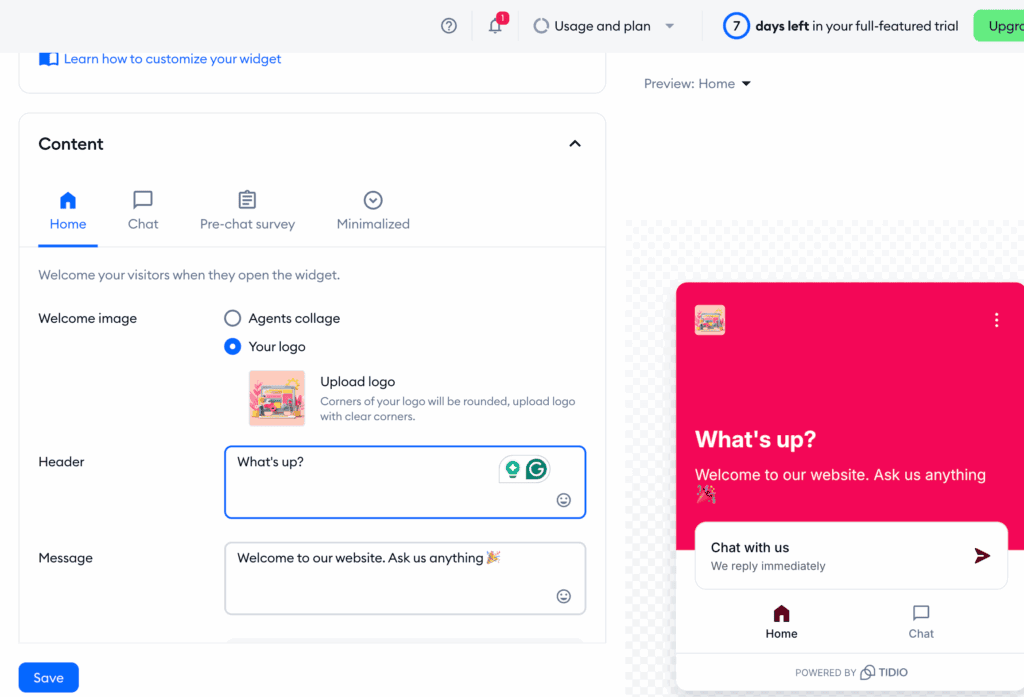
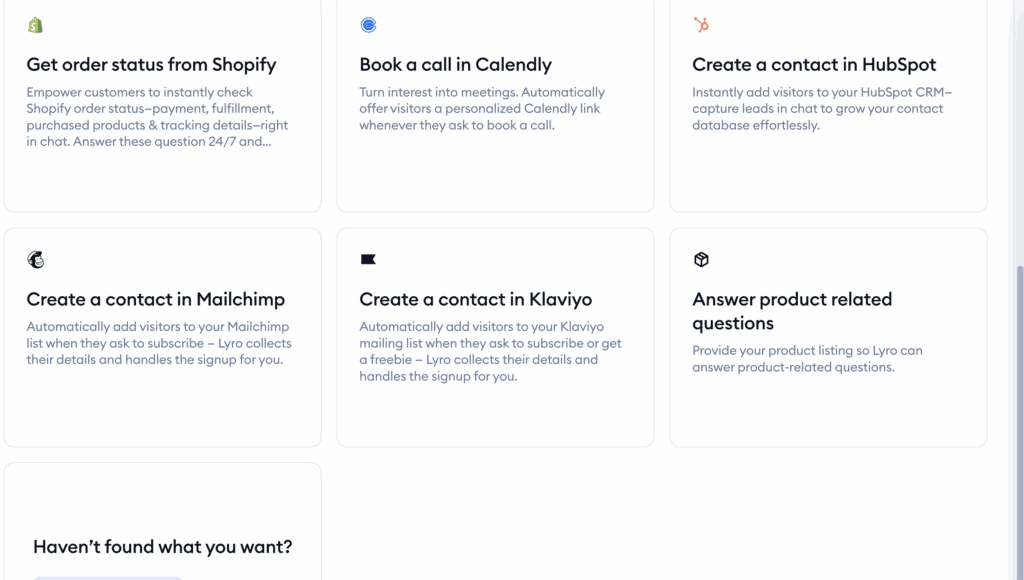
Tidio: Tidio is the best live chat for Shopify and other e-commerce platforms like WooCommerce and Wix, offering deep, native integrations that other platforms can’t match. This allows for powerful e-commerce-specific automation. It also brings in messages from essential channels like WhatsApp, Instagram DMs, and Facebook Messenger. With connections to major CRMs and thousands of other apps via Zapier, it fits perfectly into most business workflows.
Performance & Site Speed
Verdict: Both platforms are excellently optimized, but Crisp’s transparent focus on asynchronous loading gives it a slight edge for performance-obsessed users.
A live chat widget should never slow down your website. Bloated code can harm your user experience and negatively impact your SEO rankings. We analyzed how each platform is built to ensure it loads quickly and efficiently without dragging down your site’s performance.
Crisp: Crisp is engineered for speed. Its script loads asynchronously, meaning it waits for your website’s main content to load first, so it won’t hurt your Google PageSpeed scores. All processing is handled on Crisp’s own global servers, putting zero strain on your WordPress database. The lightweight script is served via a global CDN, ensuring it loads quickly for visitors anywhere in the world.
Tidio: As a popular free live chat software, Tidio is also built with performance in mind. Its chat data and AI processing are hosted on secure AWS servers, keeping the load off your website. The widget uses a lightweight, asynchronous script that can be configured to only load on specific pages, giving you granular control to optimize site speed where it matters most.
Agent Management & Experience
Verdict: It’s a tie. Both Tidio and Crisp offer a comprehensive and intuitive suite of tools for support teams to collaborate and work efficiently.
The quality of a chat platform is defined by the experience of the agents who use it all day. We looked for features that make managing conversations easy, such as intelligent chat routing, collaboration tools, and real-time notifications.
Crisp: Crisp provides a robust environment for support agents. It offers automatic routing to specific departments (e.g., Sales, Support) and real-time alerts across desktop, mobile, and email. Agents can leave private notes on conversations to collaborate with teammates, and when the whole team is offline, the widget cleverly converts into a lead generation form, so no opportunity is missed.
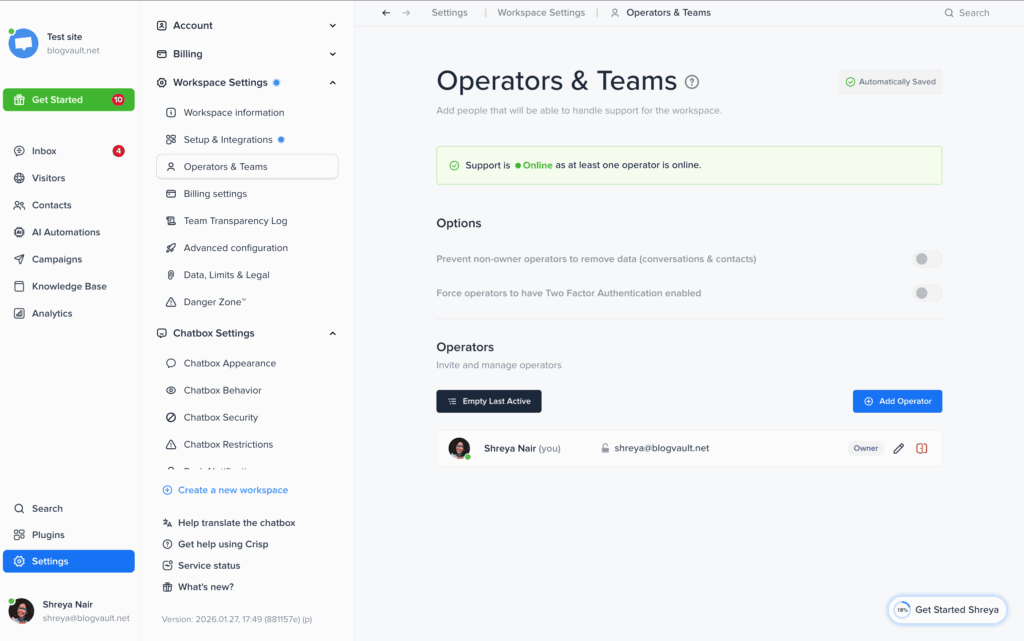
Tidio: Tidio’s shared inbox is designed for teamwork. Its multi-channel inbox software includes features like automatic chat assignment rules and internal @mentions for seamless collaboration. Real-time notifications keep agents informed of new visitors and messages. When agents are unavailable, Tidio can trigger an AI-powered contact form or a custom chatbot flow to continue engaging visitors.
Data Storage & Chat History
Verdict: Crisp is better, offering unlimited chat history even on its most affordable paid plan.
Your chat history is a goldmine of customer insights and an essential record for quality control. We looked at how each platform stores your conversation transcripts and contact data, and how easily your team can access this information for follow-up or review.
Crisp: Crisp stands out by offering unlimited storage of all chat transcripts and contact information, even on its entry-level “Basic” paid plan. This is a significant advantage for businesses that need to maintain long-term customer records without facing a high paywall. The platform includes a high-speed searchable database, allowing agents to instantly find past conversations using keywords, tags, or a customer’s email address.
Tidio: Tidio also provides unlimited access to past transcripts on its paid plans, which is vital for performance reviews and maintaining customer context. Its contact management system automatically saves visitor details, notes, and their page view history directly within the dashboard. While many users start with Tidio as a free live chat software, upgrading to a paid plan is necessary to unlock unlimited chat history and its structured archiving system, which keeps the main inbox clean while retaining all data.
Compliance & Security
Verdict: It’s a tie. Both Tidio and Crisp offer robust, enterprise-grade security and are fully compliant with major privacy laws.
Handling customer data safely isn’t optional—it’s a legal and ethical requirement. We examined how each platform protects your data and helps you comply with regulations like GDPR and CCPA. For any business, especially those starting with a free live chat software, knowing your customer data is secure is non-negotiable.
Crisp: Crisp provides a dedicated “Privacy Dashboard” within its settings, making it easy to manage compliance. It is fully GDPR-ready, with built-in tools for data deletion, cookie consent management, and data portability. A key feature is its ability to mask visitor IP addresses, adding an extra layer of privacy for your website visitors.
Tidio: Tidio meets the highest privacy standards, being fully compliant with GDPR, CCPA, and even SOC 2. To answer the common question, “Is Tidio safe to use?”—yes, it is. All data in transit is protected by 256-bit SSL encryption, and sensitive information is secured using strong hash algorithms, ensuring your business and customer data are always protected.
Pricing & Value
Verdict: Crisp offers simpler, more predictable pricing for its paid plans, but Tidio’s free plan is significantly more generous for small teams.
Pricing can be the ultimate deciding factor. We examined the free offerings and the structure of the paid plans to determine which platform provides better overall value and scalability for a growing business.
Crisp: Users researching Crisp chat pricing will find a straightforward, per-workspace model. Its free plan is limited to 2 agents, making it best for solo founders or personal sites. The paid plans (Pro at ~€25/mo, Essentials at ~€95/mo) unlock more features and agents but come with significant price jumps. A key drawback is that each website requires its own subscription, which can become costly.
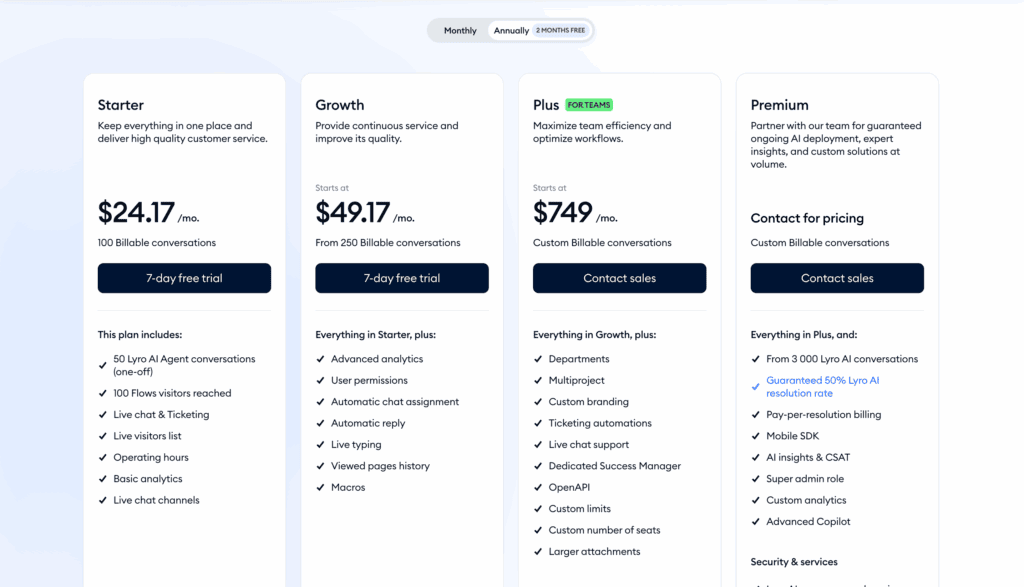
Tidio: The free plan is one of the best on the market, offering 50 live chat conversations, a taste of its Lyro AI, and an impressive 10 agent seats. Tidio’s paid plans are based on conversation limits and feature sets, starting at $29/month. While this model is highly scalable, it can be less predictable than Crisp’s flat-rate tiers, as your costs will grow alongside your website traffic.
What Are Users Complaining About?
Verdict: Crisp’s primary complaints are related to its pricing model and UI, while Tidio users can feel pressured to upgrade due to conversation limits.
No tool is perfect. Looking at common complaints from real users helps set realistic expectations and highlights potential frustrations you might face down the road.
Crisp: The most common frustrations with Crisp revolve around its business model. The price jump between the Pro and Essentials tiers is very steep for small businesses. Furthermore, the lack of a multi-site discount makes it expensive for agencies or owners managing multiple WordPress sites. Some users also find that frequent updates to the dashboard UI can be confusing.
Tidio: Because Tidio’s pricing is tied to conversation volume, the most frequent issue users face is hitting the monthly limits on the free or lower-tier plans, which forces them to upgrade sooner than expected. This can lead some to look for Tidio alternatives with more predictable costs. The AI-centric pricing can also be confusing for users who only need a simple, high-volume live chat solution.
Alternatives to Tidio and Crisp
If neither Tidio nor Crisp feels like the perfect fit, here are a few other excellent options to consider, each with its own unique strengths.
- LiveChat: LiveChat is a premium, enterprise-grade solution for businesses that are serious about customer support. It offers a more robust suite of features, including advanced reporting, agent management tools, and extensive integrations. It’s a step up in both price and capability, ideal for established support teams that need maximum power and reliability.
- Olark: Olark focuses on simplicity and providing deep insights into your website visitors. While it has automation features, its core strength lies in making it easy for human agents to connect with customers. It provides detailed real-time data about what a visitor is doing on your site, making it great for sales teams who want to proactively engage potential leads.
Final Thoughts
Ultimately, the choice between Tidio vs. Crisp boils down to your primary business need: powerful AI automation or a unified, multi-channel inbox. Crisp is the clear winner for startups and small teams needing to manage website chat, email, and social media messages in one simple, affordable dashboard. Tidio is the better investment for e-commerce stores focused on growth, using its advanced AI to automate customer support and proactively drive sales.
Before you commit, we strongly recommend you test both plugins on a staging site. This private copy of your website lets you experiment with the setup and build a test chatbot without affecting your live customers. A little hands-on testing is the best way to see which dashboard feels more intuitive and which tool will best support your long-term goals.
FAQs
Is Tidio worth it?
Yes, Tidio is worth it for small to medium-sized businesses, especially in e-commerce, that need a powerful AI chatbot and a solid free plan to get started. If your goal is to automate customer support and sales conversations, the value it provides is excellent.
What is the alternative to Tidio chatbot?
Crisp is a direct alternative, focusing more on a unified inbox for social media and email. For more advanced, enterprise-level features, LiveChat is a strong alternative. If you want a chatbot integrated into a full CRM, HubSpot Service Hub is another popular option.
Is Tidio safe to use?
Yes, Tidio is safe to use. It is fully compliant with major privacy regulations like GDPR, CCPA, and SOC 2. All data is protected with 256-bit SSL encryption, ensuring your customer and business information is secure.
What is the difference between Drift and Tidio?
The main difference is their target audience and purpose. Drift is a “Conversational Marketing” platform designed for B2B companies to generate and qualify sales leads, and it comes with a much higher price tag. Tidio is a “Conversational Customer Service” tool aimed at SMBs and e-commerce, focusing on both support and sales automation at a more accessible price point.

Shreya has been a writer for as long as she can remember. Now, she writes articles that help WordPress users manage the sites that they're proud of, with little to no coding


