

Searching for the best MemberPress alternatives often means you’ve hit a wall with the popular plugin. While it’s a solid tool, perhaps the annual subscription is too steep, or you’ve found its course add-on isn’t a true LMS. Maybe you need more marketing firepower or the flexibility to build a unique membership site that MemberPress can’t accommodate.
Choosing the right WordPress plugin is a critical decision that impacts your revenue and user experience. To help you decide, we’ve put the top alternatives to the test. This article is our tell-all guide.
We built a test site that I used to try all the plugins, In my experience,Paid Memberships Pro is our top pick because of its robust free version. It offers the best starting point for any budget, while its open-source flexibility provides limitless customization.
We installed each of the alternatives on a staging site to simulate a real-world environment. We configured membership levels, set up payment gateways, protected various types of content, and tested the entire user journey from registration to cancellation. Our criteria focused on these eight key pillars:
- Content Restriction & Membership Levels: How easily and granularly it could protect content while supporting unlimited, flexible membership tiers.
- Payment & Billing: The range of supported payment gateways and its ability to seamlessly manage recurring subscriptions.
- Content Dripping: The intuitiveness of its controls for scheduling the timed release of content to members.
- Ease of Use: The overall user experience for both the site administrator and the end-user (the member).
- User Management: The power of the admin dashboard for managing members and the quality of the front-end account page.
- Customization: The ability to tailor forms and emails to match a brand, plus its compatibility with themes and page builders.
- Security: Essential protective features to keep member data safe, including login security and secure code.
- Pricing: The overall value for money, comparing the features included in both free and premium plans.
1. Paid Membership Pro
Paid Memberships Pro was developed by the team at Stranger Studios and has become famous as one of the most flexible, open-source membership solutions for WordPress. Its reputation is built on a powerful free core plugin that provides a solid foundation for any membership site. This modular, developer-friendly approach is what makes it so popular—it gives users a functional starting point without any initial investment.

When I tested PMPro, I found the free core plugin was refreshingly easy to set up. It handled basic content restriction, member management, and even sales reporting right out of the box with surprising capability. However, the experience shifts as your needs grow. To access more advanced functionality, I had to install and manage several separate add-ons, which can feel a bit fragmented.

We compared PMPro and MemberPress and found that while both are powerful, they serve different philosophies. MemberPress focuses on providing a polished, all-in-one experience with built-in tools and a guided setup, making it very user-friendly from the start. In contrast, PMPro champions flexibility, open-source freedom, and affordability, offering a toolkit that developers or budget-conscious users can build upon to create a highly custom solution.
Key Features:
- Content Restriction: Lock down your content with versatile rules for pages, posts, and custom content types, with even more control available via add-ons.
- Membership Levels: No restrictions on membership tiers or the number of members you can have, even on the free plan.
- Payment & Billing: Accept payments right away with built-in support for major gateways like Stripe, PayPal, and Authorize.Net in the free plugin. Payment plans can be enabled with an add-on.
- Customization: As a fully open-source (100% GPL) plugin, developers have the freedom to modify and tailor every aspect of the platform.
- Reporting: Track your site’s performance with detailed, out-of-the-box reports on revenue, new member sign-ups, and cancellations.
Pricing:
- Free Core Plugin: A powerful free version that provides all the essential tools to get started, including payment integrations.
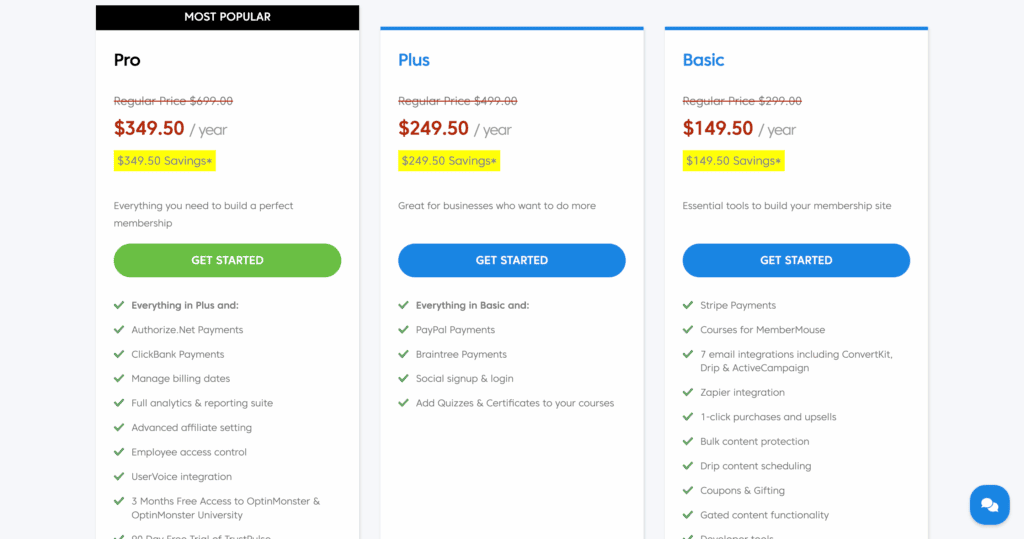
- Standard Plan: $249 per year for one site license, which unlocks premium add-ons and support.
- Plus Plan: $397 per year for two site licenses and additional features.

2. SureMembers
SureMembers was developed by the team behind the popular Astra theme and SureCart, and it’s become famous for its modern, minimalist approach to memberships. It’s designed to be exceptionally lightweight and fast, prioritizing performance and seamless integration with its own suite of products. Its popularity comes from its simplicity and its focus on doing one thing exceptionally well: content restriction.
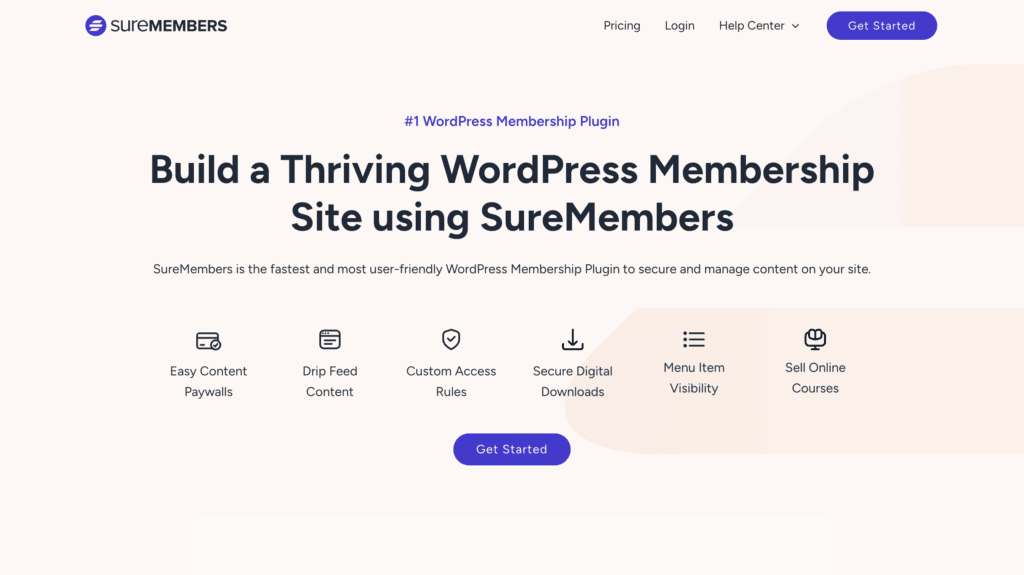
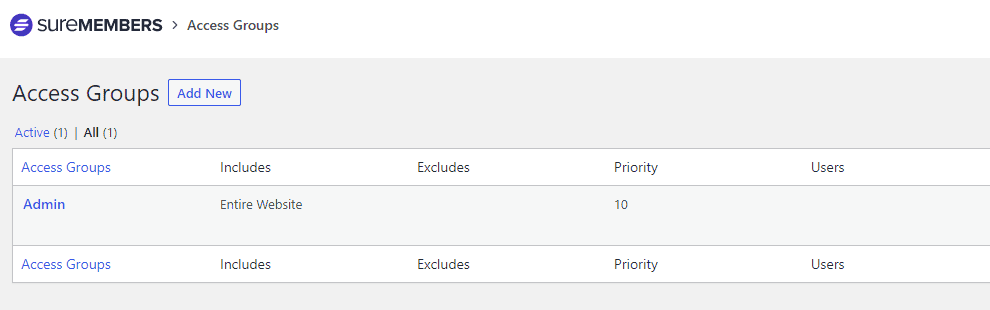
During my review of SureMembers, I was immediately impressed by how intuitive and clean the interface was. Setting up access rules was incredibly fast, and the plugin had zero noticeable impact on my site’s speed. However, it’s not an all-in-one solution. To handle payments or advanced automations, I had to install and configure SureCart and SureTriggers. While these integrations are seamless, it means managing a few different interfaces instead of one central dashboard.
We tried SureMembers and MemberPress and found that while both make managing memberships easy, they serve different needs. SureMembers is lightweight, modern, and integrates seamlessly with SureCart for flexible payments, making the checkout experience excellent. In contrast, MemberPress offers a more all-in-one solution with deeper analytics, built-in billing, and advanced access control options right out of the box.
Key Features:
- Content Restriction: Protect posts, pages, custom post types, and even individual menu items with simple, powerful rules.
- Content Dripping & Expiration: Schedule when members get access to content and for how long, perfect for courses or timed releases.
- Payment & Billing: Integrates flawlessly with the free SureCart plugin to accept payments via Stripe, PayPal, Apple Pay, and Google Pay.
- LMS & Automation: Connects directly with LearnDash and TutorLMS, and uses SureTriggers for powerful email automation workflows.
- User Management: Easily manage user roles and create exclusive content access groups for different membership levels.
Pricing:
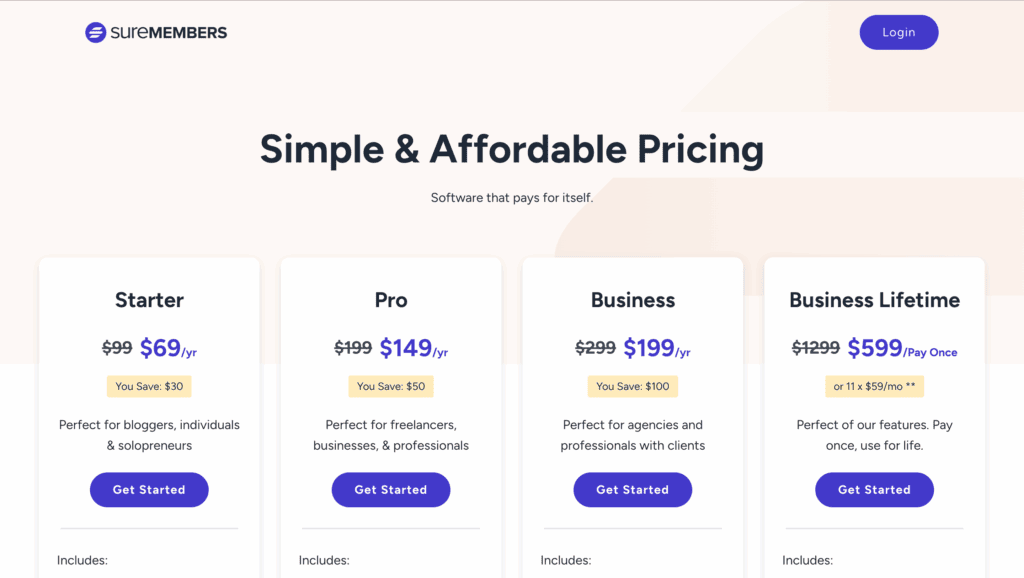
- Pro Plan: $69 per year for one site license.
- Business Plan: $99 per year for one site license, includes priority support and additional integrations.
- Agency Plan: $149 per year for ten site licenses.
3. Ultimate Member
Ultimate Member was created by the Ultimate Member team and is widely known as the go-to plugin for building community-centric websites. It’s popular for its robust user profile management, which allows you to create stunning front-end profiles, registration forms, and member directories that look far better than the default WordPress options. Its strength lies in social features, not complex monetization.
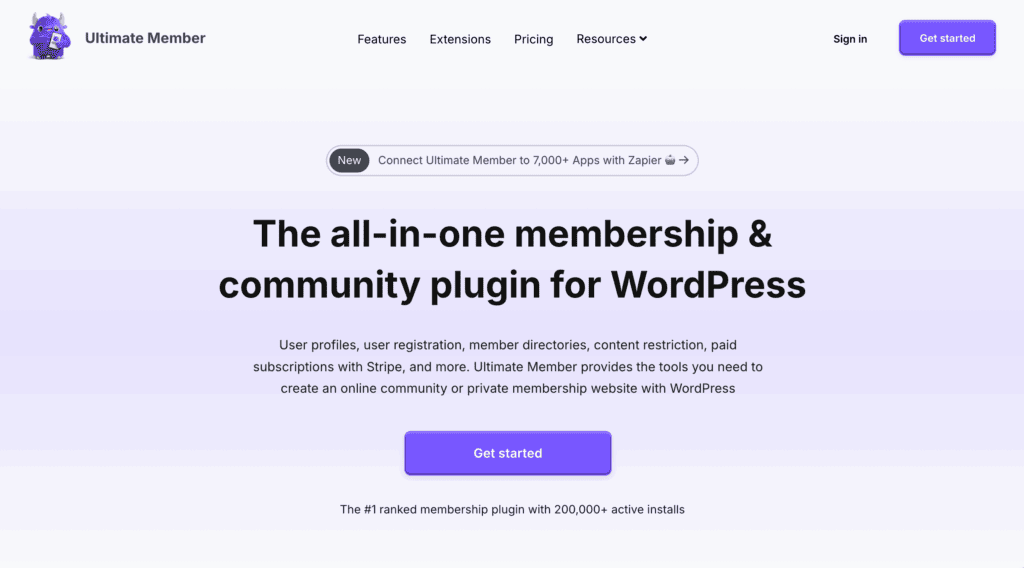
Our experience of Ultimate Member was surprisingly simple. There was no setup wizard or account creation needed. However, I found the user interface to be its biggest weakness. The settings are built within the standard WordPress dashboard and feel very cluttered, using a confusing system of tabs and sub-tabs that made it hard to find what I was looking for. While it’s a solid foundational plugin, its complex menu system makes it less friendly for beginners.
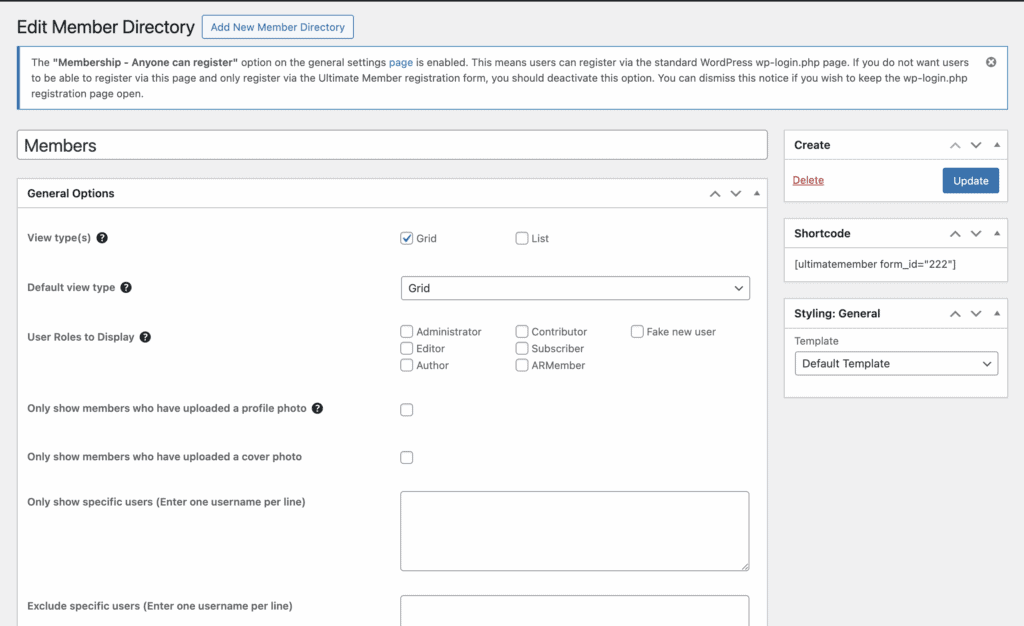
When we compared MemberPress vs. Ultimate Member, we found they serve fundamentally different purposes. MemberPress offers a full-featured membership system with built-in payments, content control, and automation designed for selling access. In contrast, Ultimate Member is better suited for creating user communities and front-end profiles, requiring extra add-ons to handle any advanced monetization or subscription features.
Key Features:
- Front-End Profiles: Create beautiful, customizable front-end user profiles that give your community a professional look and feel.
- Custom Forms: Build advanced registration and login forms with conditional logic to capture the exact information you need.
- Member Directories: Display your members in elegant, searchable directories that can be customized to match your site’s design.
- Content Restriction: Basic content restriction rules are included to protect content for logged-in members or specific roles.
- Role Management: Assign custom user roles upon registration to create different tiers of community access.
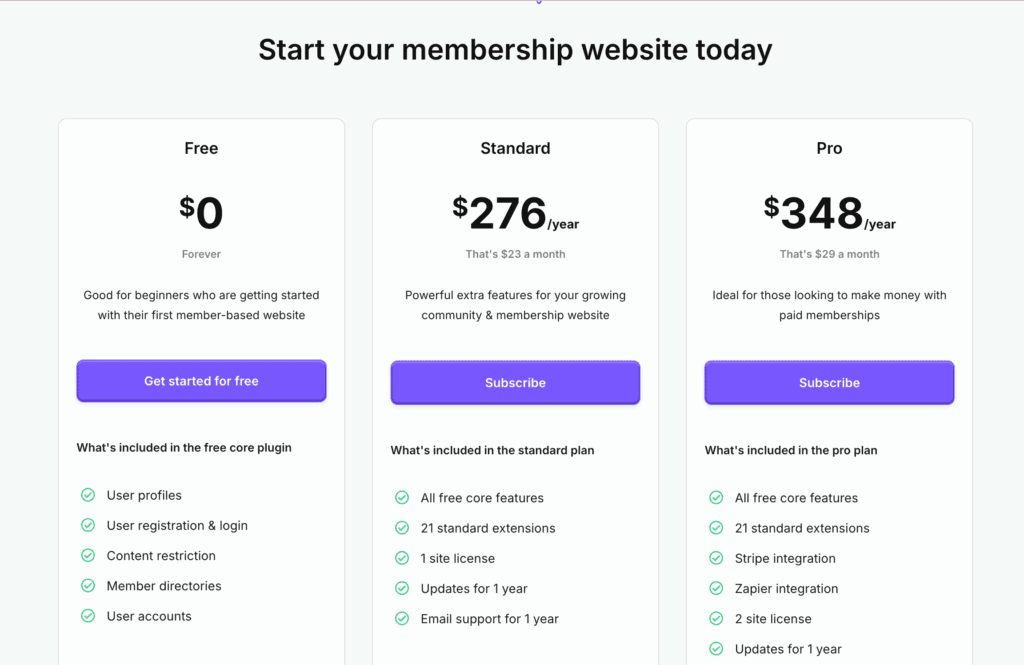
Pricing:
- Core Plugin: Free, with all the essential features for building a community site.
- Extensions Pass: Paid extensions are required for payments, private messaging, and other advanced features, available individually or via an all-access pass.
4. MemberMouse
MemberMouse is a powerful, enterprise-level solution designed from the ground up for businesses focused on maximizing revenue. It is famous for its sophisticated marketing and CRM tools, such as one-click upsells and dynamic content personalization, which are built to handle high sales volume and complex customer journeys. Its reputation is built on stability, scalability, and powerful developer tools.
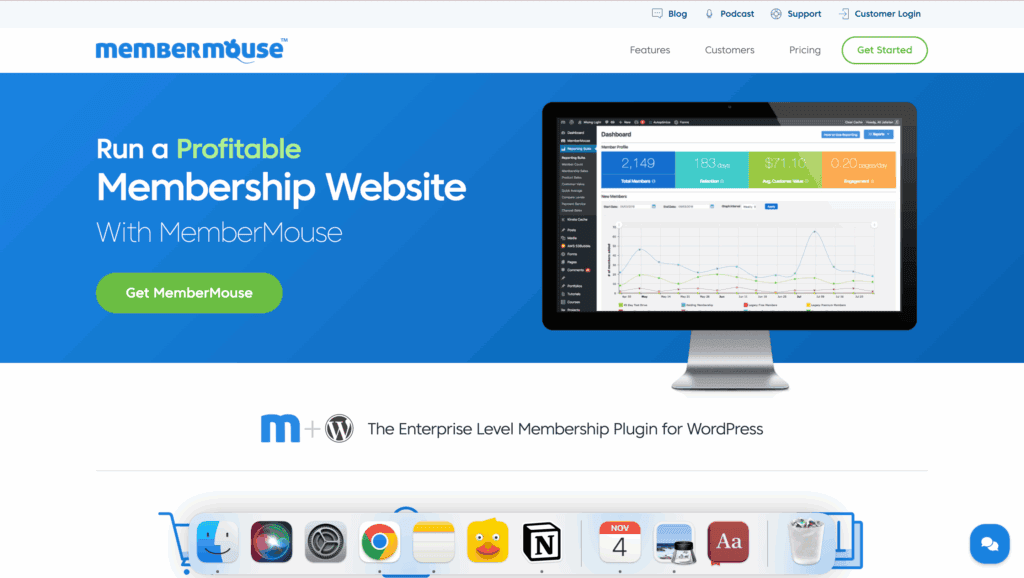
In my experimenting with MemberMouse, I found that it is a marketer’s dream for optimizing sales funnels. The “SmartTags” feature was particularly impressive, allowing me to display dynamic content, upsells, or messages to members based on their level, past purchases, or engagement. However, this power comes with complexity. The setup is more involved than simpler plugins, and the interface, while functional, feels a bit dated compared to more modern competitors.
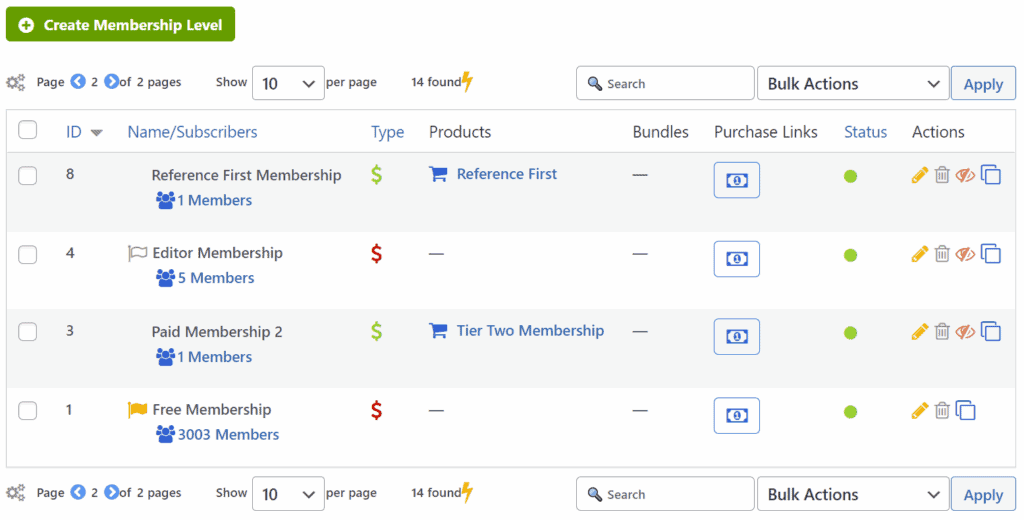
We compared MemberPress and MemberMouse and found they take different approaches to access control. MemberPress stands out for its simple, rule-based system that makes protecting content straightforward. MemberMouse, on the other hand, adds unique options like content bundles and its powerful “SmartTags,” which give you far more granular, dynamic control over what individual members see and when, making it ideal for personalized marketing funnels.
Key Features:
- Revenue Optimization: Boost sales with built-in 1-click upsells and downsells that can be presented to customers at checkout.
- Dynamic Content: Use “SmartTags” to personalize the user experience by showing different content, links, or offers based on a member’s level or behavior.
- CRM & Reporting: Manage members with strong CRM functionality and access sophisticated reports on sales, retention, and customer lifetime value.
- Content Protection: Robust rules to restrict access to pages, posts, and custom content, with options for creating flexible content bundles.
- Developer Tools: A powerful API and developer hooks allow for deep customization and integration with other business systems.
Pricing:
- Builder Plan: Starts at around $35 per month (billed annually) for core features and up to 5,000 members.
- Advanced Plan: Higher tier plan for more members, advanced features like social login, and priority support.
- Premium Plan: Custom pricing for very large businesses needing maximum scalability and features.
5. Ultimate Membership Pro
Developed by the “Elite Author” team at Indeed Development, Ultimate Membership Pro is one of the most popular plugins on the CodeCanyon marketplace. It’s famous for offering an incredible number of features— rivaling many premium subscription plugins—at a very competitive one-time price. Its reputation is built on being a powerful, all-in-one toolkit for building complex membership workflows without needing extra add-ons.
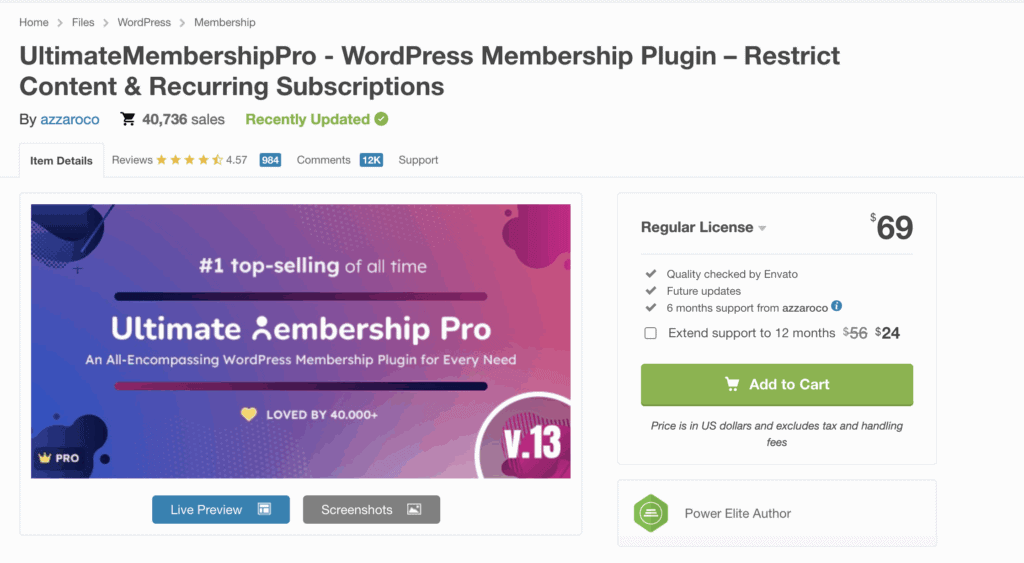
When I tested Ultimate Membership Pro, I was blown away by the sheer volume of features packed into it. From social logins and drip content to printable membership cards and multiple registration templates, the options felt nearly endless. The content restriction capabilities were especially strong, allowing me to block content based on keywords or even hide specific menu items. However, this vast feature set comes with a significant learning curve that could be overwhelming for beginners, and the support is limited to the initial purchase period.

Comparing Ultimate Membership Pro to MemberPress, the key difference is value versus polish. Ultimate Membership Pro offers an astounding array of features for a single, low price while MemberPress carries a recurring cost. MemberPress also provides a more streamlined user experience, integrated LMS-like features, and dedicated, ongoing support directly from the developer.
Key Features:
- Granular Content Restriction: Lock down pages, posts, WooCommerce products, URLs, specific content sections, and even menu items.
- Flexible Membership Levels: Create unlimited free, trial, or paid multi-level subscription plans with various billing cycles (one-time, recurring, date range).
- Extensive Payment Options: Supports over 8 payment gateways, including PayPal, Stripe, and Authorize.Net, plus offline bank transfers.
- Built-in Customization: Includes multiple templates for login and registration pages, a drag-and-drop form builder, and social login with 7 networks.
- Advanced Features: Comes with content dripping, detailed reporting, double email verification, login security, and membership badges built-in.
Pricing:
Regular License: A one-time purchase, typically around $69 on CodeCanyon, which includes 6 months of support. Support and updates require renewal after the initial period.
6. ARMember
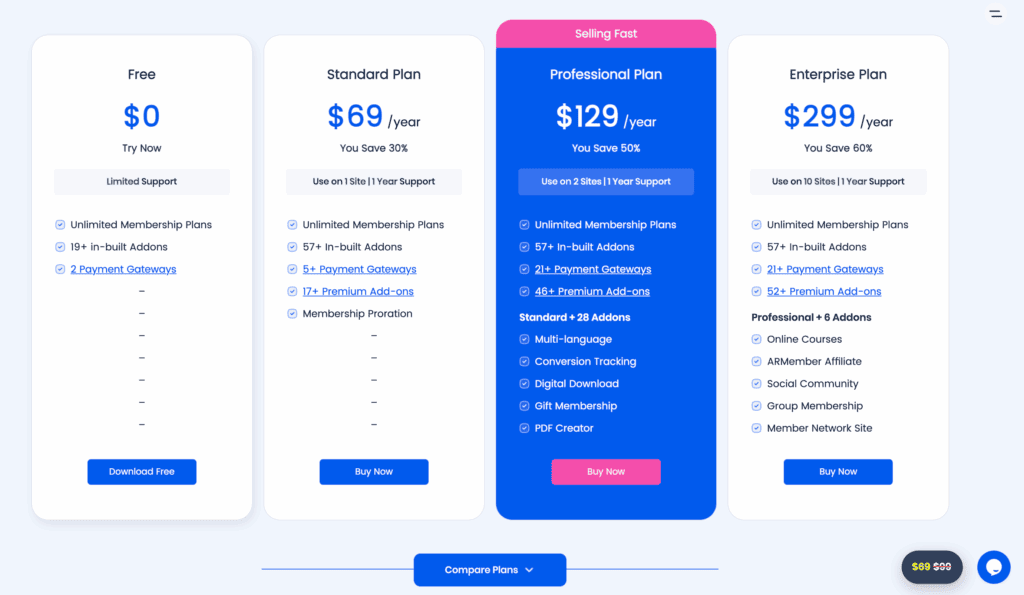
ARMember was developed by the team behind the popular ARForms builder and is famous for its “Swiss Army knife” approach to memberships. It stands out by bundling a huge number of features and over 50 add-ons into a single, affordable license. This makes it popular among users who want enterprise-level flexibility—from gamification to social login—without the high price tag or complexity of managing multiple plugins.
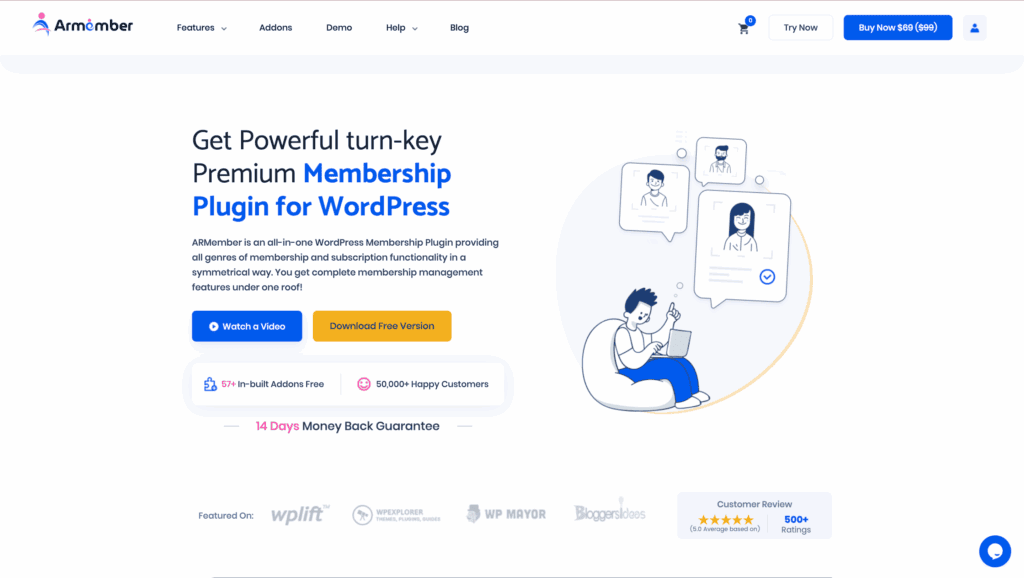
During my ARMember review, it felt like a complete business-in-a-box. The built-in drag-and-drop form builder was a definite highlight, making it easy to create custom registration forms. I also appreciated the unique features like gamification (badges and points) that aren’t common in other plugins. The only trade-off was a slight learning curve for some of the advanced modules, and the ready-made forms occasionally required a few lines of custom CSS to blend perfectly with my theme.
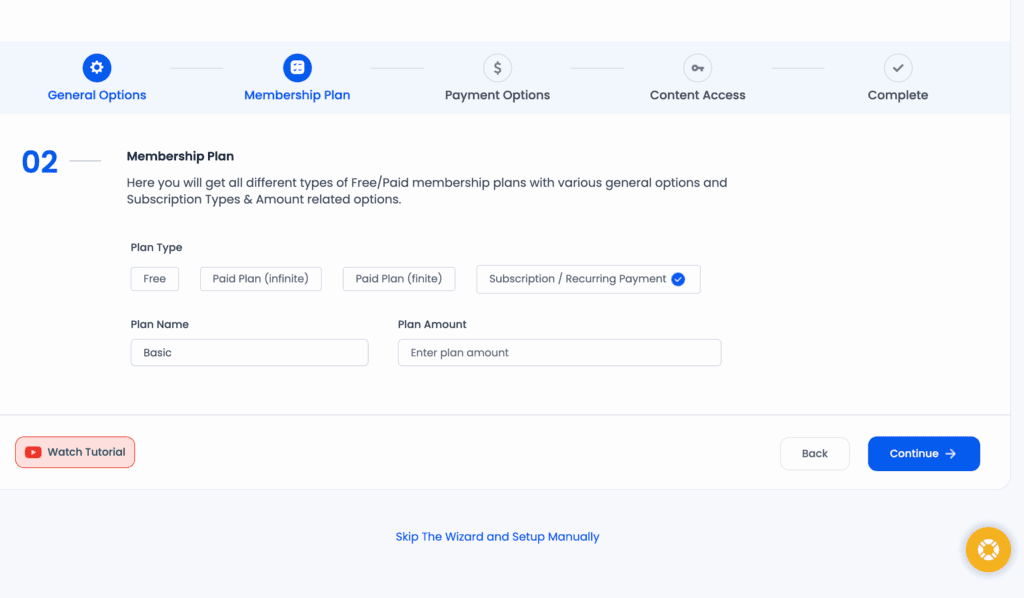
When we put ARMember up against MemberPress, it became a choice between an all-inclusive bundle and a streamlined core product. ARMember provides immense value by including dozens of add-ons for one price, covering everything from social login to detailed security. MemberPress has a cleaner, more focused approach with tighter native integrations and a more intuitive out-of-the-box experience for core membership and course-selling tasks.
Key Features:
- All-in-One Feature Set: Includes content dripping, a drag-and-drop form builder, email automation, and detailed reporting in one package.
- Extensive Payment Gateways: Supports over 21 payment gateways, including Stripe, PayPal, and Authorize.Net, with recurring and one-time payment options.
- Member Engagement Tools: Comes with built-in member profiles, directories, social login, and gamification features like badges and points.
- Robust Security: Features include brute force login protection, IP blocking, and other security measures to protect your site and members.
- Partial Content Restriction: Easily show or hide specific parts of a post or page to entice non-members to sign up.
Pricing:
- Free (Lite) Version: A capable free version is available on WordPress.org.
- Premium Plan: Starts at $69 per year for a single site license, which includes all features and add-ons.
7. Wishlist Member
Created by Tracy Childers and his team, Wishlist Member is one of the oldest and most established membership plugins in the WordPress ecosystem..

In my experience using Wishlist Member, its dependability is its greatest asset. The platform feels incredibly stable, and its access control rules are extremely flexible, allowing for complex, multi-level membership structures that other plugins might struggle with. The trade-off for this is an interface that feels a bit dated compared to newer, sleeker plugins. Additionally, some niche integrations might require custom coding or a third-party connector to set up.
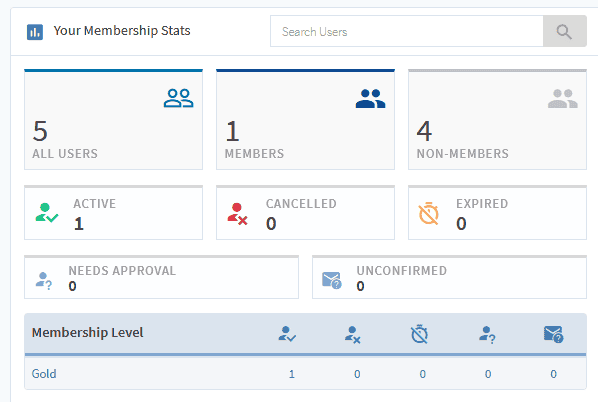
In comparing Wishlist Member and MemberPress, the theme is tradition versus modernity. Wishlist Member is a safe and dependable choice for mission-critical projects. MemberPress, in contrast, provides a more modern user interface, more intuitive workflows, and tighter built-in integrations for things like course creation and automation.
Key Features:
- Robust Content Protection: Powerful and flexible rules for restricting access to any post, page, or custom content on your site.
- Unlimited Membership Levels: Create as many membership tiers as you need to support your business model.
- Content Dripping: Schedule the release of your content to members over time, perfect for online courses or sequential content delivery.
- Multi-Level Access: Create a “ladder” of membership levels where higher tiers get access to all content from the lower levels.
- Partial Content Display: Use the “more” tag to show a portion of your content to non-members, encouraging them to sign up to read the rest.
Pricing:
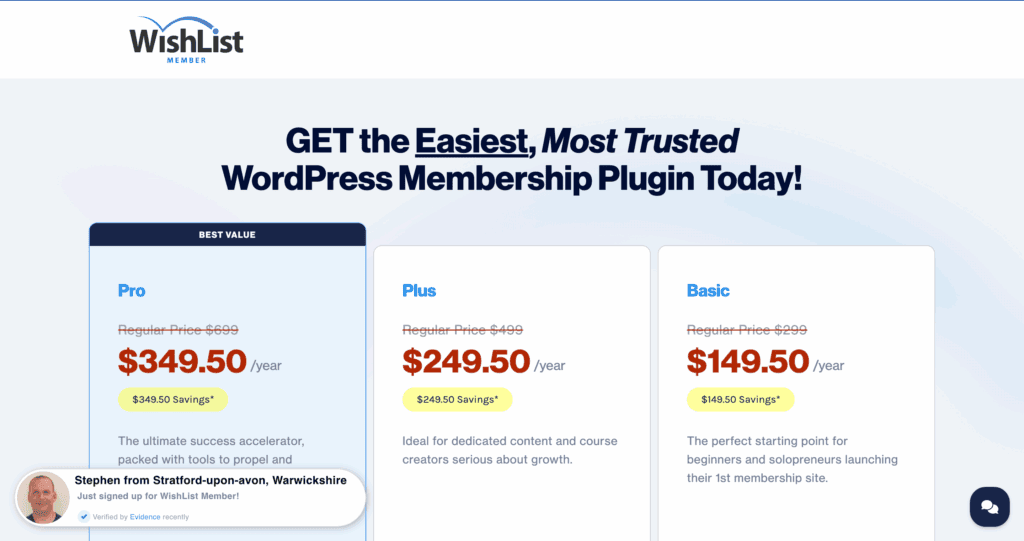
- Premium Only: Wishlist Member is a premium plugin with competitive pricing. You will need to check their official site for the most current plans and features.
8. Simple Membership
Developed by the team at Tips and Tricks HQ, Simple Membership is famous for being exactly what its name implies: simple. It’s an extremely straightforward and completely free plugin that provides an effective starting point for basic content protection. Its popularity comes from its ease of use, making it a go-to choice for non-technical users who just need to lock down a few pages or posts.
When I tested Simple Membership, I was able to get it installed and configured in just a few minutes. Protecting content with a simple shortcode and connecting it to PayPal for payments was completely effortless. The plugin is incredibly lightweight and had no negative impact on my site’s performance. While it excels at the basics, it’s important to understand its limitations—it lacks the advanced reporting, deep integrations, and sophisticated features of premium alternatives.

Comparing Simple Membership to MemberPress is like comparing a scooter to a car. Simple Membership is free, fast, and perfect for basic content protection needs. MemberPress is a complete, professional solution with a powerful engine for advanced billing, course management, automation, and reporting, designed for running a serious membership business.
Key Features:
- Unlimited Membership Levels: Create as many free or paid membership tiers as you need without any restrictions.
- Shortcode-Based Protection: Easily protect your content by wrapping it in a simple shortcode—no complex rules to configure.
- PayPal Integration: Accepts both one-time and recurring subscription payments via a built-in integration with PayPal.
- Basic User Management: Includes features for manual member approval, member import/export, and automated emails for key events.
- Lightweight & Fast: A minimal footprint ensures the plugin won’t slow down your website.
Pricing:
- Core Plugin: 100% Free.
- Paid Add-ons: Optional paid extensions are available to add extra functionality if needed.
Best Practices for Running a Successful Membership Site
Choosing a membership plugin is just the first step. A successful membership site is a living, breathing thing that needs care and attention. Here are the non-negotiable practices we follow to keep our membership sites secure, engaging, and profitable.
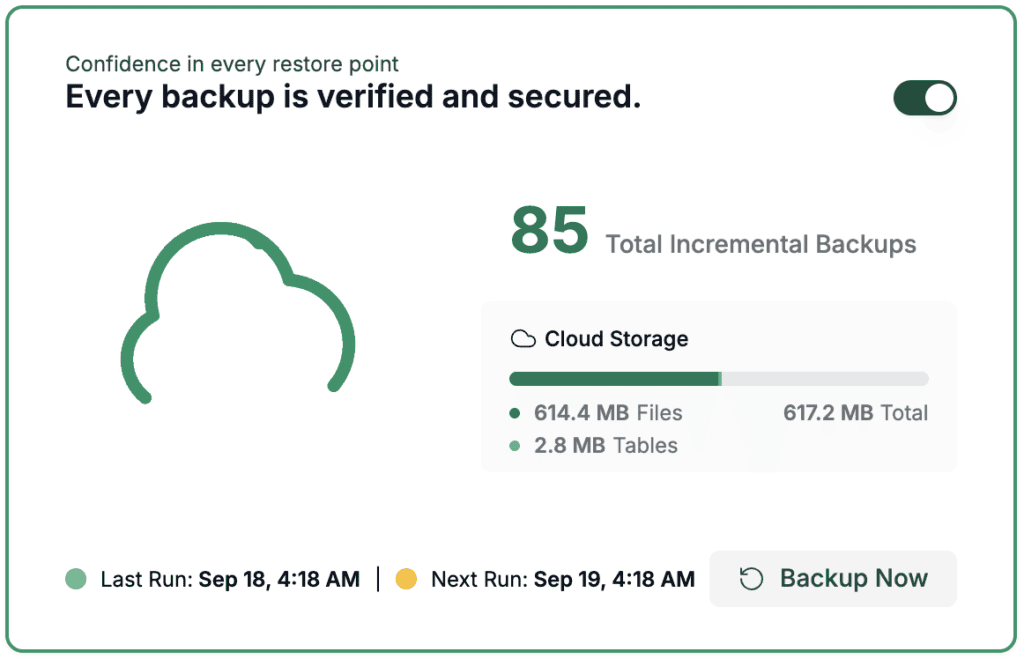
- Back Up Your Site Religiously: Install a backup plugin if you don’t have one already. Schedule daily, automated backups of your entire site and store them in a secure off-site location. It gives you an added opportunity to protect your members’ data.
- Run Regular Security Scans: Use a reliable security plugin to constantly monitor your site for malware and suspicious activity. This is good for the general health of your website and compliance.
- Install a Web Application Firewall (WAF): A firewall plugin blocks hacking attempts and malicious bots before they can ever reach your website.

- Keep Everything Updated: Consistently update your WordPress core, theme, and all plugins to patch security vulnerabilities.
- Enforce Strong Login Security and Correct Roles: Mandate strong passwords for all users and only give people the minimum permissions they need. This gets double important as your site grows. Without good login security, every member account is a sitting suck for a hack.
- Use an SSL Certificate (HTTPS): An SSL certificate encrypts data to protect your members’ login credentials and payment information.
- Monitor Member Activity and Churn: Track sign-ups and cancellations to understand what members love and what causes them to leave.
- Have Clear Terms of Service: Protect your business by posting transparent terms of service, a privacy policy, and clear billing terms.
Final Thoughts
While MemberPress is an excellent plugin, it’s not the right fit for everyone. You might be searching for an alternative because the annual subscription is too expensive, its course add-on isn’t a true LMS, or you need more flexibility than its all-in-one system can provide. This is where Paid Memberships Pro truly shines.
For cost-conscious users, its powerful free core plugin provides a no-investment starting point that MemberPress can’t offer. For those needing flexibility, its open-source nature and vast library of add-ons create a modular toolkit to build almost any custom feature imaginable, while seamlessly integrating with best-in-class LMS or marketing plugins.
Ultimately, it is absolutely essential to test it on a staging site. This private clone of your live website allows you to confirm plugin compatibility, configure payment gateways, and perfect the user experience without any risk to your actual members.
FAQs
Is there a free version of MemberPress?
No, MemberPress is a premium-only plugin and does not offer a free version. It does, however, provide a 14-day money-back guarantee, which allows you to test it risk-free.
What is the best membership plugin?
The “best” plugin depends entirely on your goals. MemberPress is excellent for an all-in-one, user-friendly solution. Paid Memberships Pro is best for flexibility and budget. Ultimate Member is ideal for community-focused sites, while SureMembers is perfect for those prioritizing speed and a modern interface.
What is the difference between MemberSpace and MemberPress?
The main difference is that MemberPress is a self-hosted WordPress plugin that runs directly on your website, giving you full control. MemberSpace is a third-party SaaS (Software as a Service) platform that integrates with your site but is hosted elsewhere, often making it easier to set up but less flexible.
Which CMS is better than WordPress?
“Better” is subjective and depends on your needs. For building a flexible, scalable, and customizable membership site, WordPress is widely considered the best CMS due to its vast ecosystem of plugins. For pure e-commerce, some prefer Shopify, while for simple brochure websites, platforms like Squarespace or Wix can be easier to use.

Shreya has been a writer for as long as she can remember. Now, she writes articles that help WordPress users manage the sites that they're proud of, with little to no coding


