

Choosing between Thrive Apprentice vs LearnDash is a crucial first step in building your online course. Picking the wrong platform can leave you struggling with complexity instead of focusing on your students.
Course plugins for WordPress sites don’t have to be confusing. This clear comparison cuts through the noise, giving you the straightforward facts you need to make the right choice for your goals and launch with confidence.
In our review of Thrive Apprentice, we loved it for its stunning, conversion-focused student experience and seamless marketing tool integrations. In contrast, LearnDash excels as a powerful, academic-grade platform with deep assessment features and scalability for large cohorts.
We installed both Thrive Apprentice and LearnDash on test sites. We focused on the key features that matter most to course creators, evaluating each plugin on:
- Student experience and distraction-free design.
- Complexity and flexibility of the quiz engine.
- Content control and drip scheduling.
- Direct payment gateway integration and e-commerce flexibility.
- Built-in engagement tools like certificates and gamification.
- Depth of student progress and performance reporting.
- Ecosystem and third-party integration reach.
- Plugin impact on overall site speed and performance.
Student Experience
This section examines the learning environment each plugin creates for your students, from interface cleanliness to tracking their progress.
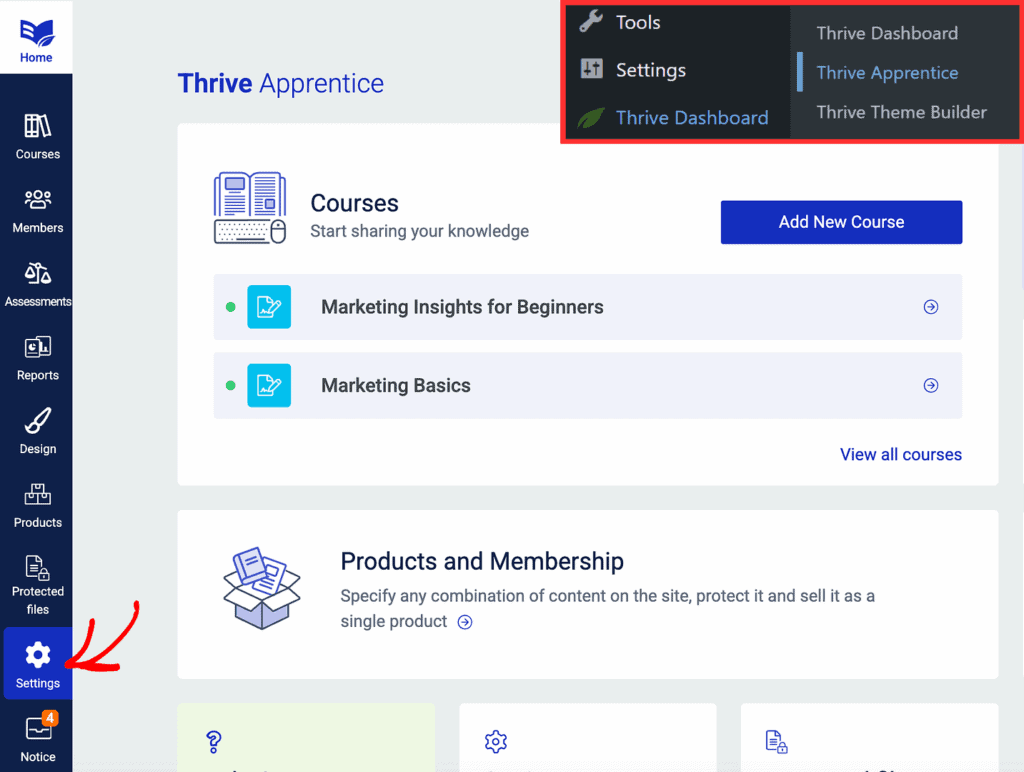
Thrive Apprentice excels at creating a sleek, distraction-free portal with its Focus Mode. It strips away site clutter, offering a clean progress bar and a handy “Resume Course” button. This makes it one of the easiest lms to set up for a professional, student-first experience right out of the box.
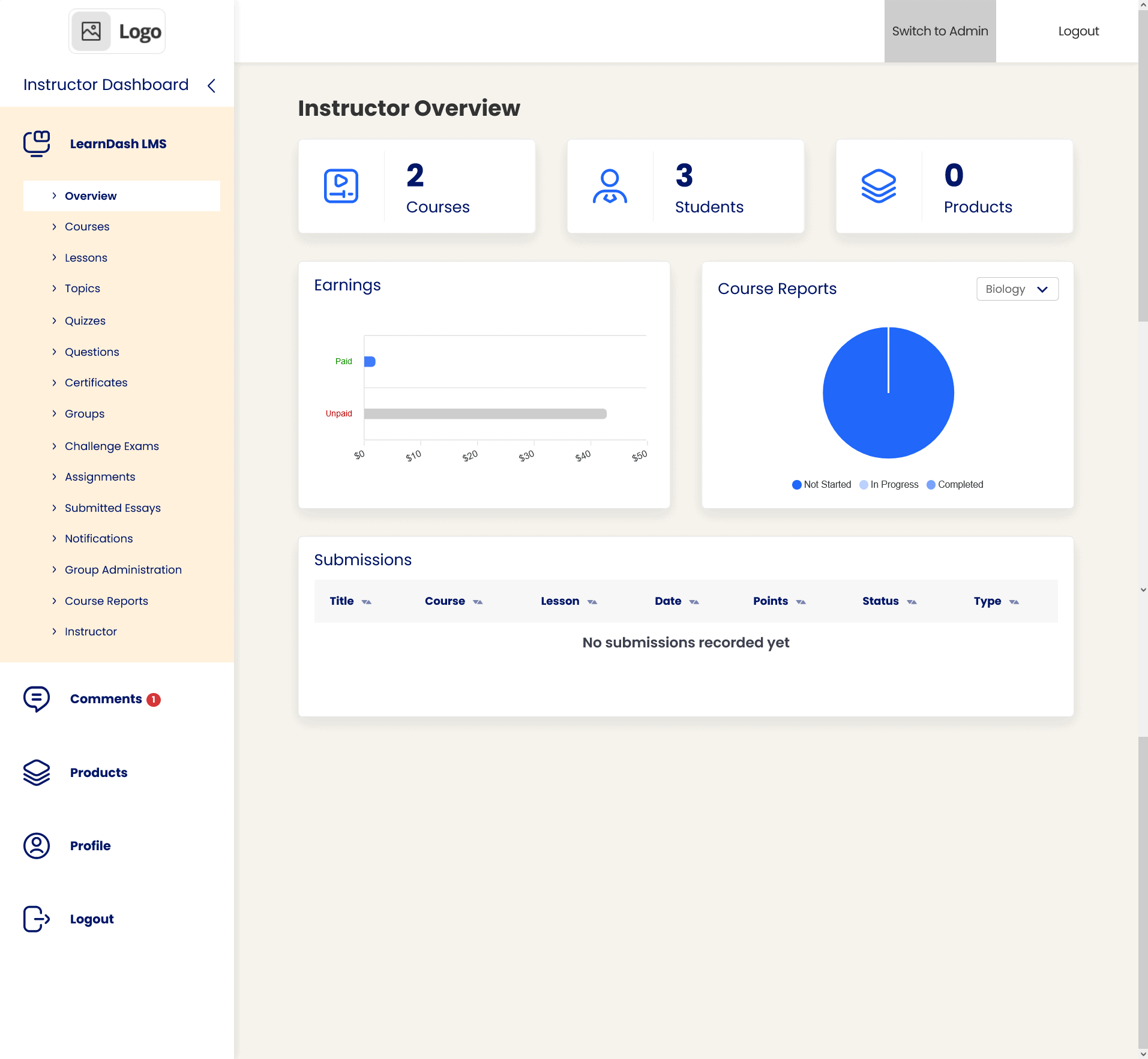
LearnDash also offers a powerful Focus Mode but adds deeper branding control, letting you customize colors and logos independently. It provides more navigational tools for learners, like persistent breadcrumbs and the ability to collapse lesson lists, which is excellent for longer, more complex courses.
Quiz Complexity
For evaluating student knowledge, the depth and flexibility of quiz tools are critical. This is where the plugins differ most significantly.
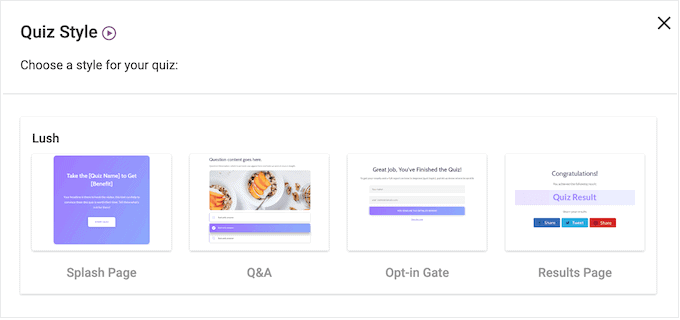
Thrive Apprentice handles basic assessments and file uploads natively. For advanced features like timers or branching logic, you must use the separate (though excellent) Thrive Quiz Builder add-on.
LearnDash is built for robust assessment, supporting 8 question types, randomized question banks, strict timers, and detailed feedback. This powerful system is a key reason why learndash for professional training and academic contexts is often the recommended choice.
Content Control & Dripping
How you schedule and release content is vital for course flow. We looked at the flexibility of drip-feeding and prerequisite rules.
Thrive Apprentice uses reliable, rules-based dripping and sequential locking. Its advantage is “global access” control via its membership core, allowing instant access revocation for failed payments—a standout for thrive apprentice vs learndash for solopreneurs who manage their own subscriptions.
LearnDash provides very granular control, including the unique ability to lock progression until a video is fully watched. It enforces a strict linear path with hard prerequisites, ideal for compliance or certification courses where order is mandatory.
Payment Flexibility
Getting paid easily is non-negotiable. This category compares built-in sales and subscription tools.
Thrive Apprentice enables direct sales via Stripe and Square through its automation tool. However, it lacks native PayPal, often requiring a third-party cart solution for that gateway.
LearnDash wins on WooCommerce payment gateways, integrating directly with Stripe, PayPal, and Razorpay. For complex e-commerce like coupons or bundles, its integration with WooCommerce is the standard approach, making it a versatile best lms plugin for wordpress users who need a full store.
Engagement & Gamification
Tools like certificates, points, and badges boost student motivation and completion rates.
Thrive Apprentice has a powerful, visually-oriented certificate builder. However, it lacks native points or badge systems. You must connect it to external gamification plugins using its automation toolkit.
LearnDash includes a more integrated system, with dynamic PDF certificates, course points, and a native achievements add-on for awarding badges and celebrating milestones, helping to create a more engaging learning journey.
Mobile Fluidity
With most learners using phones or tablets, the mobile experience is essential.
Thrive Apprentice is noted for its excellent responsive player and a mobile interface that shifts to a thumb-friendly hamburger menu, making navigation effortless on small screens.
LearnDash also provides a fully responsive experience. Its Focus Mode and lesson layouts adapt cleanly to mobile devices, ensuring students can learn just as effectively on the go.
Data Reporting
Understanding student progress and course performance is key for an instructor.
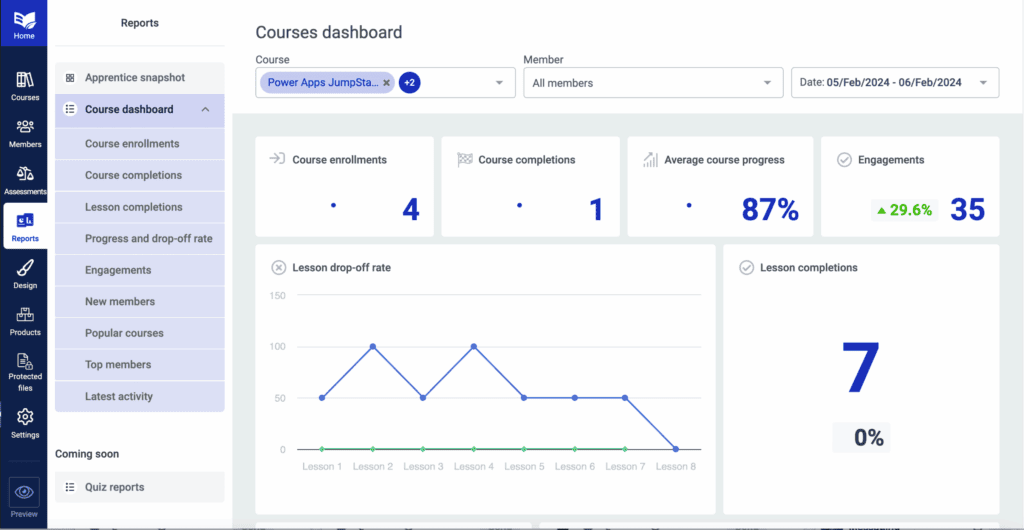
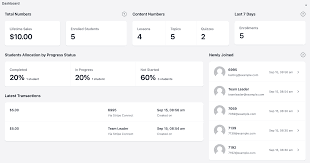
Thrive Apprentice provides clean, visual analytics on enrollment and lesson popularity but lacks a traditional gradebook for manual grading of large groups.
LearnDash delivers more detailed insights, especially with its Pro bundle. It can track specific quiz question performance, offer a central gradebook, and monitor student login activity—features that solidify its role for learndash for professional training where detailed reporting is needed.
Ecosystem Integration
An LMS doesn’t work alone. Its ability to connect with other tools is crucial.
Thrive Apprentice shines if you use the Thrive ecosystem, connecting seamlessly with its landing page builder, quiz tool, and email marketing features for a unified toolkit.
LearnDash has arguably the deepest integration network, including the gold-standard social learning combo with BuddyBoss and dedicated blocks for page builders like Elementor, making it highly adaptable to your existing tech stack.
Site Performance
Site speed affects user experience and SEO, so how the plugin impacts performance matters.
Thrive Apprentice is generally lightweight, loading scripts only on course pages. Since it doesn’t handle video hosting, it avoids one major performance burden.
LearnDash is also well-coded to load assets only where needed. However, complex quiz databases with thousands of users can increase backend load, though front-end performance typically remains strong.
Price & Value
The final decision often comes down to cost versus the features you’ll actually use.
Thrive Apprentice’s pricing starts at ~$299/year for the entire Thrive Suite (including page builder, quiz builder, and marketing tools), provides phenomenal value if you need an all-in-one marketing and course creation system.
LearnDash’s pricing is a more expensive standalone plugin (~$199/year for one site), with advanced features often requiring higher-tier plans. Its wordpress lms cost comparison often highlights it as a premium, investment-grade tool for established businesses.
Limitations to Consider
Every tool has trade-offs. Your choice may hinge on which shortcomings are deal-breakers for your project.
Thrive Apprentice is designed for the solo creator or small team. Its lack of multi-instructor roles, native PayPal, or built-in video hosting means you’ll need other tools for those specific functions.
LearnDash’s out-of-the-box design can feel utilitarian, often needing a page builder or theme to polish it. Access to its best reporting can cost more, and official support may be slower than community-driven help.
Alternatives to Thrive Apprentice and LearnDash
While Thrive Apprentice and LearnDash are top contenders, other excellent WordPress LMS plugins might be a better fit for specific needs. Here are two notable alternatives worth exploring.
- LifterLMS is a powerful all-in-one platform ideal for creating membership sites and structured coaching programs alongside courses, with strong built-in automation and gamification tools for student engagement.
- Tutor LMS offers a modern, user-friendly approach with intuitive frontend course management and robust quiz features, providing an excellent balance of ease and functionality at a competitive price point.
Final Thoughts
For most course creators, Thrive Apprentice is the better choice due to its superior design control, faster setup, and seamless marketing integrations. However, LearnDash remains the superior tool for academic, compliance, or large-scale training that demands robust testing and complex student management.
Always test your chosen LMS on a staging site first. This prevents errors or design conflicts from disrupting your live website, allowing you to safely configure settings, build course pages, and ensure everything works perfectly before launching to students.
FAQs
Is LearnDash the best LMS?
LearnDash is one of the best and most powerful LMS plugins for WordPress, especially for creating complex, feature-rich courses with advanced quizzes. However, “best” depends on your needs; for solo creators focused on marketing and design, Thrive Apprentice may be a better fit.
Which is the best LMS plugin for WordPress?
There is no single “best” plugin. For all-in-one marketing and beautiful design, choose Thrive Apprentice. For advanced assessments, scalability, and academic rigor, LearnDash is the industry leader. The best plugin is the one that aligns with your specific course goals and technical requirements.
Is Elementor Pro better than Thrive Architect?
This compares page builders, not LMS plugins. Both are excellent. Elementor Pro has a larger ecosystem and is more widely used. Thrive Architect is focused specifically on conversion-focused marketing pages and integrates natively with the Thrive Suite (including Apprentice). The “better” tool depends on whether you prioritize general design (Elementor) or integrated marketing features (Thrive).
What is the difference between LearnDash and Masteriyo?
LearnDash is an established, premium plugin with deep features for complex courses. Masteriyo is a newer, freemium plugin known for its modern user interface and simplicity. LearnDash is more powerful for large-scale or academic training, while Masteriyo is often chosen for its straightforward, user-friendly approach to basic course creation.

Shreya has been a writer for as long as she can remember. Now, she writes articles that help WordPress users manage the sites that they're proud of, with little to no coding


